Start-up
68
Pos: 20.40 /Überschri ften/Überschri ften 2/A-E/Elektri sche Anschlüsse @ 17\mod_12365 79932558_78.doc @ 205175
6.8 Electrical connections
Pos: 20.41 /BA/Inbetr iebnahme/Großpac kenpresse/Elektri sche Anschlüsse @ 17\mod_12 36580091386_78.doc @ 205196
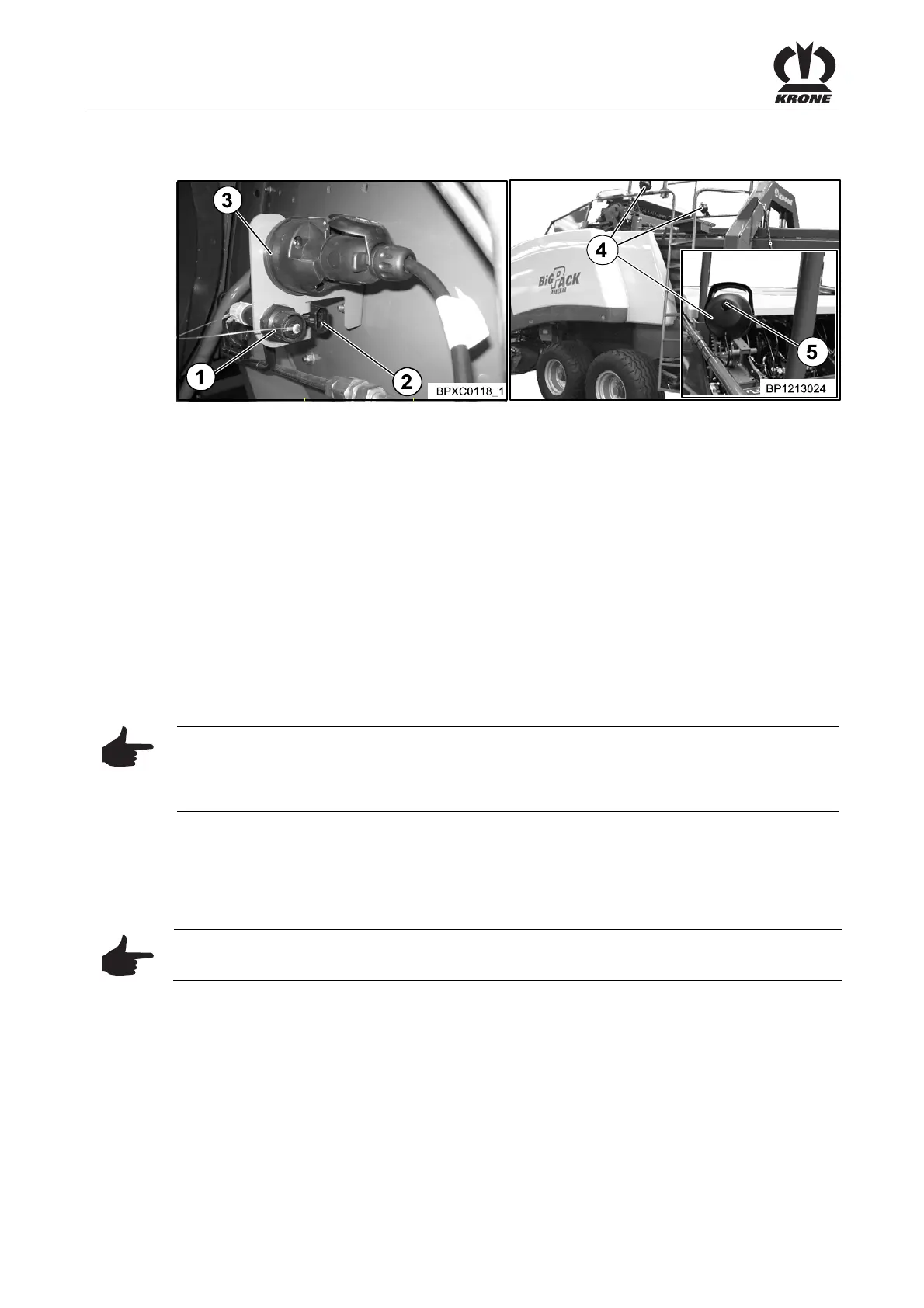
Fig. 26
The machine requires a voltage source for the power supply of the on-board computer and
lighting. A socket for installation on the tractor is part of the scope of supply.
• Connect the socket included with delivery directly to the 12V battery of the tractor
• Plug in and secure the connection cables in the corresponding sockets on the baler
• Remove the protective cap before plugging in if necessary
Socket 1:
Connection cable between on-board computer and control panel on the tractor.
Socket 2:
Power supply of the on-board computer. (Connect the plug-sided connection with the
assembled socket).
Socket 3:
7-pin standard socket for lighting (for work lights (4), optional).
Note
As soon as the plug of the continuous current supply is plugged in and the control and display
unit is switched on and there is no twine in the needles, the acoustic signal of the twine control
sounds.
Pos: 20.42 /BA/Inbetr iebnahme/Großpac kenpresse/Arbeitssc heinwerfer (opti onal) @ 17\mod_1236580576714 _78.doc @ 205220
6.8.1 Work lights (optional)
The work lights (optional) (4) are supplied with power by the parking light of the tractor.
• Pressing the rotary switch (5) on the work lights turns them on and off.
Note
The work lights (4) only work with switched on parking light
Pos: 21 /BA/-----Seitenumbruch------ @ 0\mod_1196 175311226_0.doc @ 4165









 To Next Page