KRONE operation terminal Gamma
127
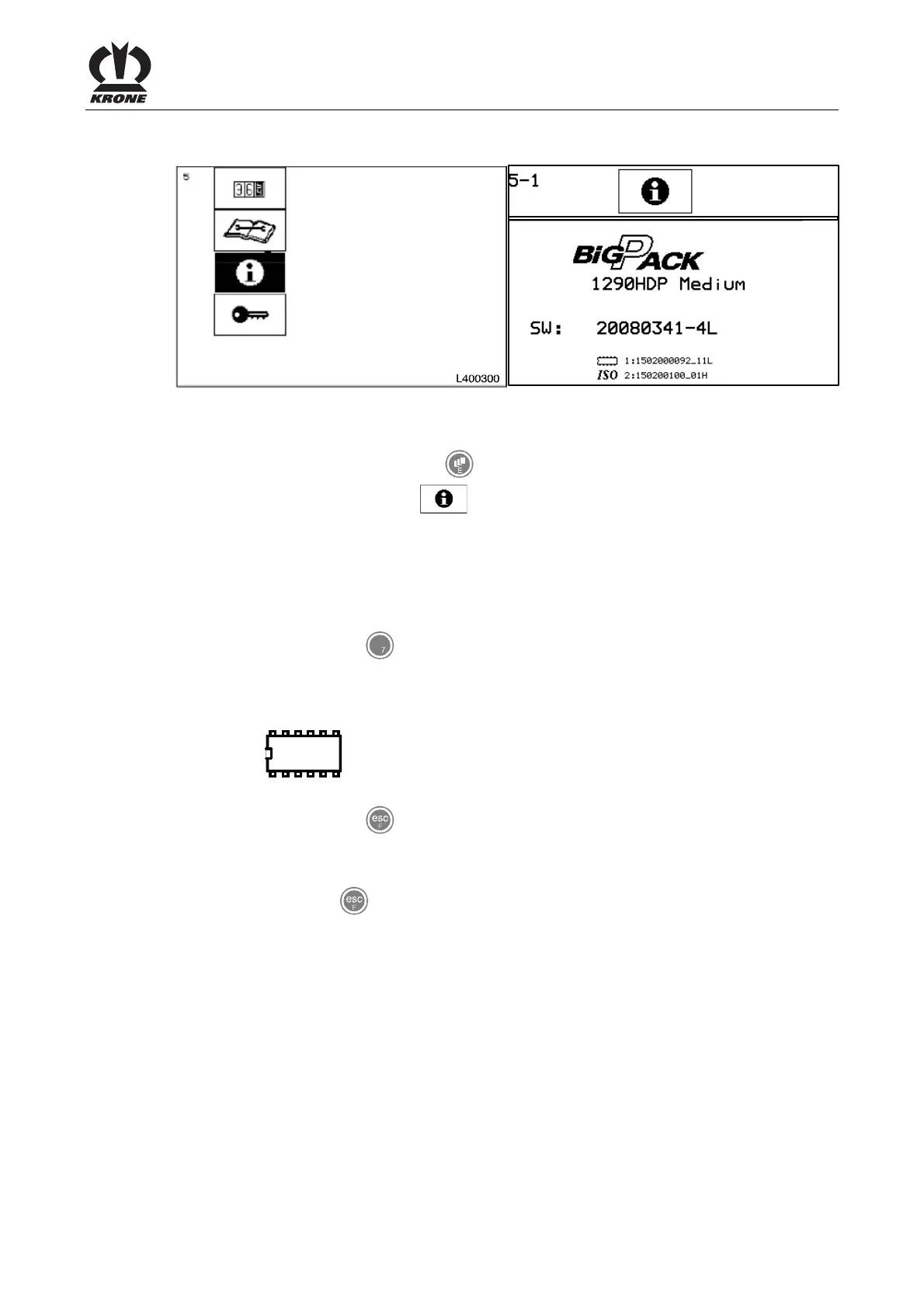
8.14 Main menu 5 „Info“
BPK40270
Fig. 78
Calling the main menu
• Call the main menu with the key
• You can select main menu 5
with the rotary potentiometer. The symbol is
displayed inversely
• Press the rotary potentiometer
The display shows menu 5 "Info".
Page 5-1:
Complete software version of the machine
• You can use the key
to go to page 5-2
• 1290HDP = Machine type
• Medium = machine version
• SW = complete software version of the machine
•
= Version of the job computer
• ISO= ISO-software version
• You can use the key
to close the menu currently displayed
The display shows main menu 5 "Info".
• Pressing the key
brings up the basic screen
Pos: 26.34 /BA/-----Seitenumbruch------ @ 0\mod_1196175311226_ 0.doc @ 4165









 To Next Page