KRONE operation terminal Gamma
116
Pos: 26.31.9 /BA/I nfo-Center/Großpacken presse/Hauptmenüs/ Hauptmenü 2 Zähler/Menü 2- 2 „Gesamtballenzähl er“ @ 18\mod_12380543 57628_78.doc @ 212944
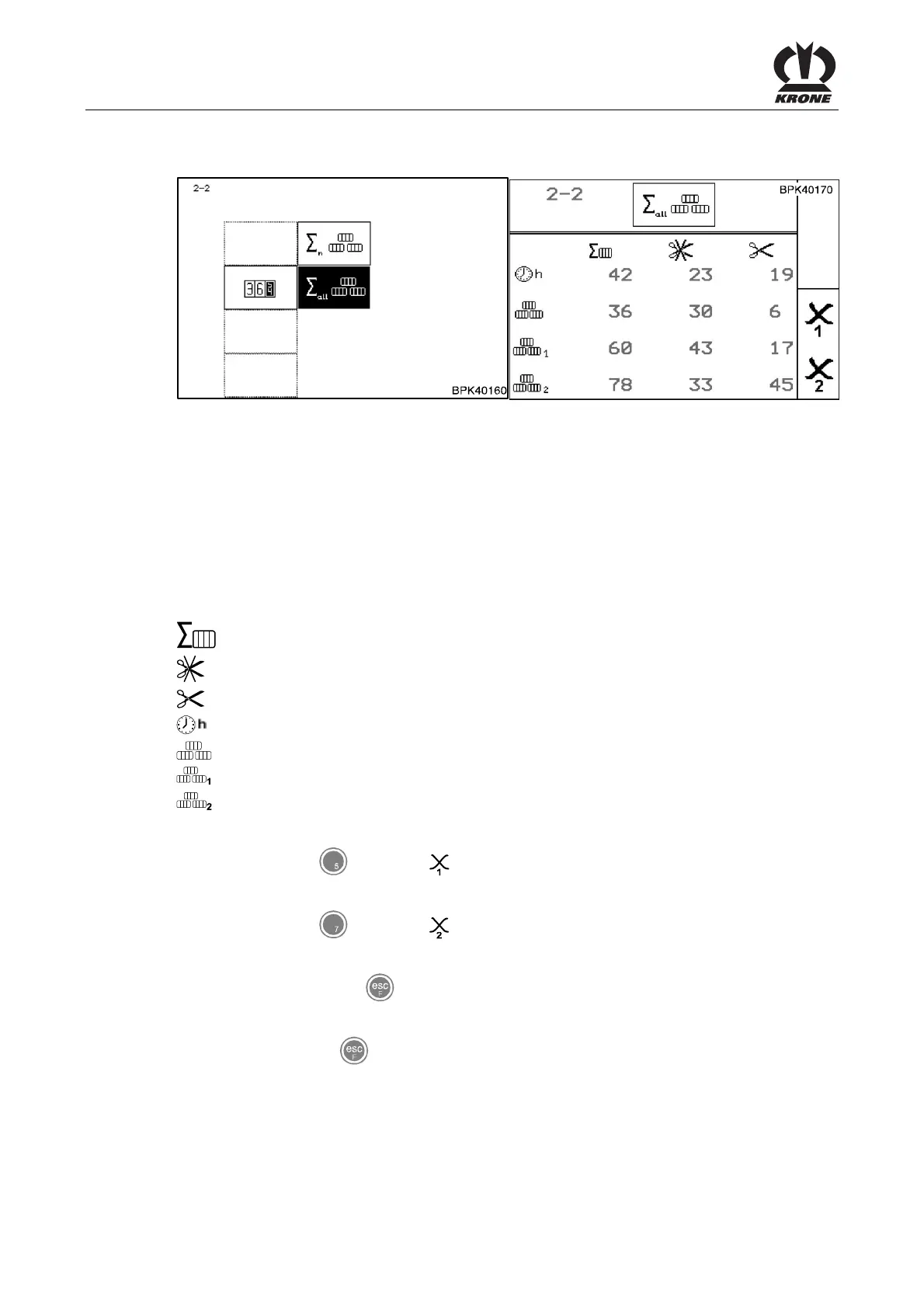
8.12.2 Menu 2-2 „Total bale counter“
Fig. 69
Calling the menu
Main menu 2 "Counters" is displayed
• You can select menu 2-2 with the rotary potentiometer. The symbol is shown in reverse
colours
• Press the rotary potentiometer
The display shows menu 2- 2 "Total bale counter". The total number of bales is the sum of all
bales pressed. They are not assigned to any customer counter.
Meaning of the symbols:
= Total number of bales
= Number of uncut bales
= Number of cut bales(only for machines with X-Cut)
= Operating hours counter(counts only when P.T.O. shaft is running)
= Bale counters (cannot be deleted)
= Season counter 1 (can be deleted)
= Daily counter 2 (can be deleted)
Pos: 26.31.10 /BA/I nfo-Center/Großpacke npresse/Hauptmenü s/Hauptmenü 2 Zähler/ Saisonzähler 1, bzw. Tages zähler 2 löschen @ 18\mod_12 38055767566_78.doc @ 213019
Deleting season counter 1 or daily counter 2
• Press the key
for softkey
Season counter 1 is set to zero.
• Press the key
for softkey
Daily counter 2 is set to zero.
• You can use the key
to close the menu currently displayed
The display shows menu level 2 "Counters".
• Pressing the key
twice brings up the basic screen
Pos: 26.32.1 /BA/I nfo-Center/Großpacken presse/Hauptmenüs/ Hauptmenü 4 Service/ Hauptmenü 4 Service @ 47\ mod_1284717302937_78. doc @ 454892









 To Next Page