KRONE operation terminal Gamma
102
Pos: 26.30.7 /BA/I nfo-Center/Großpacken presse/Hauptmenüs/ Hauptmenü 1 Einstell ungen/Menü 1-3 „Empfind lichkeit-Richtung sanzeige“ @ 18\mod_1237 967676335_78.doc @ 211753
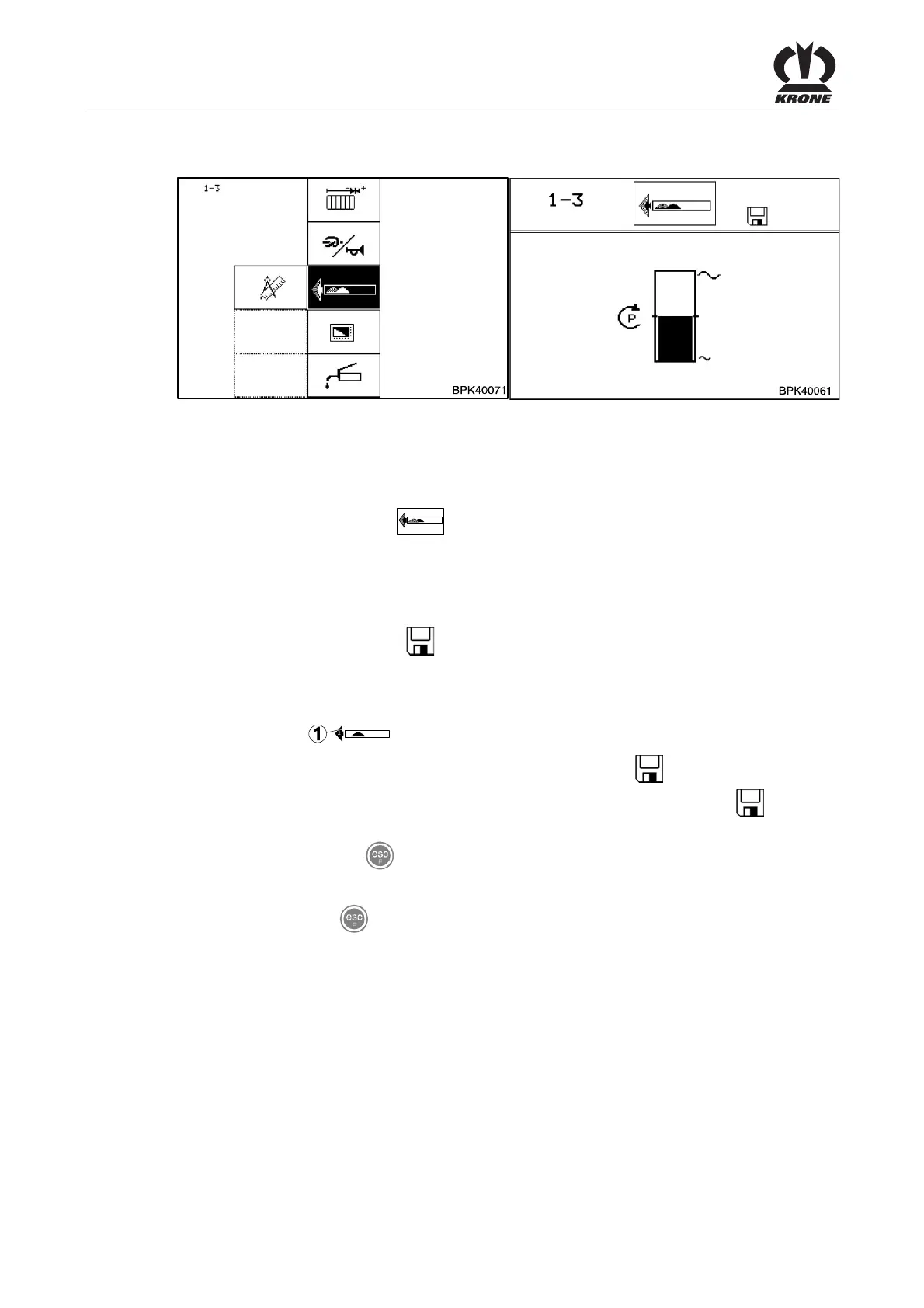
8.11.3 Menu 1-3 „Sensitivity of direction display“
Fig. 57
Setting the sensitivity of direction display.
Calling the menu
Main menu 1 “Settings” is displayed.
• You can select menu 1-3
with the rotary potentiometer. The symbol is shown in
reverse colours
• Press the rotary potentiometer
The display shows menu 1-3 “Sensitivity of direction display”.
The progress bar indicates the set sensitivity. The higher the bar, the greater the sensitivity of
the direction display. The symbol
in the upper line indicates that the displayed value is
saved.
Setting and saving the sensitivity of direction display.
The higher the sensitivity of direction display is set, the stronger the motion indication in the
form of arrows (1) (
).
• Set the sensitivity with the rotary potentiometer. The symbol
in the top line goes out
• Press the rotary potentiometer. The set sensitivity is saved and the symbol
appears
in the upper line
• You can use the key
to close the menu currently displayed
The display shows menu level 1 "Settings".
• Pressing the key
twice brings up the basic screen
Pos: 26.30.8 /BA/-----Seitenumbruch------ @ 0\mod_1196175311226_0.doc @ 4165









 To Next Page