KRONE ISOBUS-Terminal CCI 100
150
Pos: 28.28.25 /BA/I nfo-Center/CC-I SOBUS-Terminal/CCI- BiG Pack/Grundbild Handbe trieb/Einstellen der Multibaleanzahl Ha ndbetrieb Bild @ 43\mod_ 1275295586390_78.doc @ 390109
Fig. 97
Pos: 28.28.26 /BA/I nfo-Center/CC-I SOBUS-Terminal/CCI- BiG Pack/Grundbild Handbe trieb/Einstellen der Multibaleanzahl Ha ndbetrieb @ 43\mod_127529 5579953_78.doc @ 390084
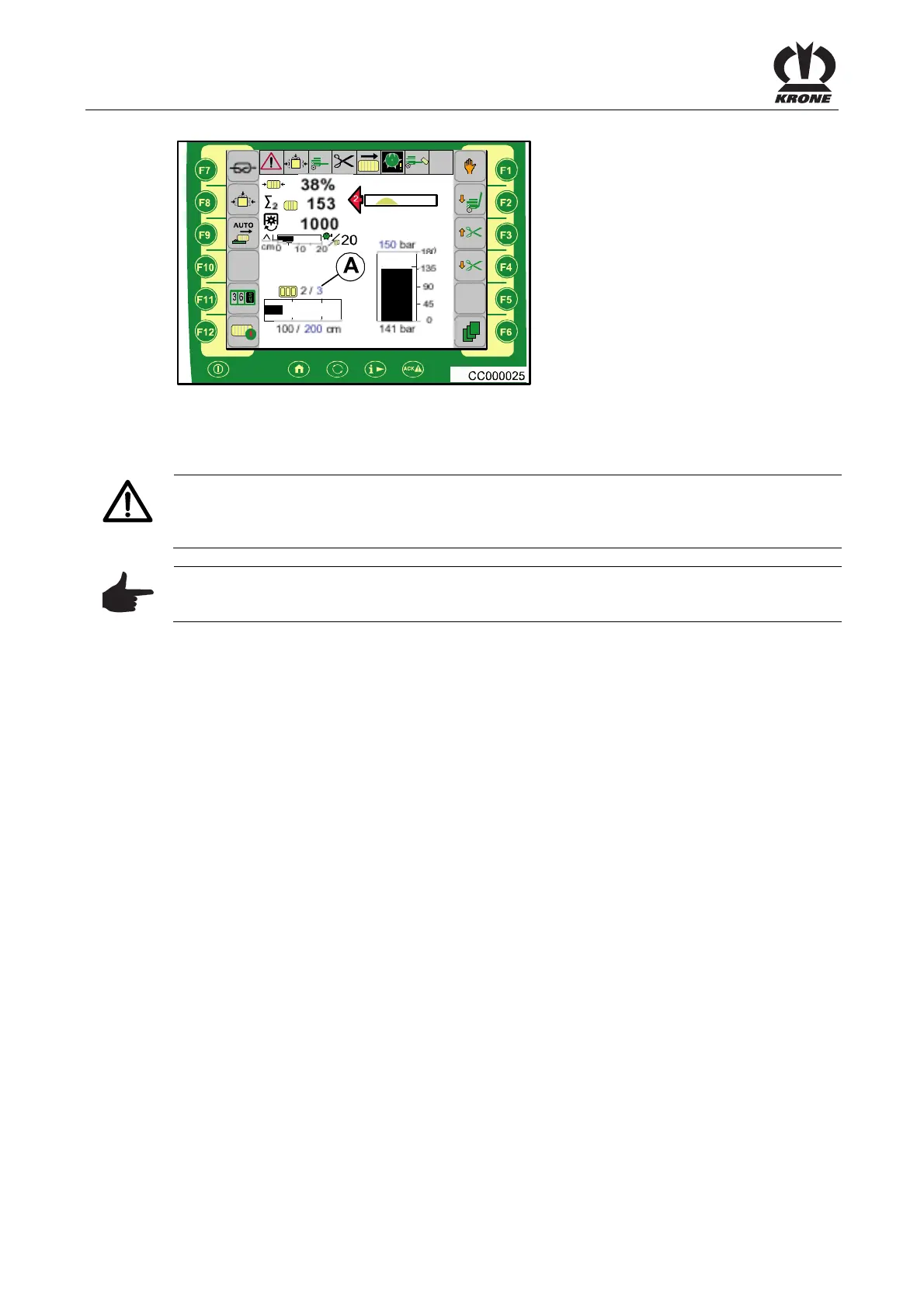
Setting the number of MultiBales (MultiBale only)
CAUTION! - Mixture of total bale and MultiBale
The MultiBale number should only be changed at the beginning of a bale. Doing so could result
in a mixture of total bale and MultiBale.
Note
First, set the bale length. Minimum length of the MultiBale: 45 cm (17.7 inches).
Pos: 28.28.27 /BA/I nfo-Center/CC-I SOBUS-Terminal/CCI- BiG Pack/Scroll-Rad an wählen,springen,erhöh en bzw. verringern, speichern @ 43\mod_1275295 180531_78.doc @ 390064
• You can use the scroll wheel to select the desired selection (A) (the selection box is
highlighted in color)
• Pressing the scroll wheel allows you to jump to the selection box (the selection box is
highlighted in color)
• Turning the scroll wheel increases or reduces the value
• Pressing the scroll wheel causes the setting to be applied and returns you from the
selection box
Pos: 28.29 /BA/-----Seitenumbruch------ @ 0\mod_1196175311226_ 0.doc @ 4165









 To Next Page