KRONE operation terminal Gamma
51
6.7.3.3 Adjusting the Automatic Time <Lower Rotors>
STOP
2.5
12.5
h
ha
2,2 -0,0
2,2 0,5
2,2
2
2
5 6
7
8
B C D
SW2000073
M M
M
0,2
1,8m
15,1m
1.5
1.3
2.5
2.3
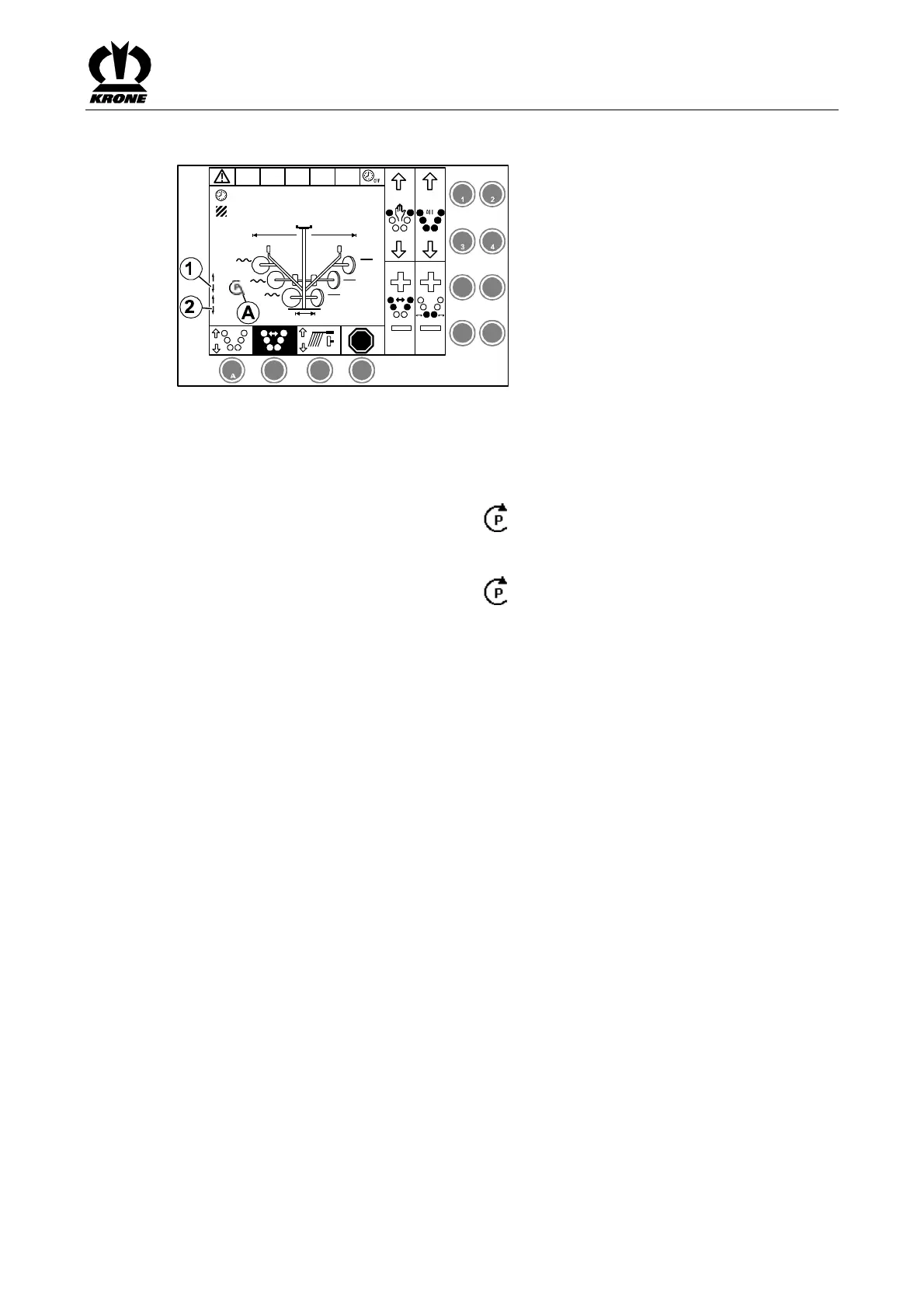
Fig. 27
Time delay for lowering middle rotor (1)
Time delay for lowering rear rotor (2)
The set time (time delay) always relates to between the rotors (front / middle or middle / rear).
• Turn the rotary potentiometer until the icon appears in front of the time display
<Lower Rotor> (A) (either middle rotors or rear rotors)
• Turn the rotary potentiometer to set the required time delay
• Turn the rotary potentiometer until the icon no longer appears on the display
Pos: 16.8.18 /B A/-----Seitenum bruch------ @ 0\m od_119617531 1226_0.doc @ 4 165 @ @ 1









 To Next Page