KRONE operation terminal Gamma
65
Pos: 16.24.14 / BA/Info-Center/Sc hwader/Bedie neinheit - Komf ort/SW 2000/Hau ptmenüs/Haup tmenü 1 Eins ellungen/Menü 1- 4„M asseinheit“ @ 90\mod_13 23175091364_78. doc @ 769435 @ 3 @ 1
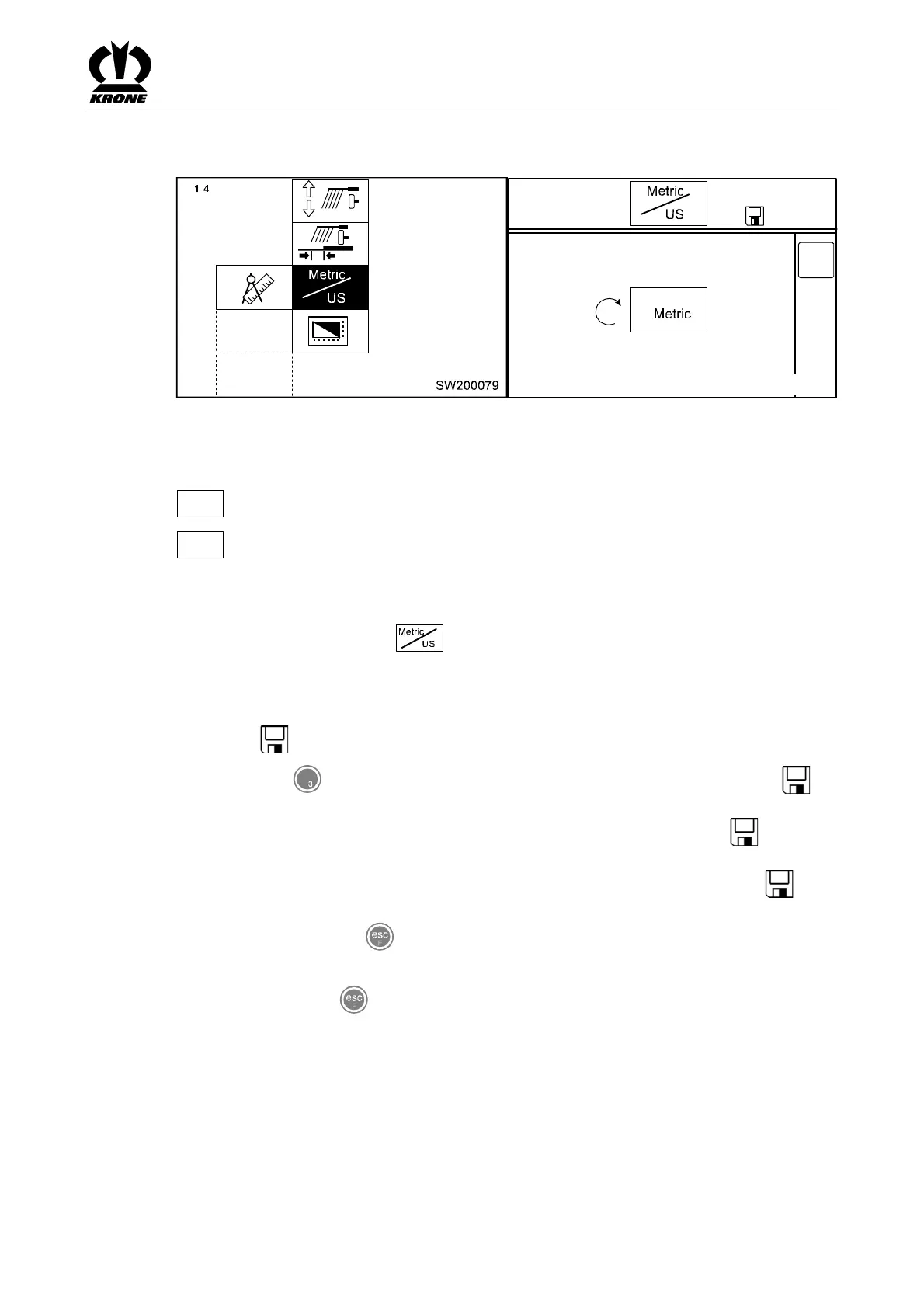
6.11.2 Menu 1-4 „Unit of measurement“
DEF
1 - 4
SW2000081
P
Fig. 40
Switch the unit of measure from Metric to US or vice versa.
Meaning of the symbols:
Metric
Unit of measurement metric
US
Unit of measurement US
Calling the menu
Main menu 1 “Settings” is displayed.
• You can select menu 1-4 with the rotary potentiometer. The symbol is shown in
reverse colours
• Press the rotary potentiometer
The display shows menu 1-4 "Unit of measurement".
The symbol in the upper line indicates that the displayed status is saved.
• Press key for softkey DEF: the factory setting value is accepted. The symbol in
the upper line may go out
• Set the desired unit of measure with the rotary potentiometer. The symbol in the top
line disappears
• Press the rotary potentiometer. The set contrast value is saved and the symbol
appears in the upper line
• You can use the key to close the menu currently displayed
The display shows menu level 1 "Settings".
• Pressing the key repeatedly brings up the basic screen
Pos: 16.24.15 / BA/-----Seitenu mbruch------ @ 0\ mod_11961753 11226_0.doc @ 4165 @ @ 1









 To Next Page