User Guide Chapter 5 Cues
Rev. 1.30.03.07.r1 Page 91
The Tracksheet Display
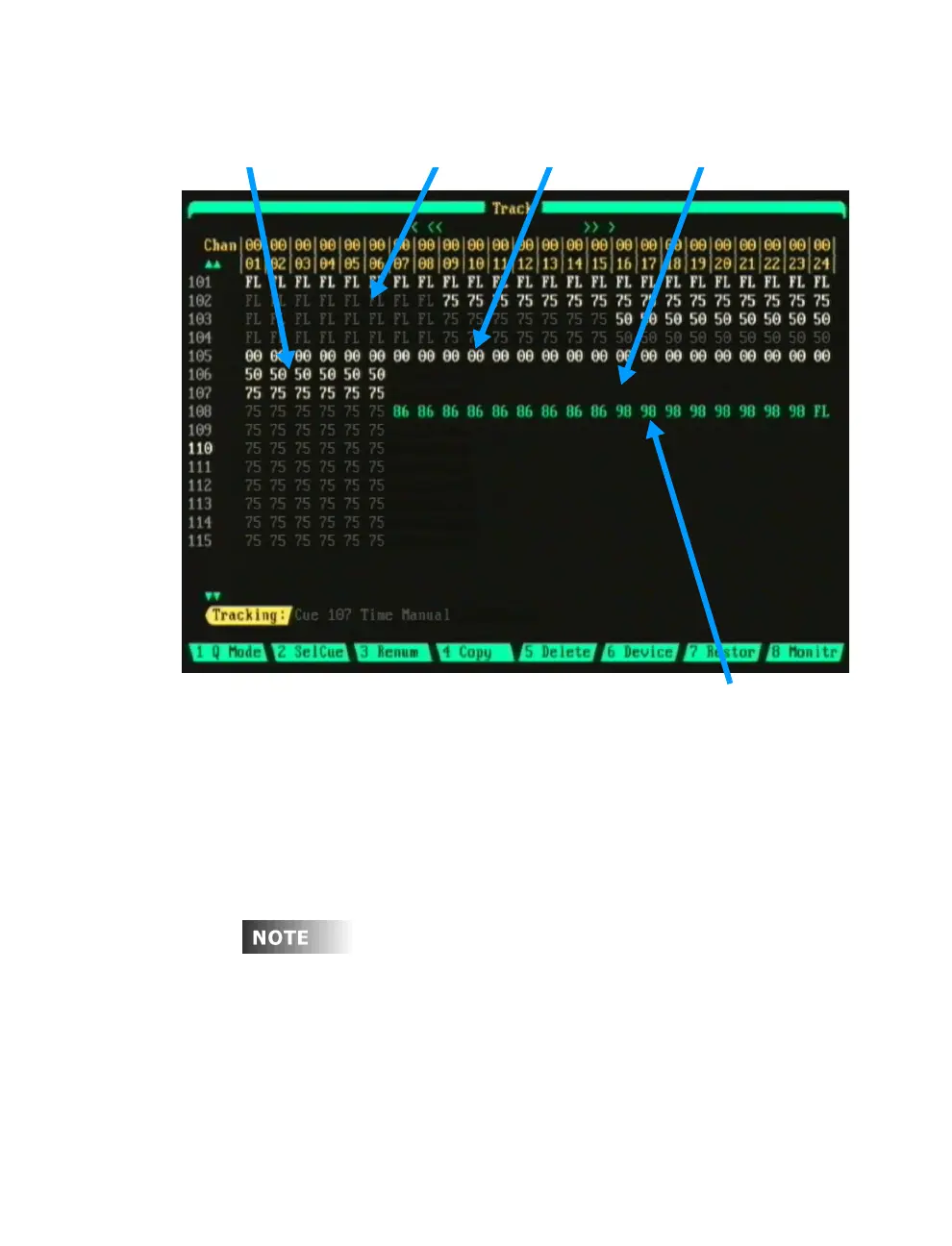
Hard Levels Soft Levels Hard Zeros Soft Zeros (non-visible)
Figure 5.5 Tracksheet Display
Assigned Group Levels (Teal)
Figure 5.5 above is an example of how Hard Levels, Soft Levels, Hard Zeros
Soft Zeros and Group Levels appear in the Tracksheet display.
Navigating the Tracksheet Display
To edit a cue while in the Tracksheet display, press [CUE] [#] [ENTER].
You can also use the up/down arrow keys to scroll through the list of cues.
If a cue does not exist, you can create one by pressing
[CUE] [#] [ENTER].
To make additional channels visible in the Tracksheet display, use the
left/right arrows keys to scroll. You can also enter a channel number
directly by using the keypad; press [#] [ENTER].



 To Next Page