Chapter 2 Displays
Page 16 Rev. 1.30.03.07.r1
Common Display Features
Many of the displays share the same features, below are descriptions of
these features.
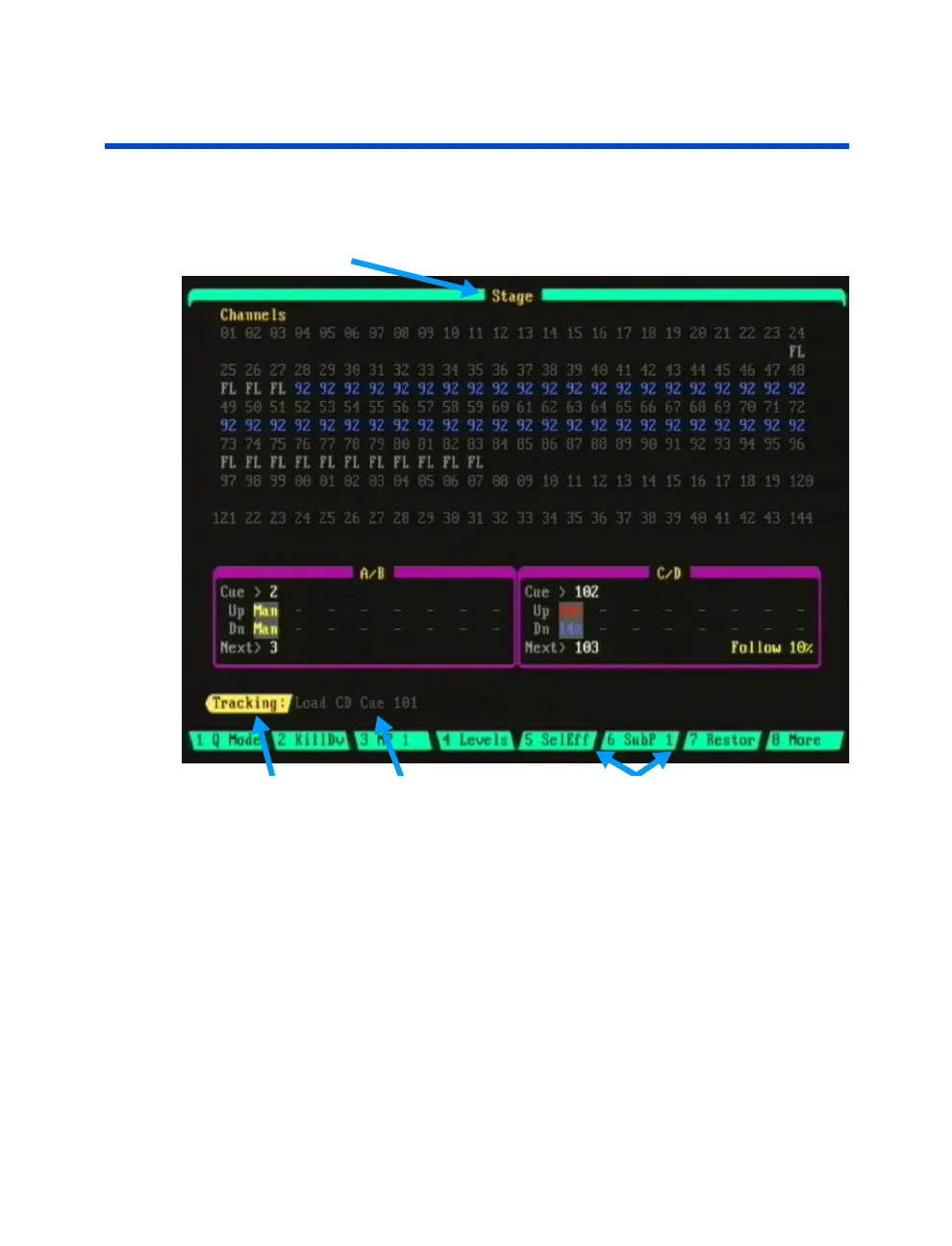
Title Bar
Cue Record Mode Command Line Soft-keys
Figure 2.1 Sample Stage Display
Title Bar
The title bar is located across the top of the display. The title bar contains
the name of the display you are currently viewing.
Command Line / Command Line History
The command line shows the command currently being entered. If the
information is in white letters, this is the current active command. If the
information is in gray, this is the command line history that shows the last
command that was executed. Please see
Chapter 1 Introduction
and
Chapter 3 Setting Channel Levels
for more information.



 To Next Page