User Guide Chapter 10 Automated Devices
Rev. 1.30.03.07.r1 Page 149
Assigning Devices
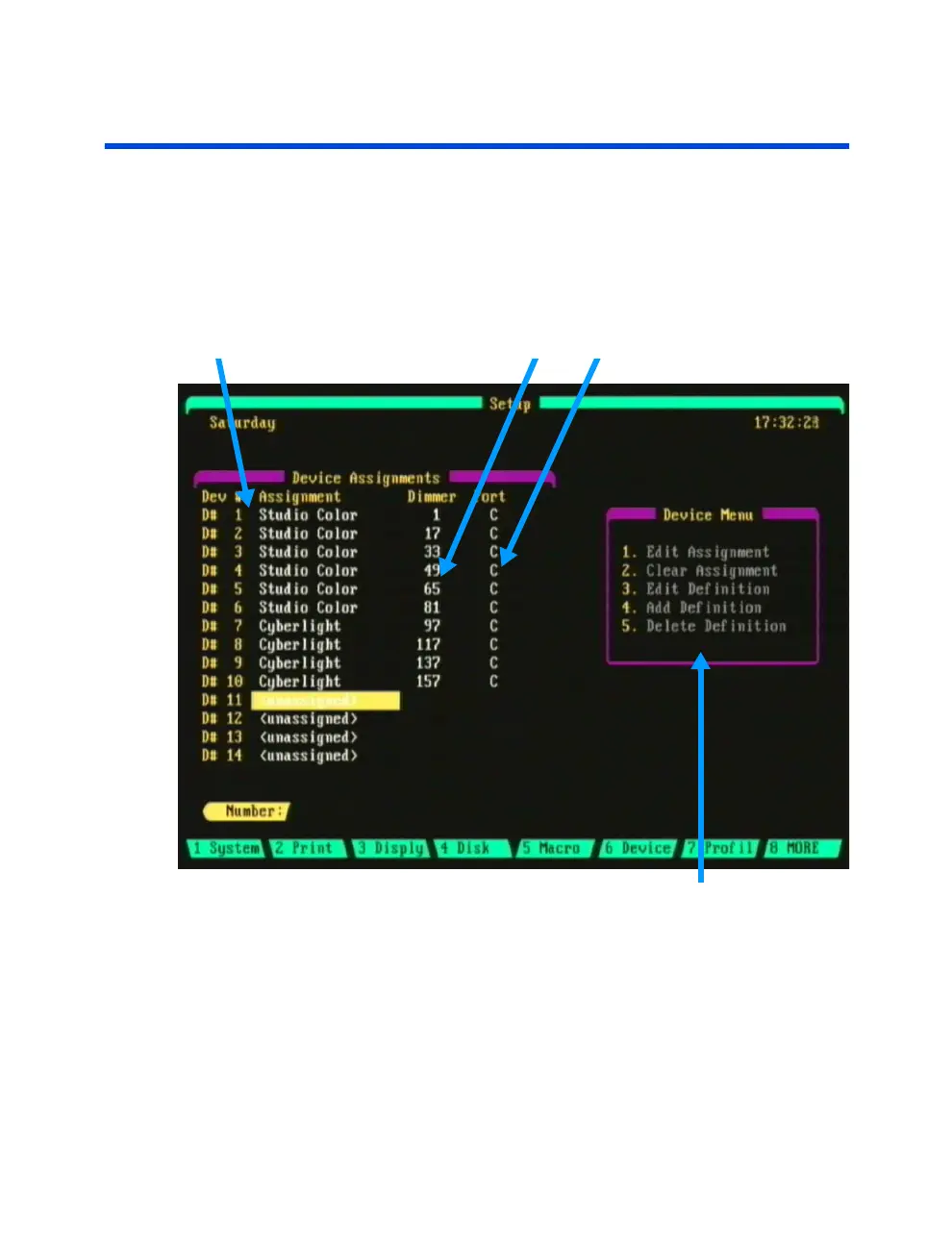
Before you can control an automated device, the console must first know
what device it is going to control. This is done by "assigning" (patching) a
device to a DMX dimmer address and port. Assigning a device is done from
the Device Assignment sub-display of the Setup display (Fig 10.1 below).
To access this display press [SETUP] (Device).
Device Assignment Start Address Data Port
Figure 10.1 Device Assignment Sub Display
Device Menu
Navigating the Device Assignment Sub Display
Use the arrow keys to navigate within the Device Assignments area of the
display.
To select a menu item from the Device Menu, enter the menu item then
press [ENTER]. See Table 10.0 on the following page for descriptions of
the Device Menu items.



 To Next Page