User Guide Chapter 3 Setting Channel Levels
Rev. 1.30.03.07.r1 Page 33
Display of Channel Levels
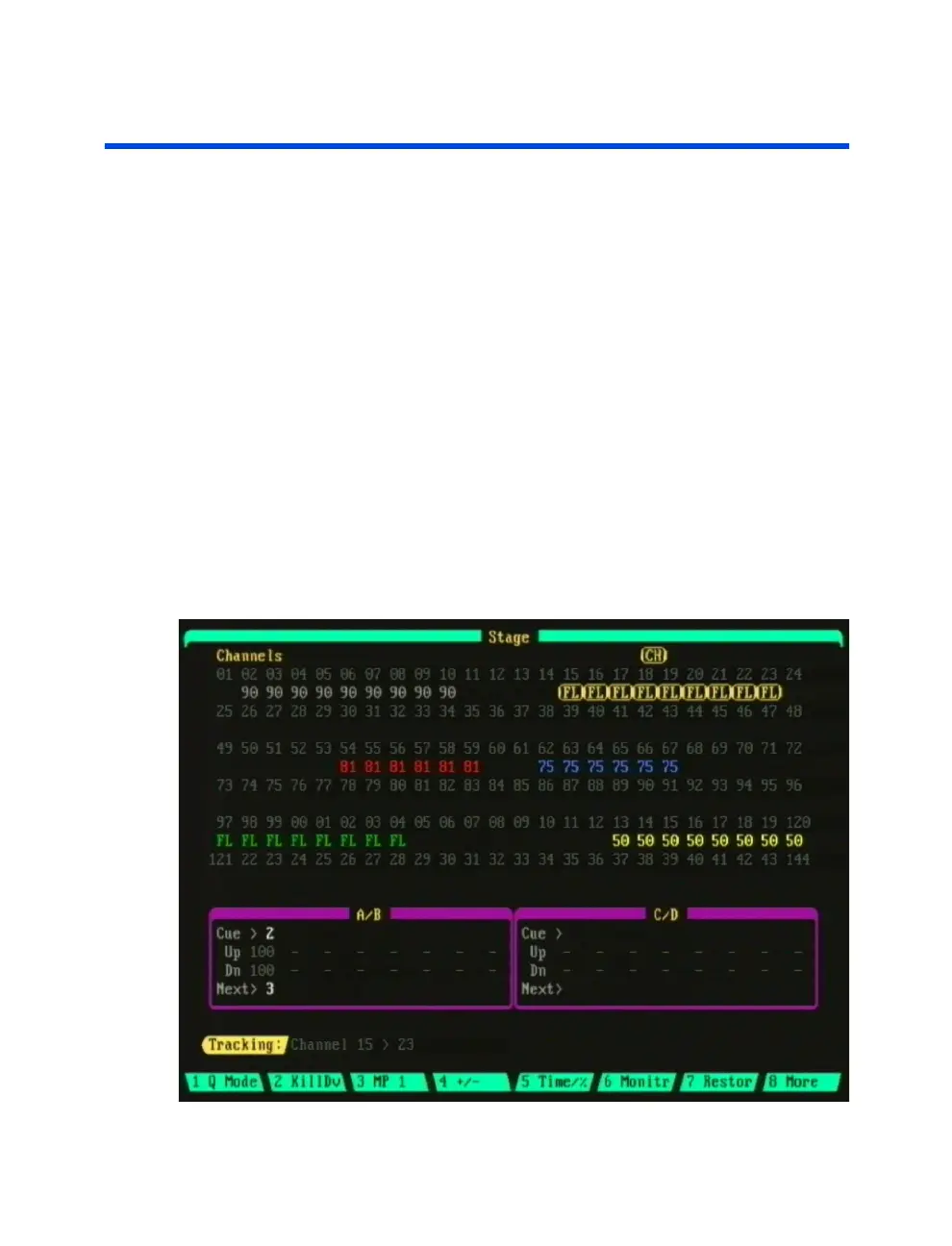
Channel Level Colors
Channel Levels are displayed in various colors depending on their mode and
the display (see definitions below and color examples in Figure 3.3):
Boxed Amber: Captured channel.
Gray: Active channel; Channel fader controls the level directly.
- or- Channel control was released from keypad or trackball control.
- or- Tracking same level as last executed cue.
Red: Higher level in current cue than last executed cue.
Blue: Lower level in current cue than last executed cue.
White: Same level as last executed cue and not tracking (Preview and
Tracking displays only).
Green: Submaster controls the channel.
Yellow: Effect controls the channel.
Teal: Group channels (Preview and Tracking displays only).
Boxed Red: Channel check. See
Channel Check
section further in this
chapter.
Figure 3.3 Sample channel level colors



 To Next Page