User Guide Chapter 10 Automated Devices
Rev. 1.30.03.07.r1 Page 155
LCD and Encoder Wheels
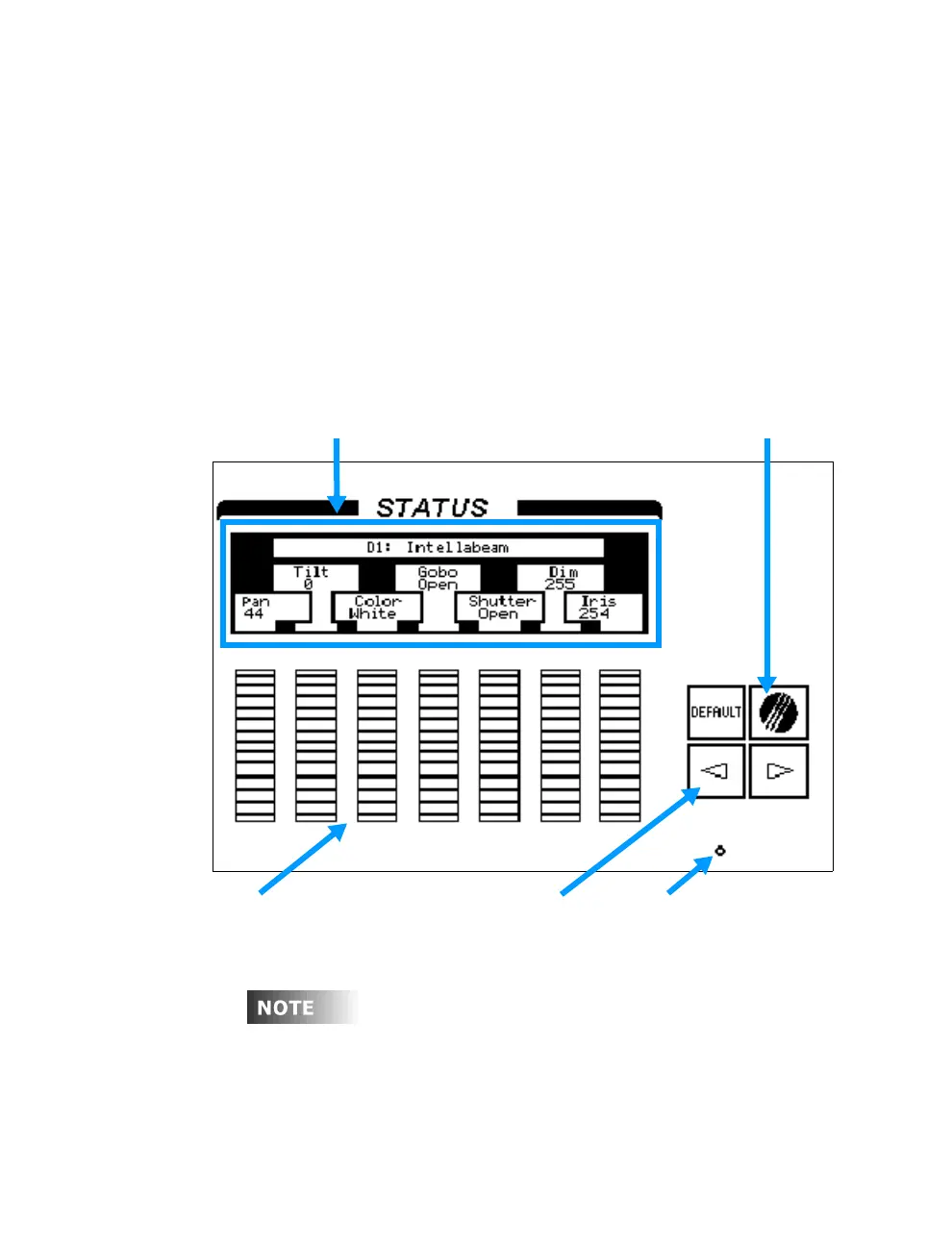
As explained above, the encoder wheels are used to control the individual
traits of devices. To modify a trait, turn the encoder wheel to increase or
decrease the trait value. To view additional traits in the LCD use the left/
right arrow keys to scroll through the traits, to page through the traits,
press and hold the Leviton logo key while using the left/right arrow keys.
For example, to select and control devices 1 through 4, follow below:
Procedure: Notes:
1. Press [DEVICE] [1] [THRU] [4] Use [DEVICE] key on keypad
2. Press [ENTER]
Device Traits and Levels Leviton Logo Key
Encoder Wheels LCD Scroll Keys LCD Brightness Control
Figure 10.4 LCD and Encoder Wheels
The LCD display and encoder wheels function with "live" type displays
such as the Device display and "blind" type displays such as the
Preview or Tracksheet displays. The LCD display will close when
switching between these two types of displays.



 To Next Page