Chapter 2 Displays
Page 22 Rev. 1.30.03.07.r1
Configuration Displays
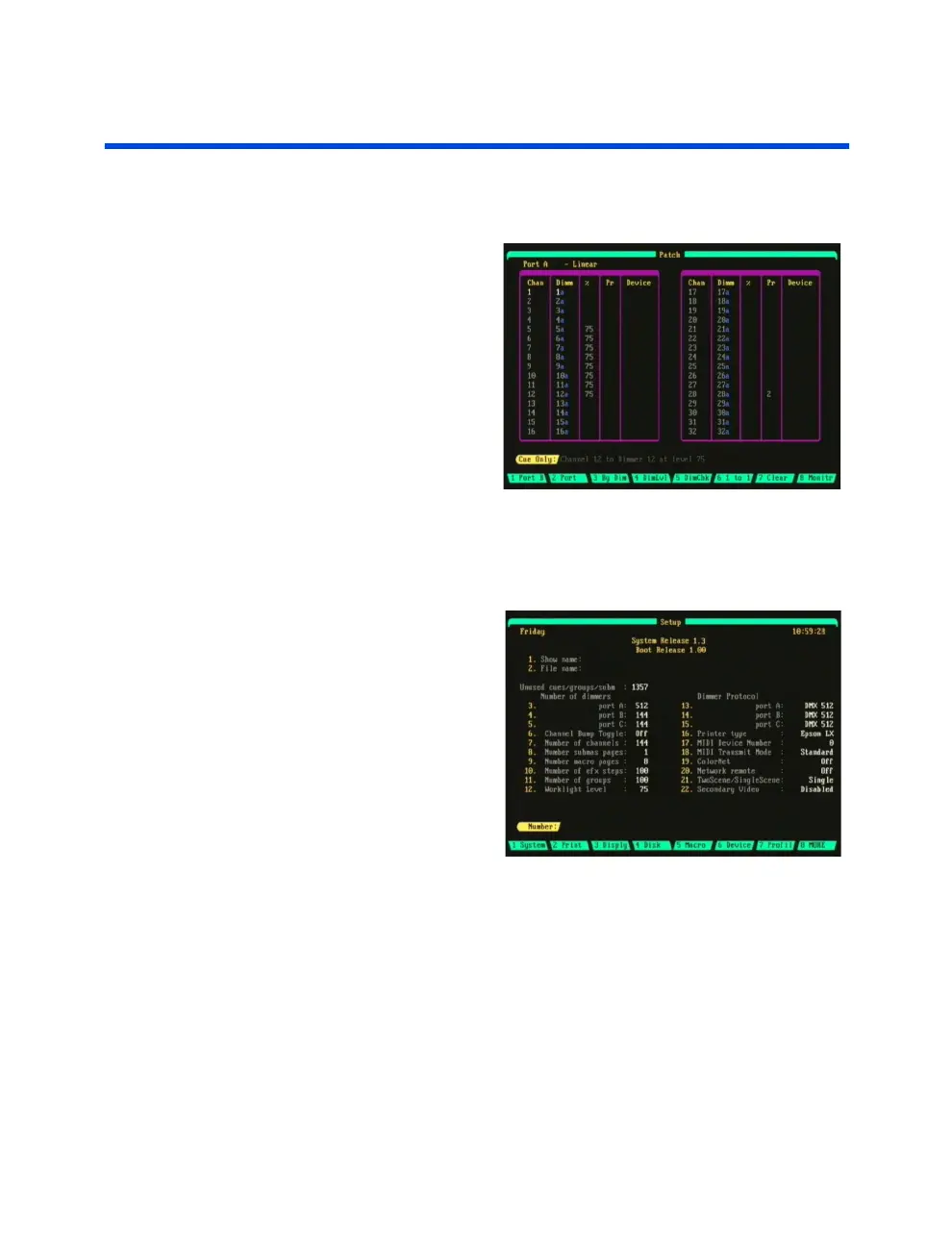
Patch Display
To access this display press the
[PATCH] hard-key. In the
Patch display you can view the
individual dimmer outputs of
Ports A, B or C or all three ports
combined. The Patch display
shows the dimmer to channel
(or device trait) assignments
along with the proportional
level and profile. Please see
Chapter 9 Patching
for more
information and operational
procedures.
Setup Display
To access this display press the
[SETUP] hard-key. The Setup
display is used to customize
show parameters to suit your
specific needs and shows all the
current setup parameters for a
show.
Printing, memory functions,
macro recording, device
assignment, profile editing,
real-time event programing and
network setup functions are
also performed from the Setup display via the soft-keys at the bottom of
the display (see next page).
The console software version number is shown at the top of the Setup
display. Below this are the Show Name and File Name of the currently
loaded show. The information fields in the Setup display are summarized in
Chapter 12 System Settings
.



 To Next Page