User Guide Chapter 5 Cues
Rev. 1.30.03.07.r1 Page 81
The Playback Display
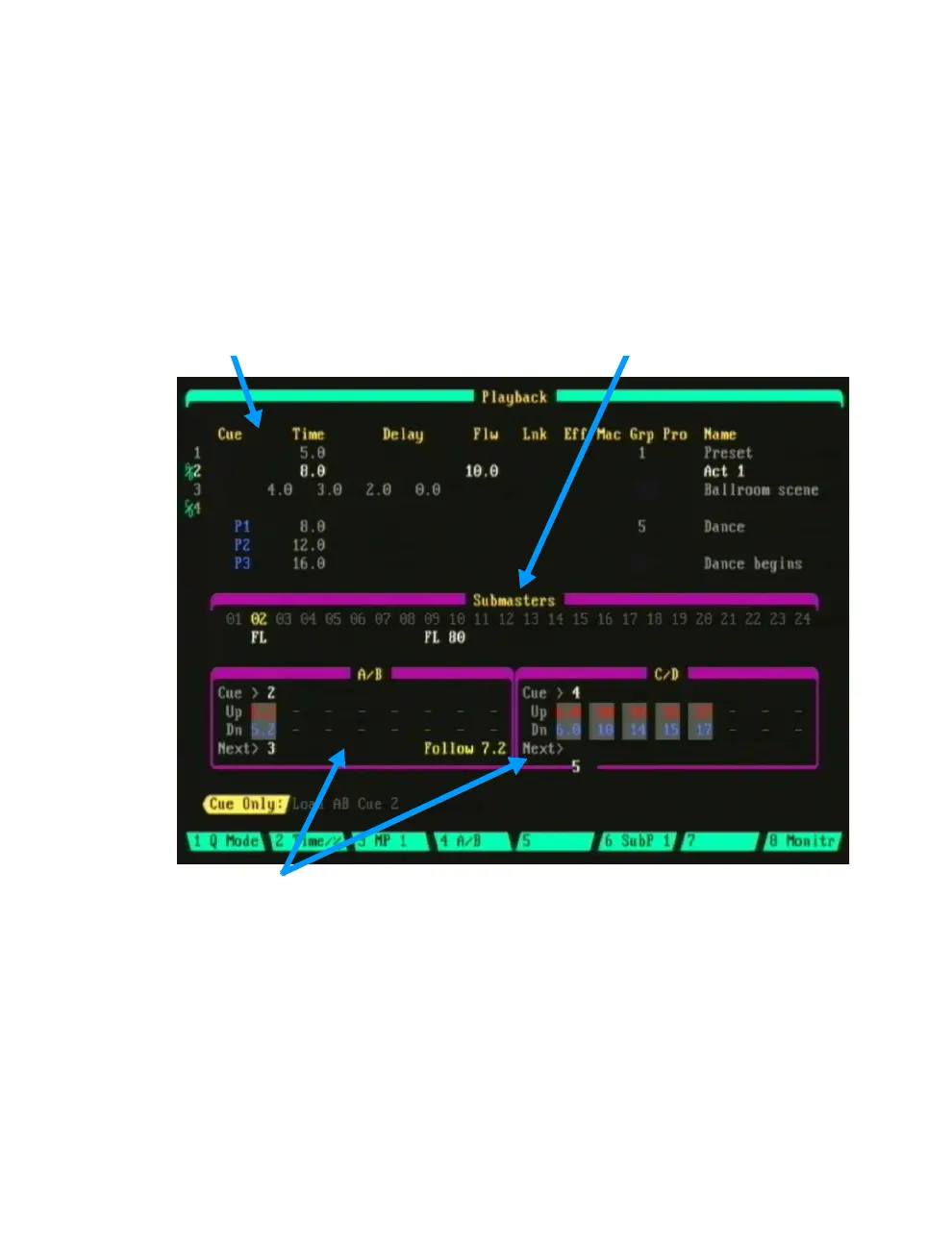
The Playback display consist of three sections; the Cuesheet section, the
Submaster section and the Playback Faders section.
Cuesheet Section
The top area of the Playback display shows a section of the Cuesheet. If a
cue is playing in one of the playback faders, the playback fader will be listed
adjacent to the cue number.
Cuesheet Section Submaster Section
Playback Faders section
Figure 5.3 Playback Display
Submaster Section
The Playback display also shows the levels of any submasters which are
active. When a submaster contains an assigned effect, the submaster
number is displayed in yellow. If a sub is inhibitive, its number is displayed
in red. If a sub is active from another submaster page, it’s number is
displayed in reverse amber. See
Chapter 4 Submasters
for more
information on working with submasters.



 To Next Page