User Guide Chapter 9 Patching
Rev. 1.30.03.07.r1 Page 143
Profiles
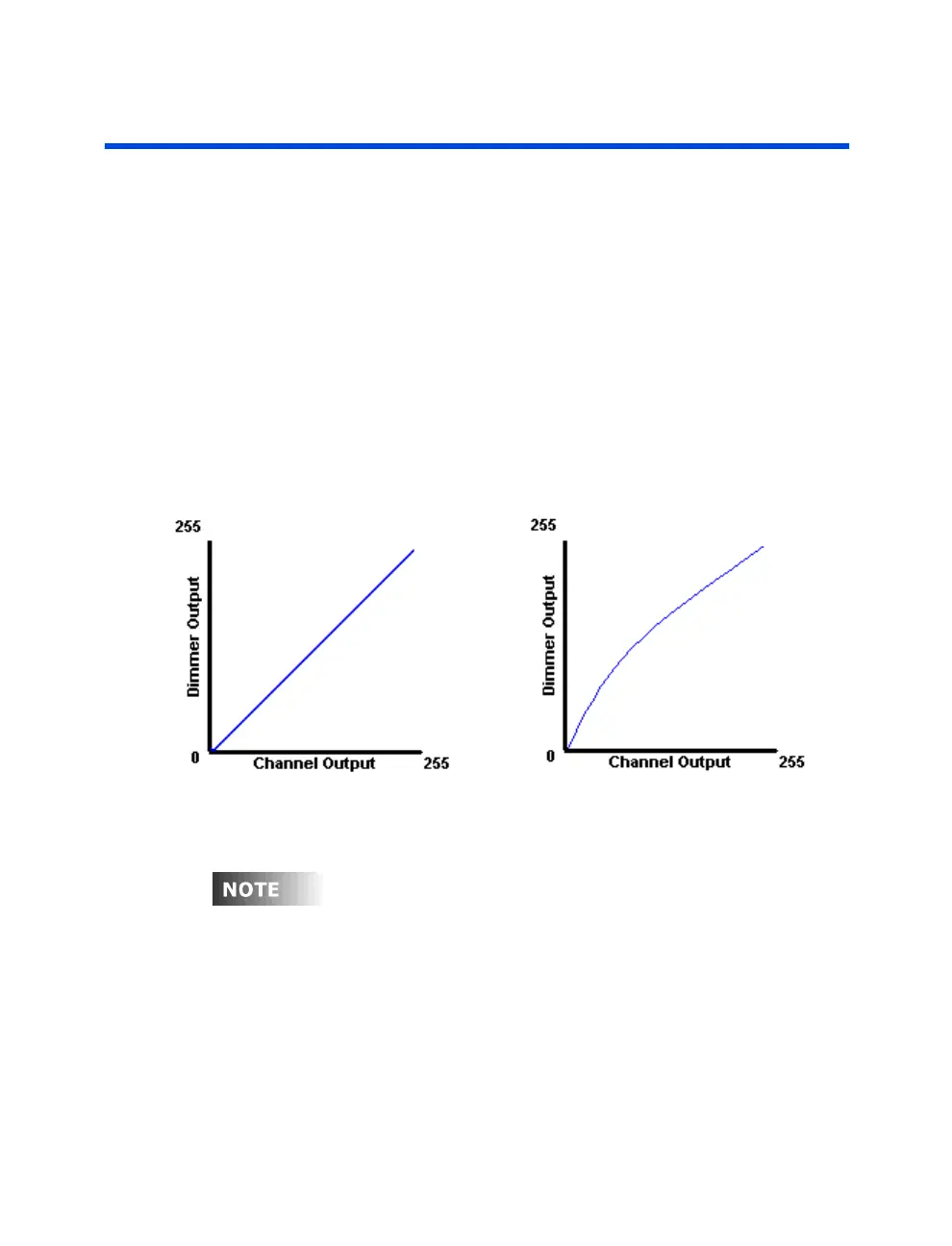
A Profile is a method of altering the output level of the console relative to
that of the level of the channel. For example, the default curve (profile 0)
dictates that when the console dictates a dimmer output of 25%, the
console output is at 25%. When the console dictates a dimmer level of
50%, the console outputs 50%, 75%/75%, etc. This is called a linear
profile, or dimmer curve. (See figure 9.3 below). This is the default
behavior and most of the time is exactly what you want. Let's say however
that you have connected a dimmer to a table lamp. When you dim the table
lamp, you will discover that it dims at a different rate than other fixtures.
You notice that it comes on slower, and then achieves full brightness faster.
To correct for this, you could create a profile which corrects these
problems. Look at the curve in figure 9.4 below, it represents a profile
which would correct this behavior.
Figure 9.3 Default Linear Curve Figure 9.4 Early Rise Curve
A Dimmer Check always by passes any dimmer profiles (please see section
above titled
Dimmer Check
).



 To Next Page