User Guide Chapter 2 Displays
Rev. 1.30.03.07.r1 Page 15
Chapter 2 Displays
The control console has two means of display; video monitors and the
console LCD display. The console LCD display is used to show trait
information about the currently selected automated devices. It is also
sometimes used to show fade and follow times of cues. The video monitors
are used for all other display purposes.
With every console you have at least one video monitor and optionally two.
These monitors are used to display all information about what the console
is doing, configuration information, cue lists, setup menus, etc. The
information they display is divided up into either primary or sub-displays.
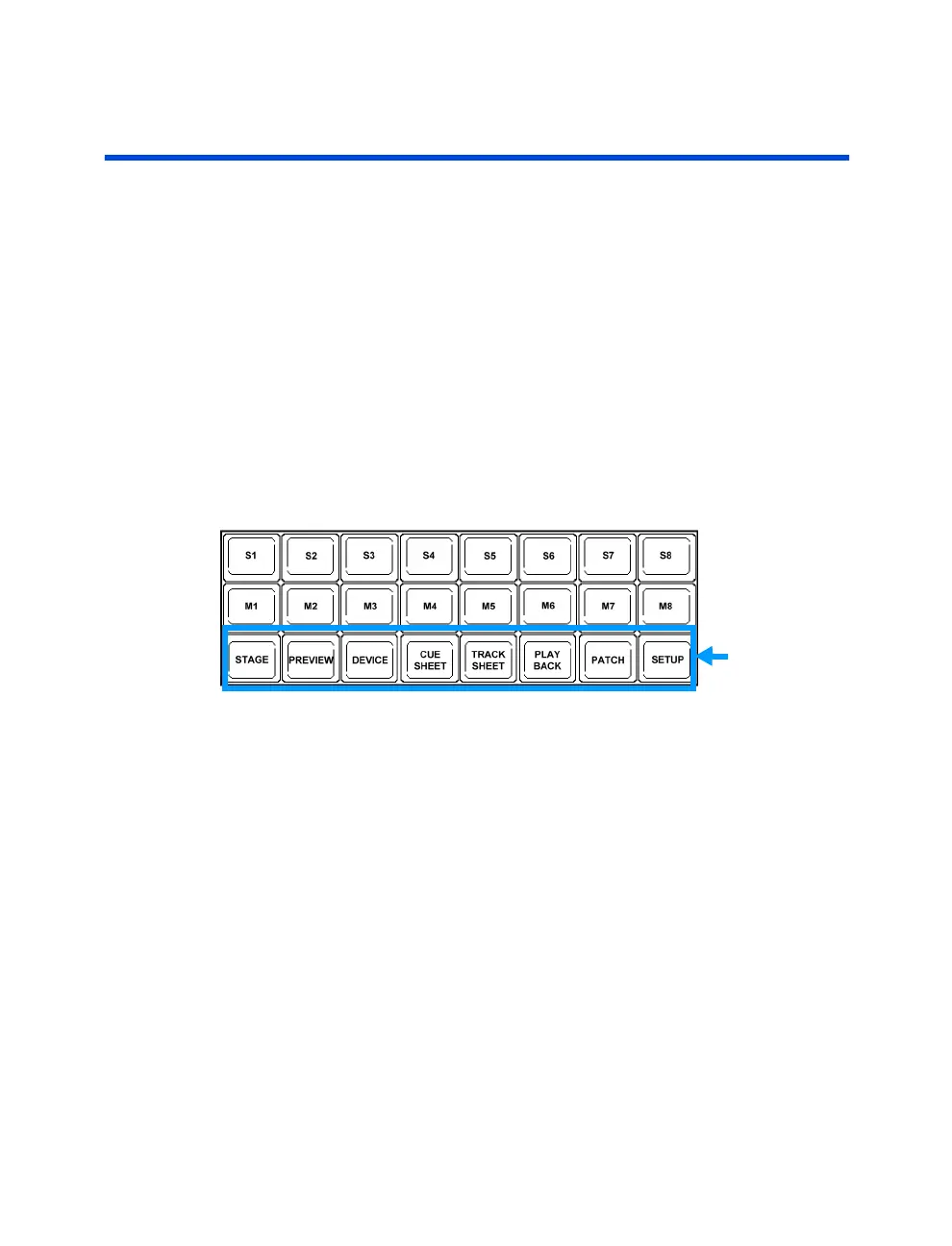
The primary displays are accessed via the primary display hard-keys on the
console. The secondary sub-displays are accessed via the context specific
console soft-keys. See Figure 2.0 below.
Primary
Display Keys
Figure 2.0
Both primary and sub-displays can show either Live, Preview (Blind) or
Configuration information. When you are in a Live display, all changes you
make with the console are reflected on the stage. When you are in a
Preview display, none of the console changes are reflected on the stage,
they are previewed only on the displays.
This chapter is intended to give a quick overview of the functions of the
displays and includes the following sections:
• Common Display Features
• Selecting Displays / Navigating Displays
• Live Displays / Preview Displays / Configuration Displays
• The LCD Display
• Switching Active Monitors



 To Next Page