Chapter 5 Cues
Page 86 Rev. 1.30.03.07.r1
Using the Real Time Event Clock to
Playback Cues
A cue, or series of cues, can be run automatically by assigning them to be
played back by the console’s Real Time Event Clock. Up to 500 real time
events can be programmed in the control console. Some examples of using
this feature would be to automatically turn the work lights on for a regular
rehearsal, or bring up curtain warmers a half hour before show time. The
cues will run in real time according to the times and days of the week that
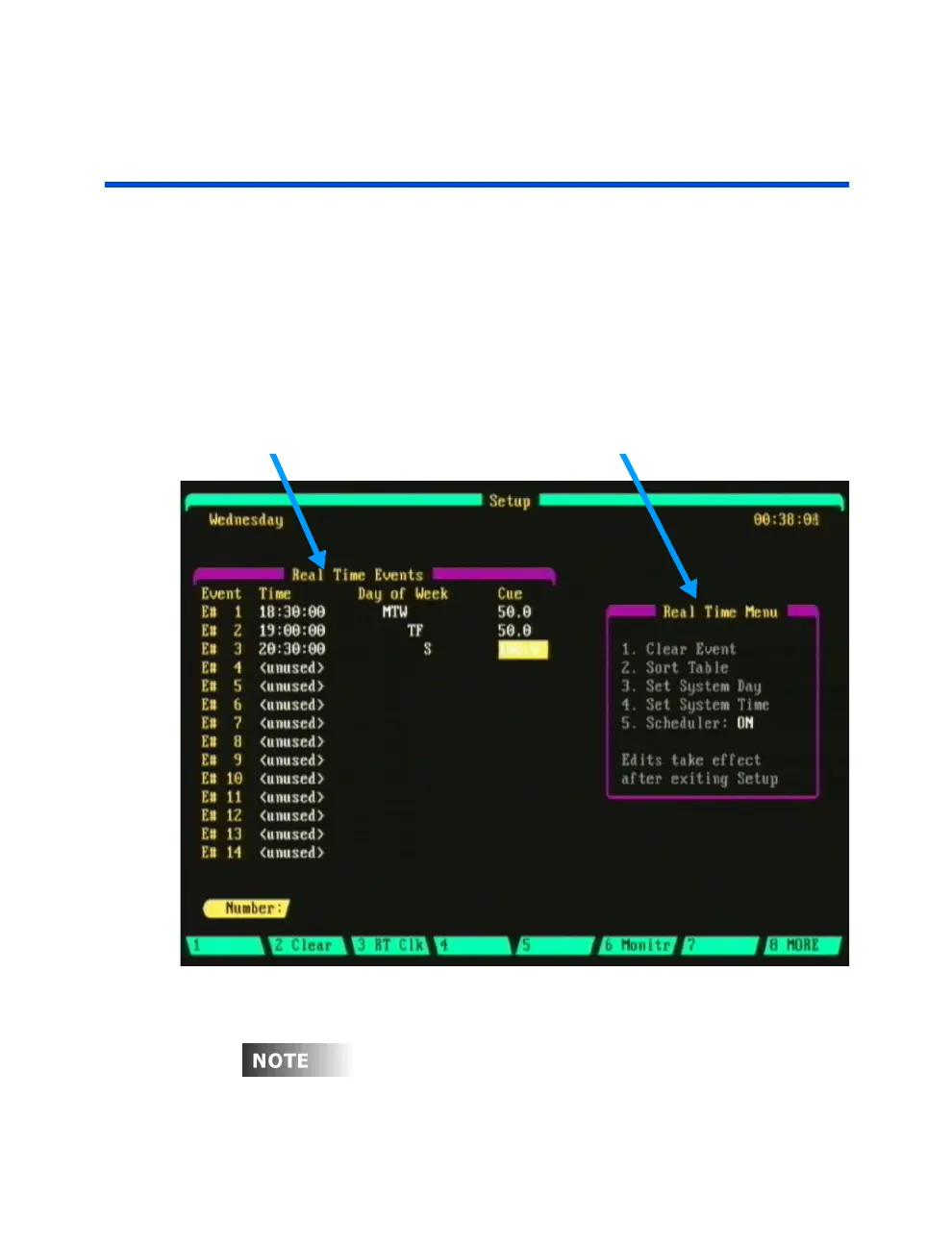
you assign in the Real Time Events sub-display. This display is accessed
from the Setup display; press [SETUP] (More) (RT Clk).
Real Time Events section Real Time Menu section
Figure 5.5 Real Time Event sub-display
Before real time events can be used, memory first must be initialized.
Press [9] Activate Memory, from the Real Time Events sub display.



 To Next Page