MASSO
MASSO Documentation
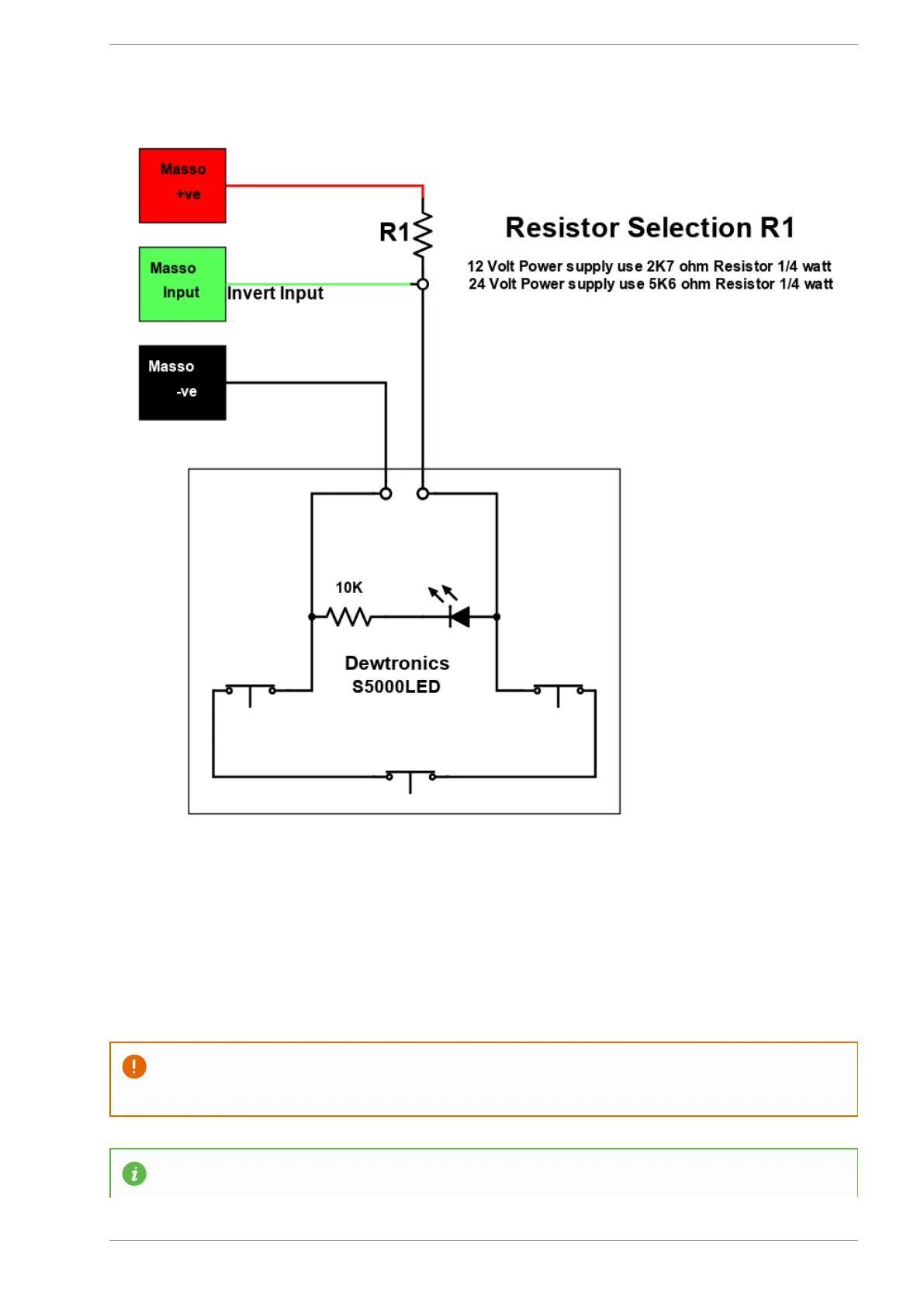
Assigning the probe input
Once the probe has been wired to one of the MASSO inputs, go to the F1 - Setup screen and assign the
input as Probe Input Signal.
CAUTION: The input status must show LOW when the probe is not touched and should only show
HIGH when triggered.
INFORMATION: To invert the input signal, invert by selecting the input in the INPUTS list and
v5.18 - 08 Apr,2021
www.masso.com.au Page 391 of 477



 To Next Page