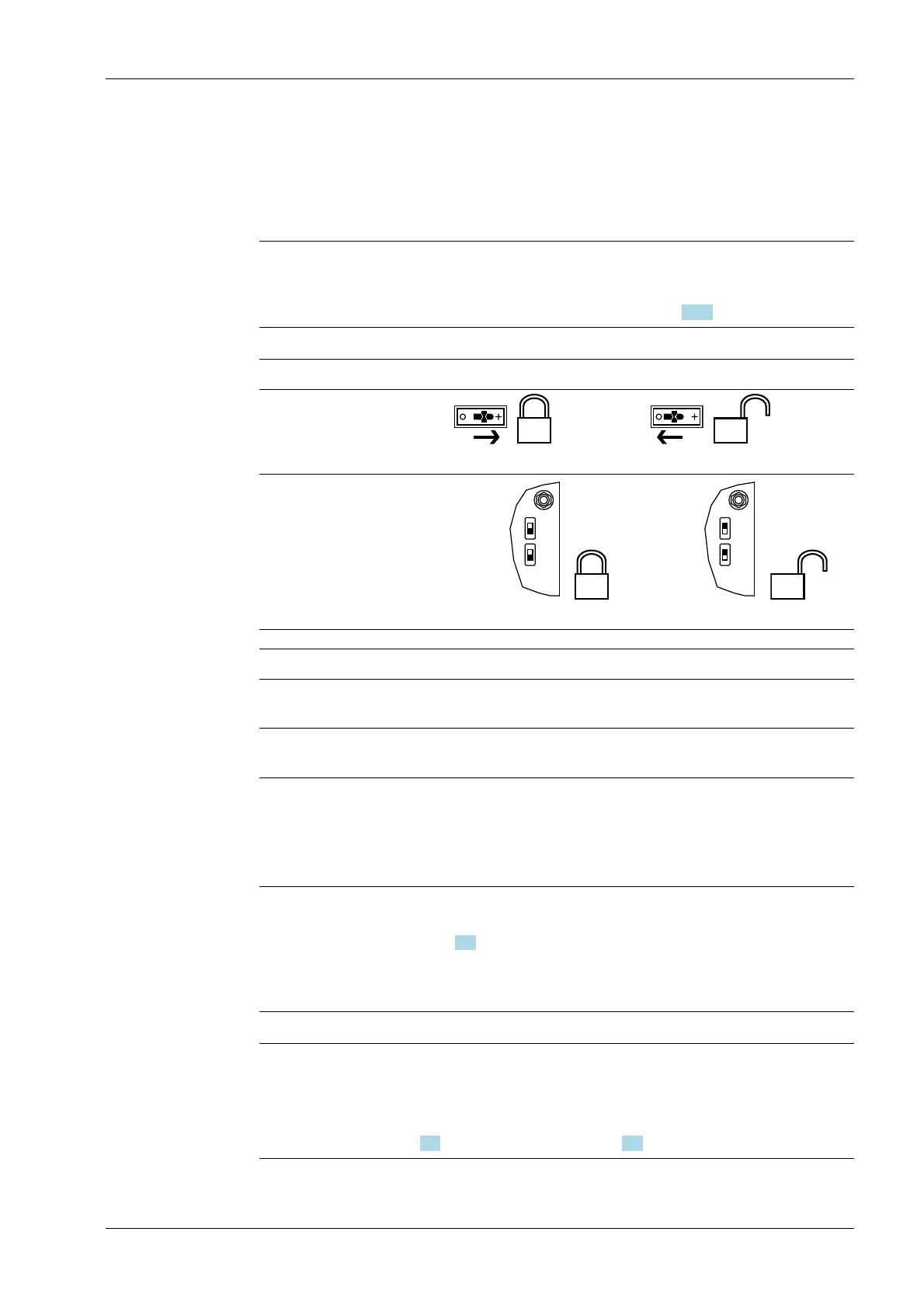
Depending on the model, CAL switches A and B may also be present. They are located on
the corresponding weighing electronics board (see PR 5900 installation manual). These
switches can only be accessed by removing the device housing.
The exact function of individual switches is listed in the table below.
Note:
In general, we recommend activating the overwrite protection features via the software
after calibration to prevent overwriting/data loss (see Chapter 2.7.2).
Write protection active Write protection inactive
CAL switches A and B
closed opened
CAL switches 1 and 2
closed
opened
CAL switch Meaning of "Write Protection Active"
A Prevents the calibration data/parameters of weighing electronics A
from being changed
B Prevents the calibration data/parameters of weighing electronics B
from being changed
1 The following changes are prevented:
- Allocation of weighing electronics to logical weighing points
- Calibration data and parameters of other weighing points
- Alibi settings
2 The following is prevented:
- Loading/ashing of rmware and BIOS to the device, see also
Chapter 6.9
- Changing of license settings
This CAL switch is sealed for use in legal metrology.
Note:
Changing means:
Changing by entering data into the input elds as well as changing via the functions
[Restore] (see Chapter 6.2) and [Import] (see Chapter 6.4).
2 Commissioning Process Controller Maxxis 5 PR 5900
EN-21 Minebea Intec



 To Next Page