Note:
The selected value must match the value of the connected device.
[Parity]
Parity check for detecting errors during data transmission.
Selection: no parity, odd parity, even parity
[Modbus Slave ID]
Input: an address from 1…255
4.1.3 PC via EW-Com
In this menu item (under Connected devices), the parameters for a PC via EW-Com are
congured. A serial interface is used for connection.
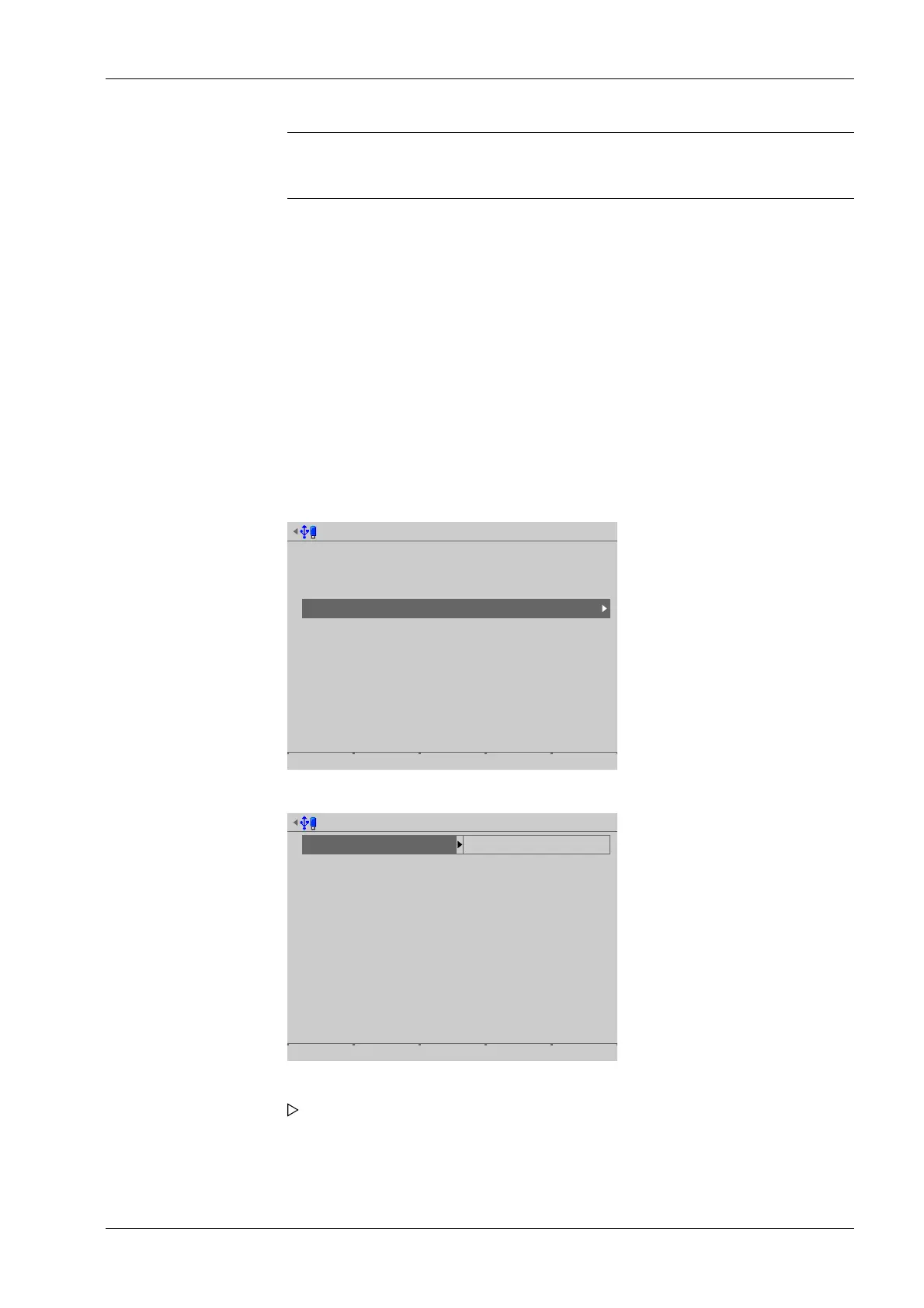
Accessible via MENU - [Operating] - [System setup]- [Connected devices]- [PC via EW-
Com] .
Connected devices @admin
General devices
Remote display
ModBus-RTU master
PC via EW-Com
Printer
Remote terminal
Barcode scanner
Add. application devices
Ticket printer
Printer 2
Interface
(not assigned)
(Not assigned)
(Not assigned)
(Network printer)
(C1/CX1)
(Remote terminal TTY)
Interface
(Network printer)
(Not assigned)
PC via EW-Com @admin
Interface not assigned
Save
5. Press the [Save] soft key to save the settings.
1. Select and conrm [PC via EW-Com].
2. Select and conrm [Interface].
A selection window opens.
4 System setup Process Controller Maxxis 5 PR 5900
EN-61 Minebea Intec



 To Next Page