2.9.4 Resetting the network address
Note:
Holding down (> 5 sec.) the reset key triggers a cold start:
- The settings are not changed.
- The database is emptied.
- Current process steps are deleted.
- The application must be restarted.
- The database must be restored.
Holding down (> 5 sec.) the rest key initiates a reset of the network settings to the
factory/default settings.
This means
- "DHCP" is activated.
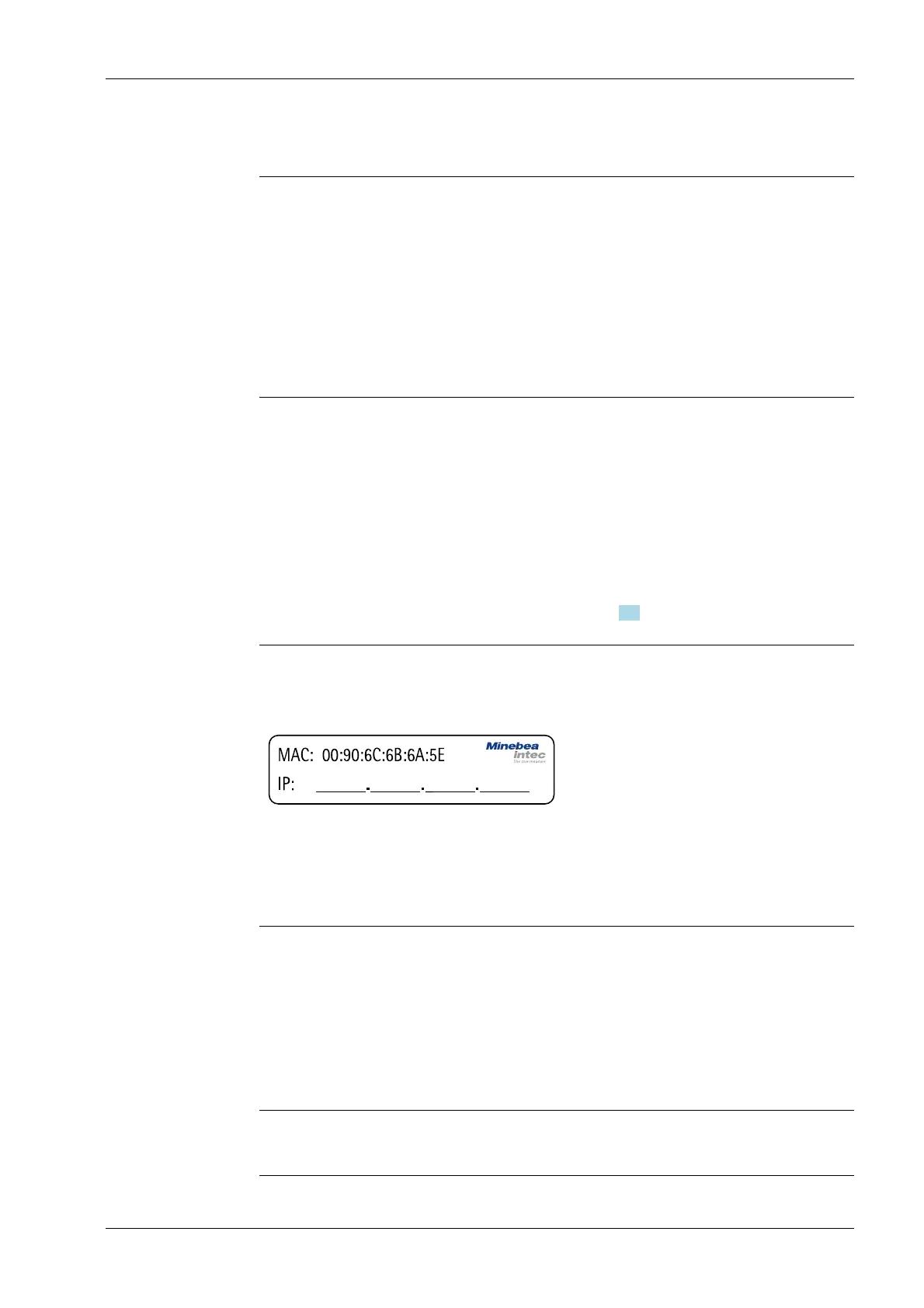
- "Hostname" is initialized to, e.g. PR 5900-6B6A5E (type MAC-ID).
Example of MAC ID: 00-90-6C-6B-6A-5E
This ensures that a valid address for identication of the device in the network can be
assigned to the device from a server, see also Chapter 4.4.
Note:
The last 3 bytes of the MAC ID are displayed. A label with the complete MAC ID is located
on the outside of the device.
If the device is connected to an IT network (company network) with a DHCP server and if
the parameter [use DHCP] is activated in the menu [Operating] - [Default conguration]
- [Network parameters] (factory/default settings), no further actions are required except
for a waiting time of 2…3 minutes. Subsequently, a network connection is established
automatically (device <-> workstation/PC).
2.9.5 Operation using VNC
VNC (on the enclosed CD-ROM) stands for "virtual network computing" and is a program
for remote operation of computers.
The program distinguishes between the VNC server and VNC client (viewer). The server
program is part of the device software, the client program (viewer) must be run on the
notebook/PC in order to operate the device.
Note:
If the colors appear distorted, a better color format must be selected in the VNC viewer.
2 Commissioning Process Controller Maxxis 5 PR 5900
EN-29 Minebea Intec



 To Next Page