WP-A
Max 3000g d= 0.1g
00
+
g
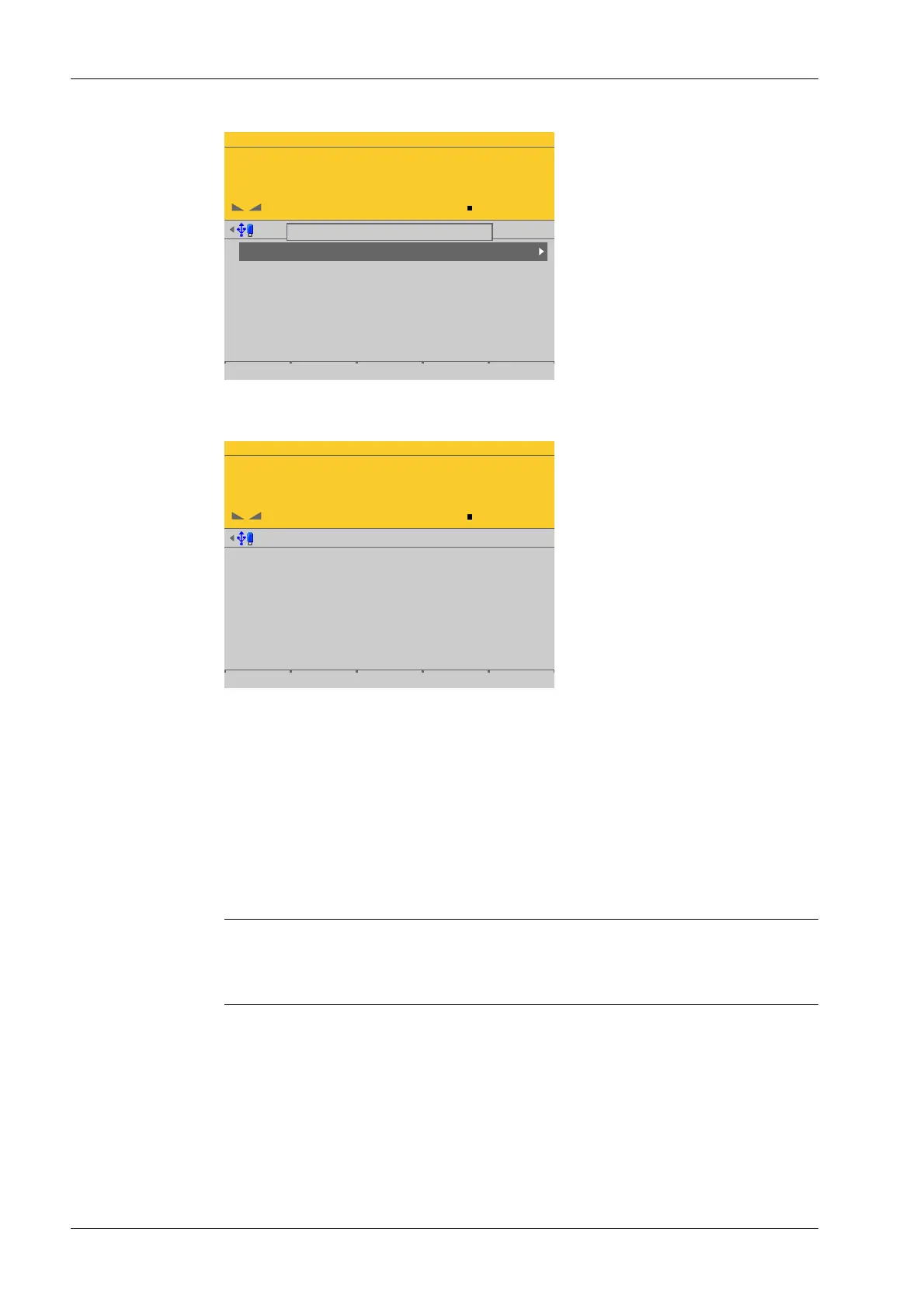
Weighing points @admin
Weighing point A
Weighing point B
Weighing point C
Weighing point D
Internal weighing point
Pendeo Truck
xBPI scale
User scale
Parameters Calib Units
If [Settings locked] is active, a tool tip appears in the menu [Weighing points].
The data under the soft keys [Parameters], [Calibration], and [Units] is displayed only.
WP-A
Max 3000g d= 0.1g
00
+
g
Calibration (Settings locked) @admin
Max
Scale interval
Dead load at
Max at
calibrated at
Sensitivity
3000.0 g
0.1 g
mV/V
mV/V
mV/V
µV/d
0.040346
1.177703
0.987896
0.471081
30000 d
1 d
102.774 g
3000.000 g
2516.5 g
98.14 cnt/d
Example of calibration data.
2.8 Switching on blackbox device
2.8.1 Connecting to remote terminal PR 5900/6x, ../7x
The blackbox device can be operated with the PR 5900/6x, ../7x remote terminal.
There are no setting options for the connection to the remote terminal.
If the installation has been carried out correctly, the connection to the remote terminal is
automatically established.
Note:
For information on installation and switching on the remote terminal, see PR 5900/6x,
../7x instrument manual.
2.8.2 Network settings
The device has the following factory settings:
- Device IP address (default): 192.168.1.2
- Subnet mask (default): 255.255.255.0
Process Controller Maxxis 5 PR 5900 2 Commissioning
Minebea Intec EN-24



 To Next Page