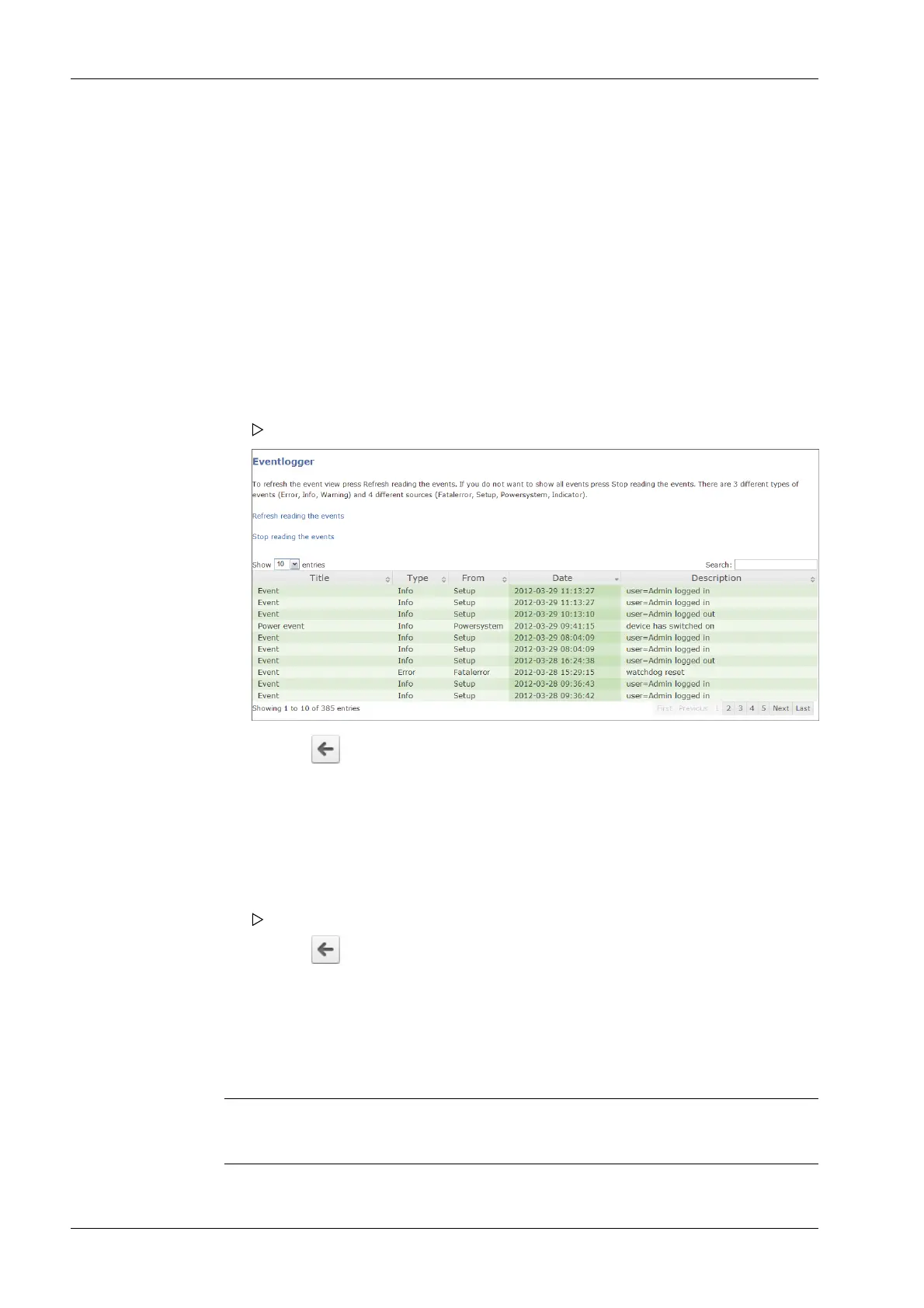
The three event types are:
- Error
- Info
- Warning
The four source types are:
- [Fatal error]
- [Setup]
- [Power system]
- [Indicator]
3.9.6 Browse log les
In this web menu item, the log les can be searched, displayed, copied and printed.
Log les can be used to analyze any possible problems.
Accessible via the web menu - [Browse logles]
3.9.7 Displaying a log of the last system error
In this web menu item, the log of the last system error can be displayed, copied and
printed.
Logs can be used to analyze any possible problems.
Note:
This data is also contained in the service report.
1. Click [Browse Eventlog] in the web menu.
The "Eventlogger” window appears.
2. Click the symbol to return to the web menu.
1. Click [Browse logles] in the web menu.
Several les are listed. Click on a le to view its contents.
2. Click the symbol to return to the web menu.
Process Controller Maxxis 5 PR 5900 3 Operation and control
Minebea Intec EN-42



 To Next Page