- All Alibi memory records
- All database tables
Note:
The device can only be reset to the factory settings when overwrite protection is
deactivated; see Chapter 2.7.
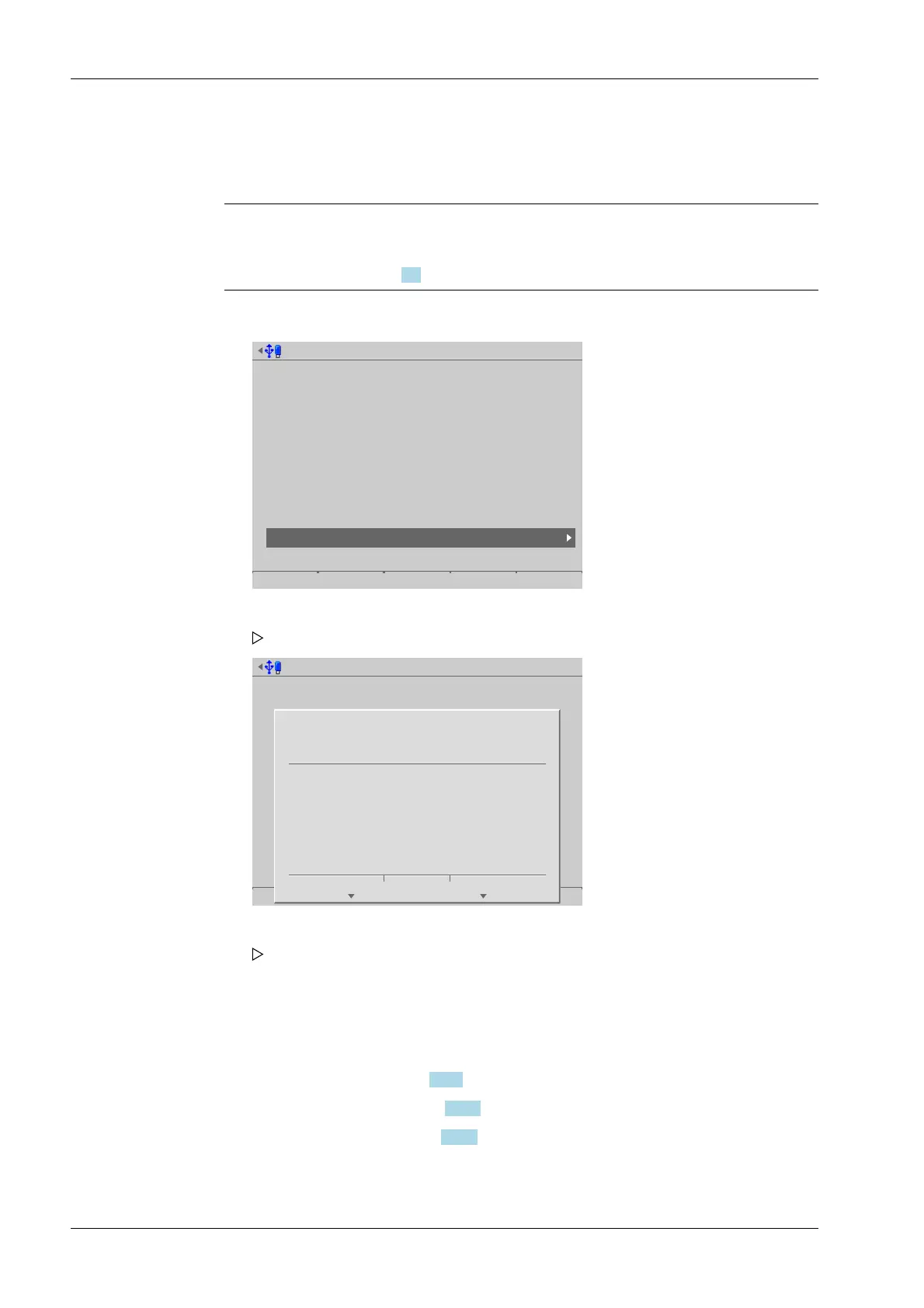
Accessible via MENU - [Operating] - [System maintenance]- [Factory reset] .
System maintenance @admin
Backup
Restore
Export
Import
Alibi memory maintenance
SD card maintenance
Create service report
Shutdown & Power off
Update software
Factory reset
Test hardware
System maintenance @admin
Start
?
Should all parameters be reset
to default?
Yes No
6.11 Test hardware
In this menu item (under System maintenance), the display, keyboard and input/output
cards are tested.
- [Display test], see Chapter 6.11.1.
- [Keyboard test], see Chapter 6.11.2.
- [I/O cards test], see Chapter 6.11.3.
Accessible via MENU - [Operating] - [System maintenance]- [Test hardware] .
1. Select and conrm [Factory reset].
A prompt window appears.
2. Press the [Yes] soft key.
The device restarts with the factory settings.
Process Controller Maxxis 5 PR 5900 6 System maintenance
Minebea Intec EN-332



 To Next Page