3.9.10 Export Alibi memory
In this web menu item, the export of the Alibi memory is saved in a selected directory as
an XML le.
Accessible via the web menu - [Export Alibi memory].
Example: "InternetExplorer"
3.9.11 Export service report
In this web menu item, the export of the service report is saved in a selected directory as
an XML le. In the event of an error, the le can be sent to customer service.
Accessible via the web menu - [Export service report].
Example: "InternetExplorer"
1. Click [Export database] in the web menu.
If applicable, an input window appears.
2. If applicable, enter user name and password and conrm.
The le download window of the Internet browser appears.
3. Click [Save].
4. Select a directory in which to save the XML le.
5. Click [Save].
1. Click [Export Alibi memory] in the web menu.
If applicable, an input window appears.
2. If applicable, enter user name and password and conrm.
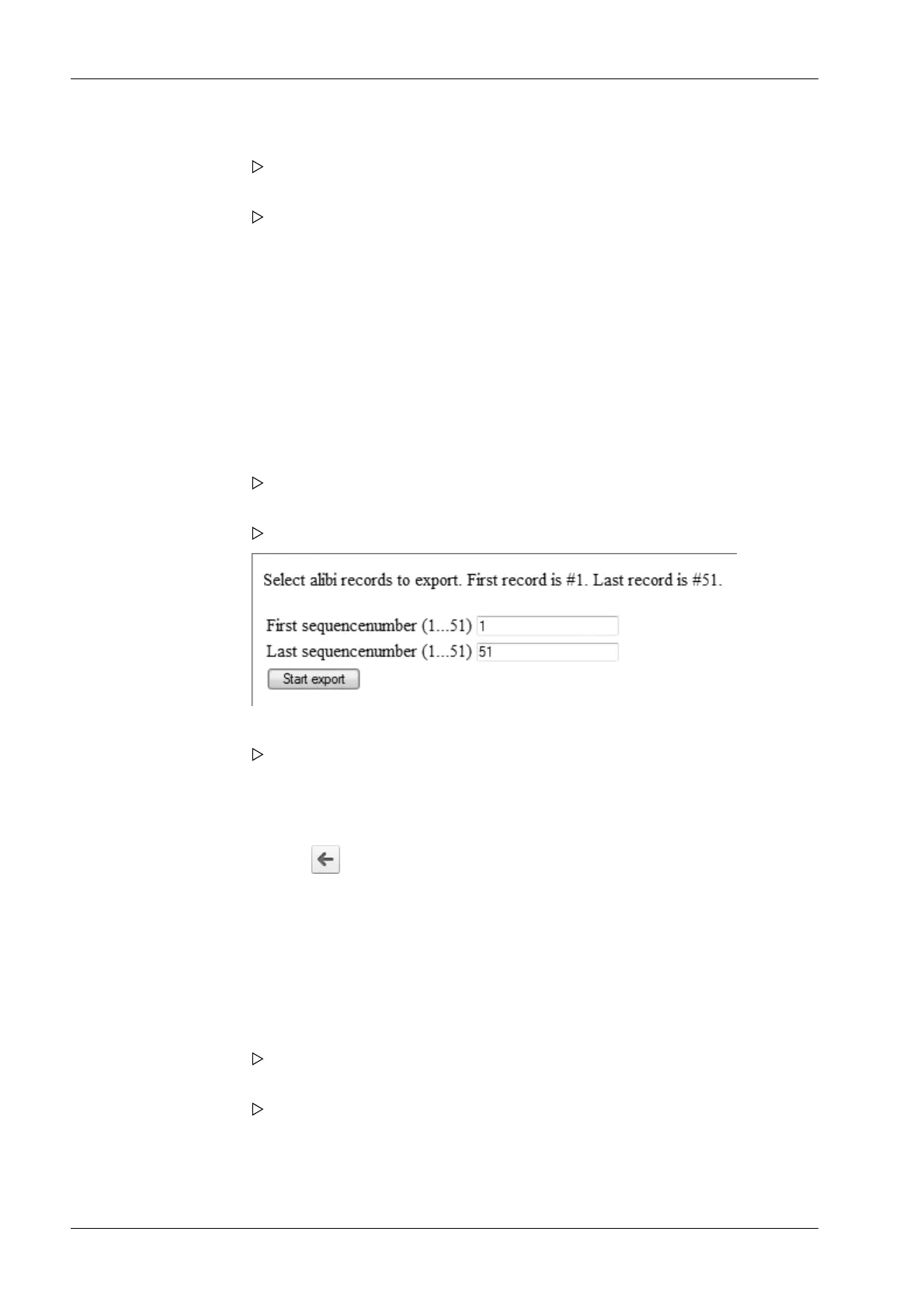
A page appears on which the Alibi entries to be exported can be selected.
3. Enter the desired range of records (here: 1…51) and click [Start export].
The le download window of the Internet browser appears.
4. Click [Save].
5. Select a directory in which to save the XML le.
6. Click [Save].
7. Click the symbol to return to the web menu.
1. Click [Export service report] in the web menu.
If applicable, an input window appears.
2. If applicable, enter user name and password and conrm.
The le download window of the Internet browser appears.
3. Click [Save].
4. Select a directory in which to save the XML le.
5. Click [Save].
Process Controller Maxxis 5 PR 5900 3 Operation and control
Minebea Intec EN-44



 To Next Page