Dust Control/DustGuard
™
Systems 98Service Manual – CS7000
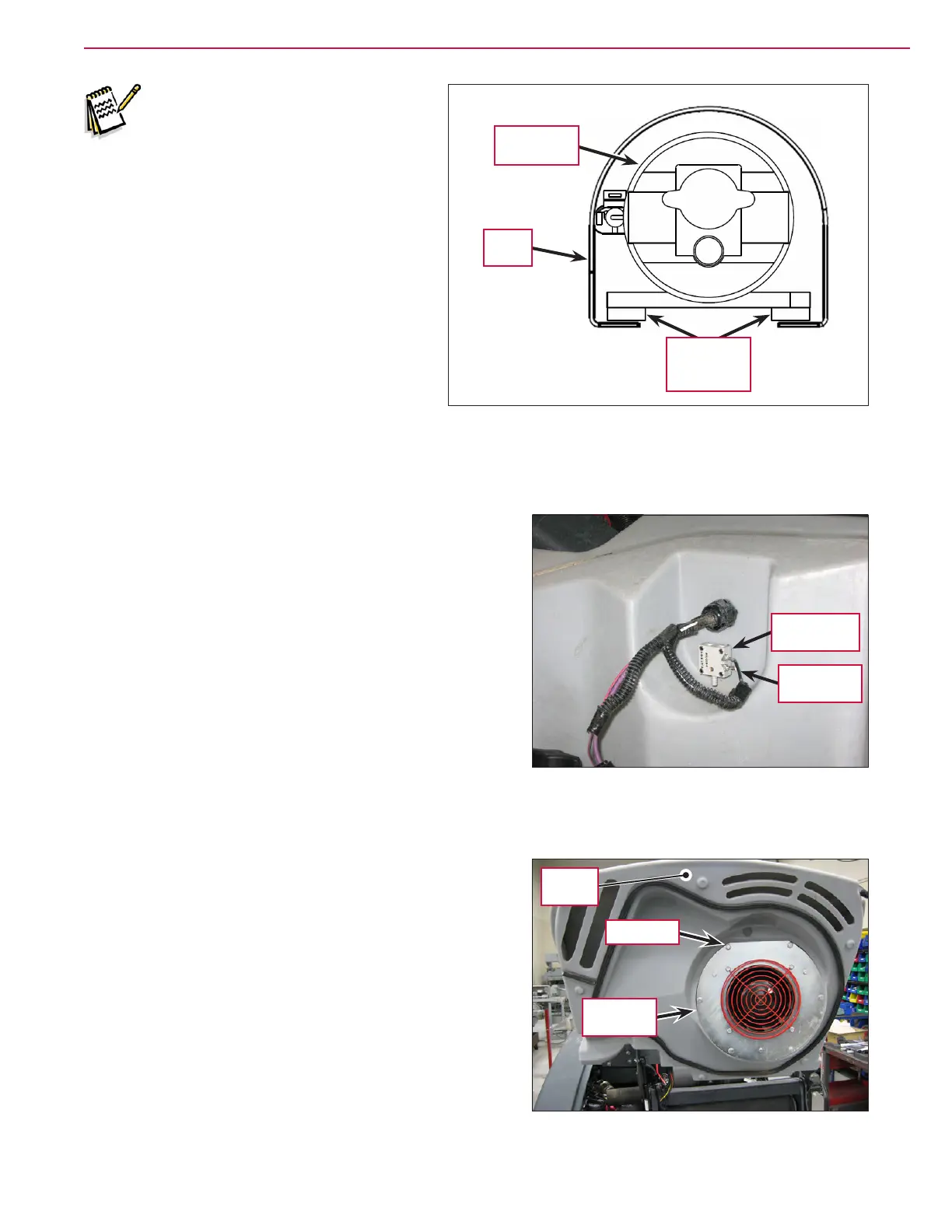
Note: The Pump Guard base should
be positioned under the four
DustGuard Pump Isolators.
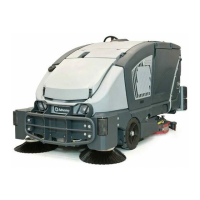
To Remove and Reinstall the Dust Control Filter Switch
1. Lift the hopper cover.
2. Disconnect the two Electrical Connectors from the Dust
Control Filter Switch
.
3. Unscrew the Dust Control Filter Switch from the upper
hopper.
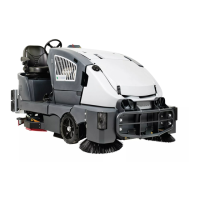
To Remove and Reinstall the Impeller Assembly
1. Lift the Hopper Cover.
2. Remove the six Screws and washers holding the
Impeller Assembly to the Hopper Cover.
3. Carefully pull the Impeller Assembly partway off of the
Hopper Cover.
4. Disconnect the Vacuum Motor electrical connector,
then remove the Impeller Assembly from the machine.
5. Reinstall the Impeller Assembly by following the above
steps in reverse order.
DustGuard
Pump
Pump
Guard
DustGuard
Pump
Isolator (4)
Dust Control
Filter Switch
Electrical
Connectors
Screw (6)
Impeller
Assembly
Hopper
Cover




 To Next Page