RTC
®
5 PC Interface Board
Rev. 1.9 e
7 Basic Functions for Scan Head and Laser Control
101
Variable Jump Delay
During a jump vector, the laser focus (output
position) usually moves with a constant linear
velocity, the jump speed. Since the jump speed is the
same for each jump vector, a constant jump delay is
required for settling of the mirrors.
However, if a jump vector is very short, the scanners
might not reach the full jump speed during the jump
because of the inertia of the mirrors. In this case, a
shorter jump delay might be sufficient for settling.
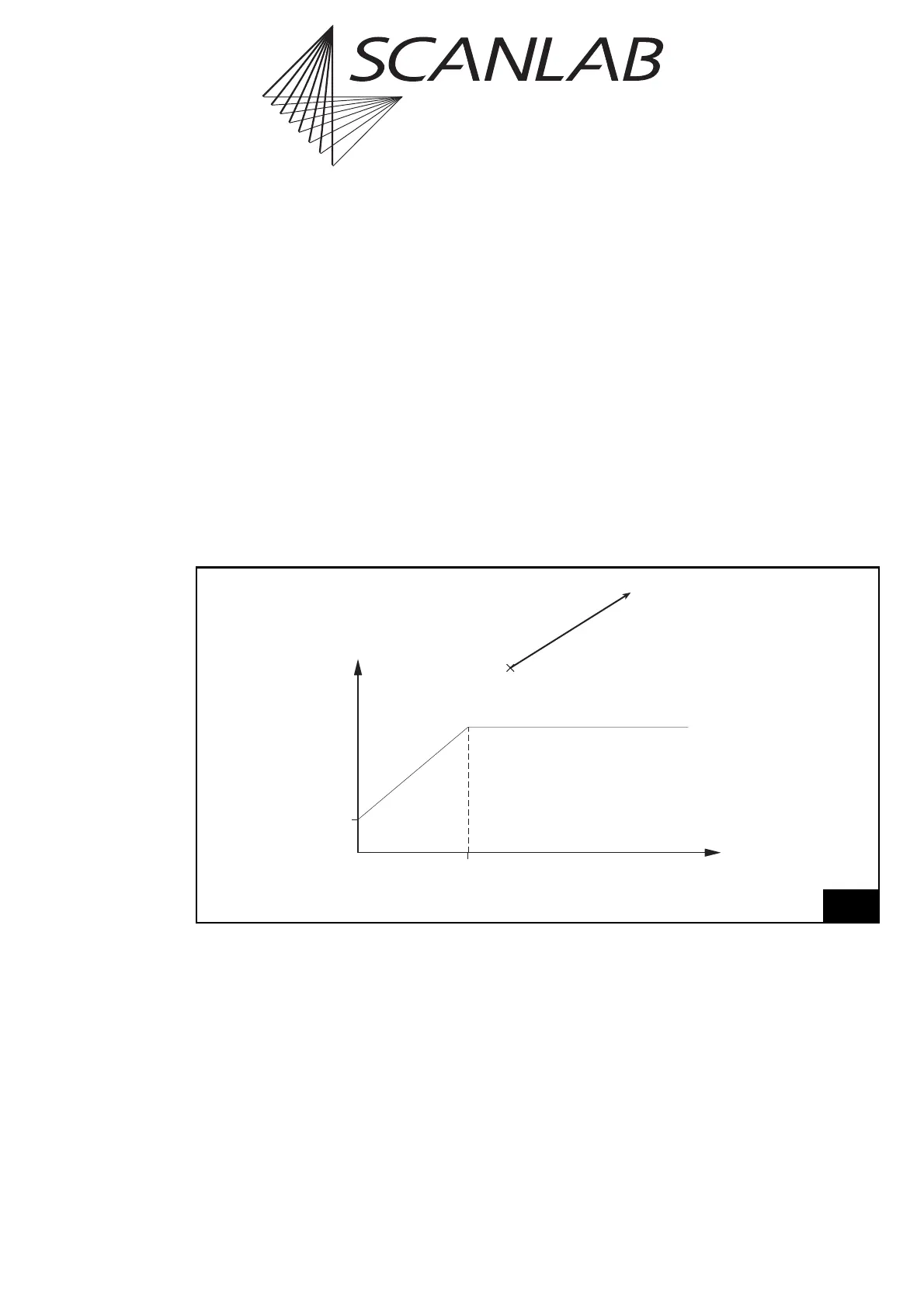
To make use of this, the RTC
®
5 offers a variable jump
delay mode. In this mode, the jump delay for short
jump vectors will be reduced in time, as shown in
figure 31. The minimum jump delay (for a jump
vector of zero length) and the jump length limit are
set by the user with the command set_delay_mode
or set_delay_mode_list.
When using the variable jump delay mode, total
marking time can be reduced, especially in
applications involving many short jumps.
Notes
•To turn off the variable jump delay mode, simply
set the parameter
JumpLengthLimit
to zero.
• For jump vectors with a length of zero, the
(variable) jump delay will not be executed.
31
Minimum Jump Delay,
set by set_delay_mode
Variable Jump Delay
Top: length l of the jump vector
Bottom: Variation of the jump delay
Constant Jump Delay,
set by set_scanner_delays
Jump Length Limit,
set by set_delay_mode
Jump Length l
Jump Delay



 To Next Page