RTC
®
5 PC Interface Board
Rev. 1.9 e
7 Basic Functions for Scan Head and Laser Control
113
7.2.4 Sky Writing
The RTC
®
5 provides Sky Writing for applications with
elevated accuracy requirements. With Sky Writing,
every mark vector is precisely executed at a constant
marking speed over the entire vector length.
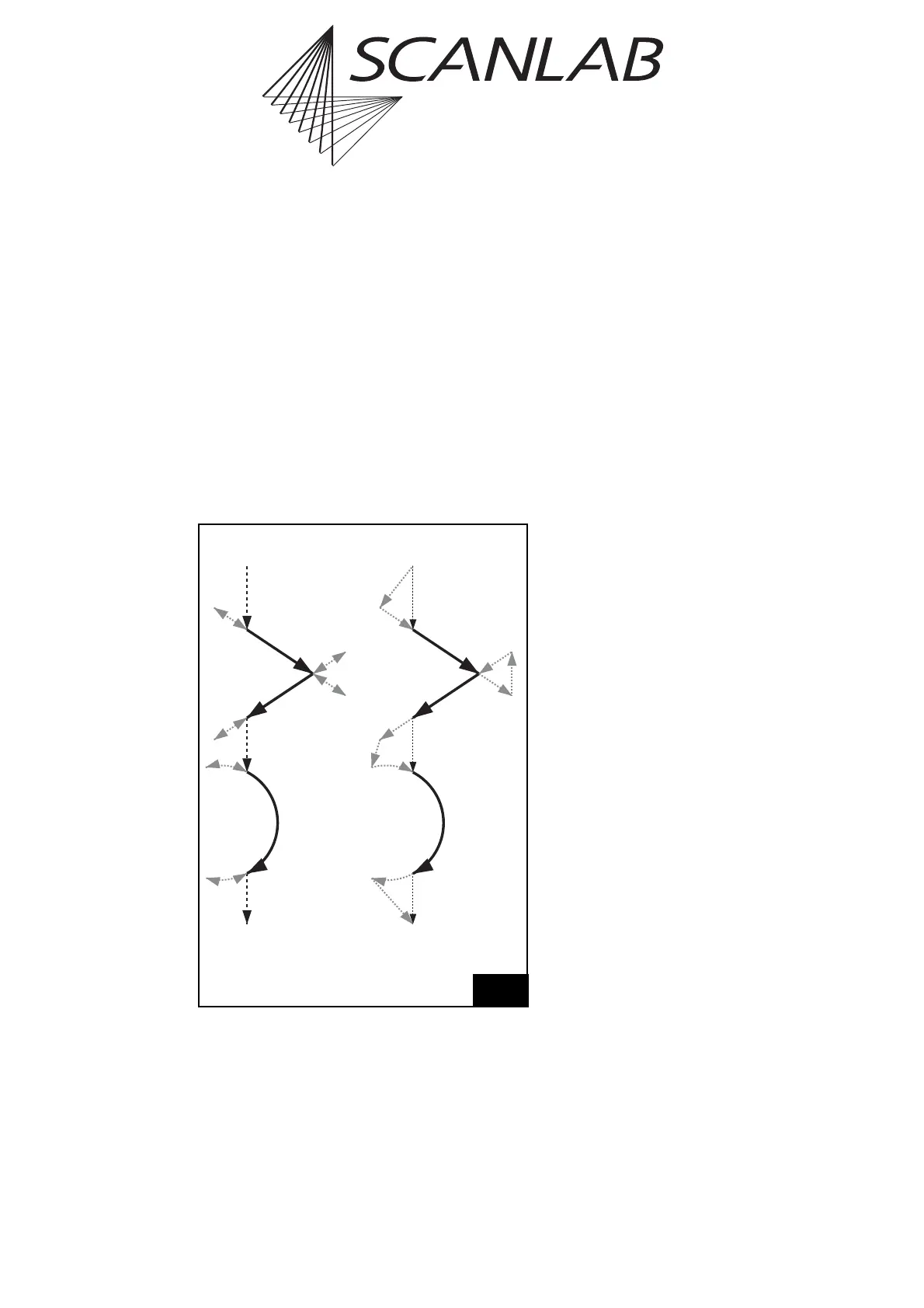
For mark commands with Sky Writing activated, the
RTC
®
5 will automatically perform non-marking Sky
Writing scan motions (see figure 41) before and after
the to-be-executed vectors or arcs. Via the Sky
Writing command’s parameters you can specify the
durations of these run-in and run-out motions as well
as synchronization between scan motions and laser
control. Sky Writing can be activated in modes 1, 2 or
3.
Mode 1
In Sky Writing mode 1, the RTC
®
5 performs the
following Sky Writing motions for each marking
vector (or arc) – regardless of previous or subsequent
commands:
• In the run-in phase, the vector (or arc) is preceded
by a “forerun” movement performed by the
galvanometer scanners at marking speed (see
figure 41): the scanners are driven a short
distance parallel to the vector (or along the arc
extension), initially from the startpoint in the
opposing direction, then back to the startpoint.
• After the vector (or arc) is processed at marking
speed, it is then appended in the run-out phase
with a short deceleration and retrace movement
of the scanners (at marking speed).
Sky Writing mode 1 can be activated (and deacti-
vated) via the commands set_sky_writing_para,
set_sky_writing or the corresponding list
commands.
Except for para commands, Sky Writing mode 1 acti-
vation affects all mark, arc and ellipse commands
(even time-based and 3D commands). In contrast,
during execution of para commands (e.g. with acti-
vated vector-defined laser control, see page 147) and
during execution of micro vector commands (see
page 197), Sky Writing mode 1 is not taken into
account (but is also not deactivated).
Mode 2
In Sky Writing mode 2, the RTC
®
5 calculates time-
optimized Sky Writing motions. Here, too, each to-
be-executed vector (or arc) gets preceded and
appended with a run-in motion and a run-out motion
in extension of the vector (or arc) at mark speed.
Within a SkyWriting2 marking sequence, however,
neither scanner forerun motions (in the run-in phase)
nor retrace motions (in the run-out phase) occur.
Instead, the RTC
®
5 executes Sky Writing jumps (at
the currently defined jump speed) from jump vector
startpoints to run-in startpoints, from run-out
endpoints to run-in startpoints, and from run-out
endpoints to jump vector endpoints (see figure 41).
You can only activate (and deactivate) Sky Writing
mode 2 after successful activation of Sky Writing
mode 1 (see above) by subsequently calling
set_sky_writing_mode or the corresponding list
command.
41
Legend
m executed with mark speed
j executed with jump speed
Jump
Mark
Mark
Jump
Jump
Jump
Mark
Mark
Jump
Jump
Arc Arc
m
m
m
m
m
m
m
m
m
m
m
m
j
j
j
j
Sky Writing mode 1 Sky Writing mode 2/3
Sky Writing motions (grey)
(for Sky Writing mode 3 also see figure 42, page 114)



 To Next Page