RTC
®
5 PC Interface Board
Rev. 1.9 e
4 Layout and Interfaces
40
4.2 Interface to PC
The RTC
®
5’s PCI connector is the interface to the PC.
The RTC
®
5 can be installed into any IBM-compatible
personal computer with a PCI bus interface and at
least one free PCI slot.
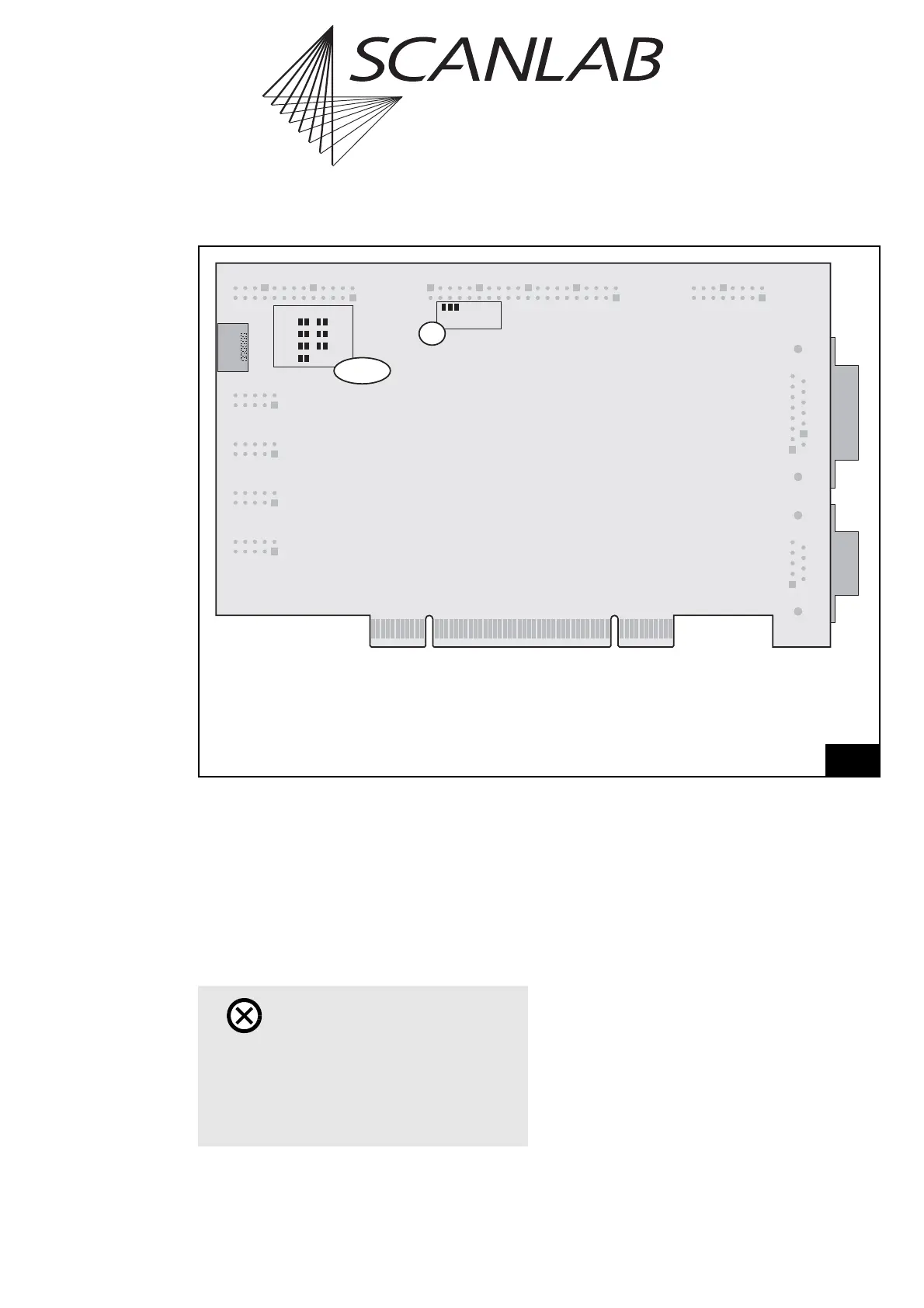
4.2.1 Master/Slave Synchronization
If multiple synchronously-clocked RTC
®
5 boards are
to be used in a PC, then the RTC
®
5 boards must first
be connected pairwise with each other via the
MASTER and SLAVE connectors and then installed in
adjacent PCI slots. Always connect a board’s MASTER
connector to the SLAVE connector of another board.
Suitable connection cables are available from
SCANLAB.
Also see chapter 6.6.3 "Master/Slave Operation",
page 84 and "Starting and Stopping Lists via External
Control Signals and Master/Slave Synchronization",
page 209.
Legend
Master . . . . .6-pin MASTER connector (see "Master/Slave Synchronization", page 40)
JP1 . . . . . . . . Jumper for selecting the output signal level at the EXTENSION 1 connector
(see page 49)
JP2 - JP8 . . . . Jumpers for configuring the EXTENSION 2 connector signals (see page 50)
3
1
J2
1
Master
Digital I/O
Voltage
5V
3.3V
Pin17 Pin15
Data7
Data7
+5V
+5V
GND
GND
Latch
JP2 - JP8
JP1
Layout of the RTC
®
5 (back side)
Caution!
•The RTC
®
5 board does not support power-
saving modes that switch off power to the PCI
bus. Accordingly, you must disable standby or
sleep modes of the operating system. Also see
the note on page 27.



 To Next Page