4.73
Date Code 20150130 Instruction Manual SEL-787 Relay
Protection and Logic Functions
Logic Settings (SET L Command)
have a separate debounce timer that can help in providing the necessary time
qualification.
SELOGIC Control
Equation
Variables/Timers
Enable the number of SELOGIC control equations necessary for your
application. Only the enabled SEL
OGIC control equations appear for settings.
Each SEL
OGIC control equation variable/timer has a SELOGIC control
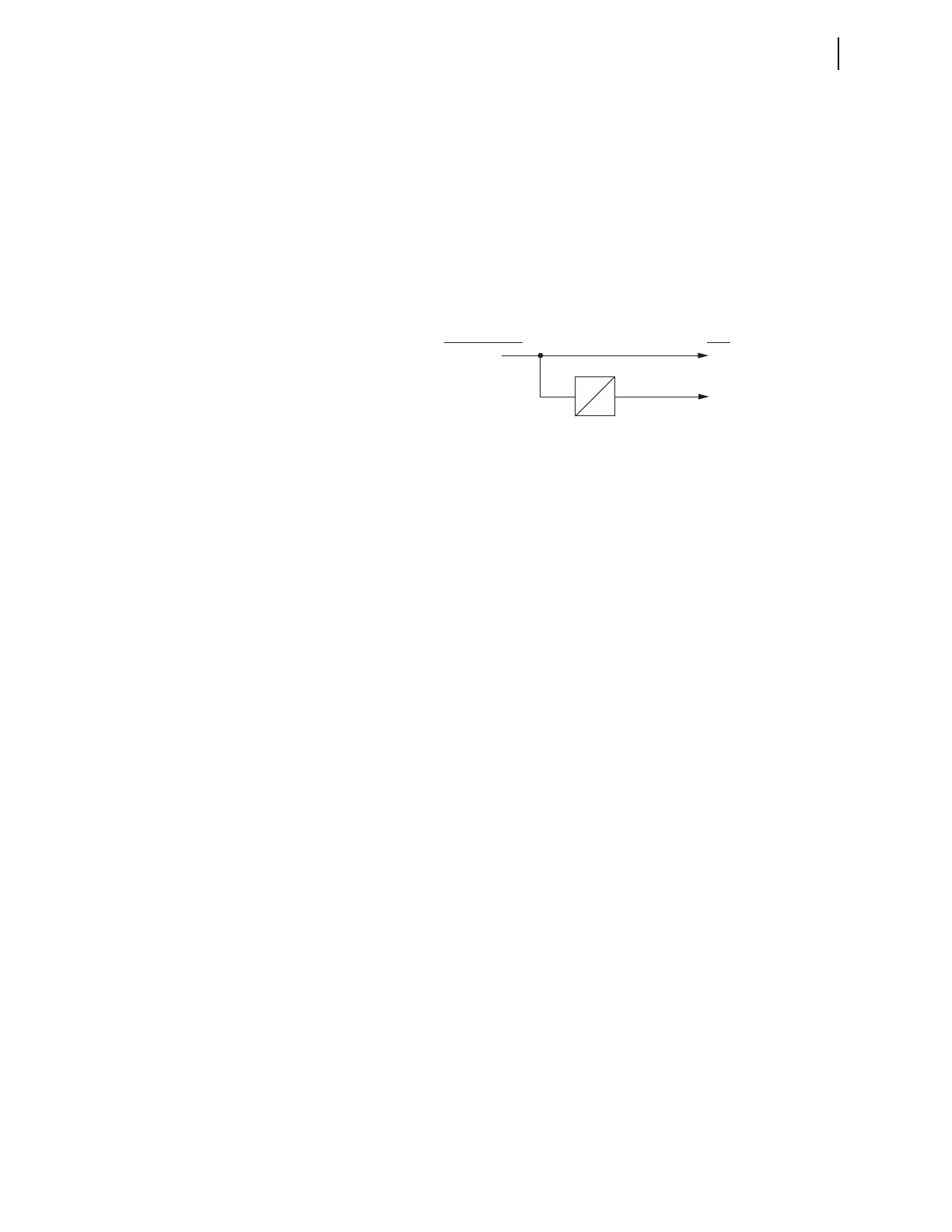
equation setting input and variable/timer outputs as shown in Figure 4.54.
Timers SV01T through SV32T in Figure 4.54 have a setting range of 0.00–
3000.00 seconds. This timer setting range applies to both pickup and dropout
times (SVnPU and SVnDO, n = 1 through 32).
Figure 4.54 SELOGIC Control Equation Variable/Timers SV01/SV01T–SV32T
You can enter as many as 15 elements per SELOGIC equation, including a total
of 14 elements in parentheses (see Table 4.29 for more information).
SELOGIC Control
Equation Operators
Use the Boolean operators to combine values with a resulting Boolean value.
Edge trigger operators provide a pulse output. Combine the operators and
operands to form statements that evaluate complex logic. SEL
OGIC control
equations are either Boolean type or math type. Because the equals sign (=) is
already used as an equality comparison, both Boolean type and math type of
SEL
OGIC control equation settings begin with an “assignment” operator (:=)
instead of with an equals sign.
Boolean SEL
OGIC control equation settings use logic similar to Boolean
algebra logic, combining Relay Word bits together with one or more of the
Boolean operators listed in Table 4.29. Math SEL
OGIC control equation
settings operate on numerical values, using one or more of the Mathematical
operators listed in Table 4.29. These numerical values can be mathematical
variables or actual real numbers.
The executed result of a math SEL
OGIC control equation is stored in a math
variable. The smallest and largest values a math variable can represent are
–16777215.99 and +16777215.99, respectively. If the executed result exceeds
these limits, it will be clipped at the limit value. For example, when the
MV01:= executed result is –16777219.00, MV01 will be –16777215.99.
Similarly, when the MV02 := executed result is +16777238.00, MV02 will be
+16777215.99.
Comments can be added to both boolean and math SEL
OGIC control equations
by inserting a # symbol. Everything following the # symbol in a SEL
OGIC
control equation is treated as a comment. See Table 4.30 for this and other
Boolean and math operators and values.
Operator Precedence
When you combine several operators and operands within a single expression,
the SEL-787 evaluates the operators from left to right, starting with the
highest precedence operators and working down to the lowest precedence.
This means that if you write an equation with three AND operators, for
example SV01 AND SV02 AND SV03, each AND will be evaluated from the
SVn
SVn
SVnT
SEL
OGIC Variable/
Timer Input Settings
Relay
Word
Bits
SVnPU
SVnDO



 To Next Page