VISOR
®
Communications manual
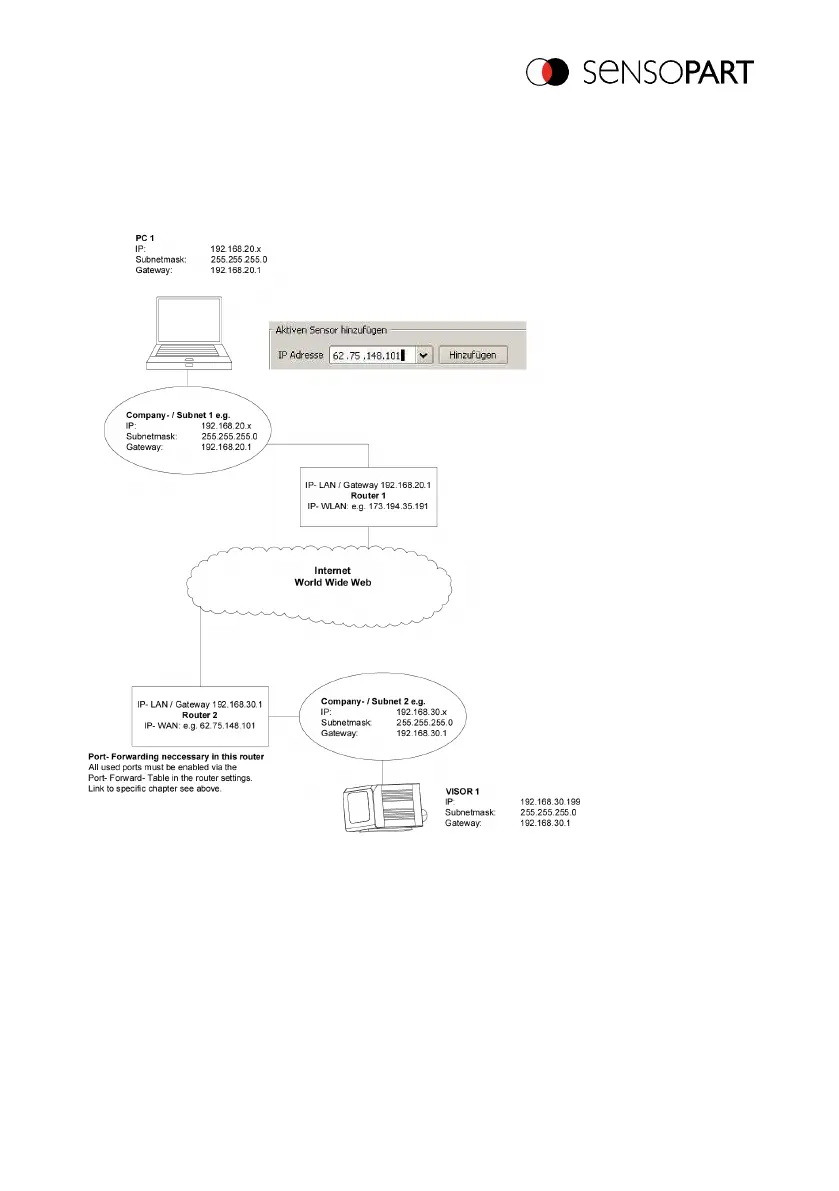
1. On PC 1 (company network 1) enter and add the IP WAN of Router 2 (company network
2) under "Add active sensor" in SensoFind (here in this example: 62.75.148.101)
2. On router 2, open the ports that the sensor will be using (please refer to section: Used
Ethernet - Ports).
Fig. 4: Access to VISOR
®
through the Internet / World Wide Web
2.7 VISOR
®
electrical connection on the network
The VISOR
®
vision sensor is connected to the network through a switch.
06814859 - 1/24/2019-00 Page 13 EN



 To Next Page