VISOR
®
Communications manual
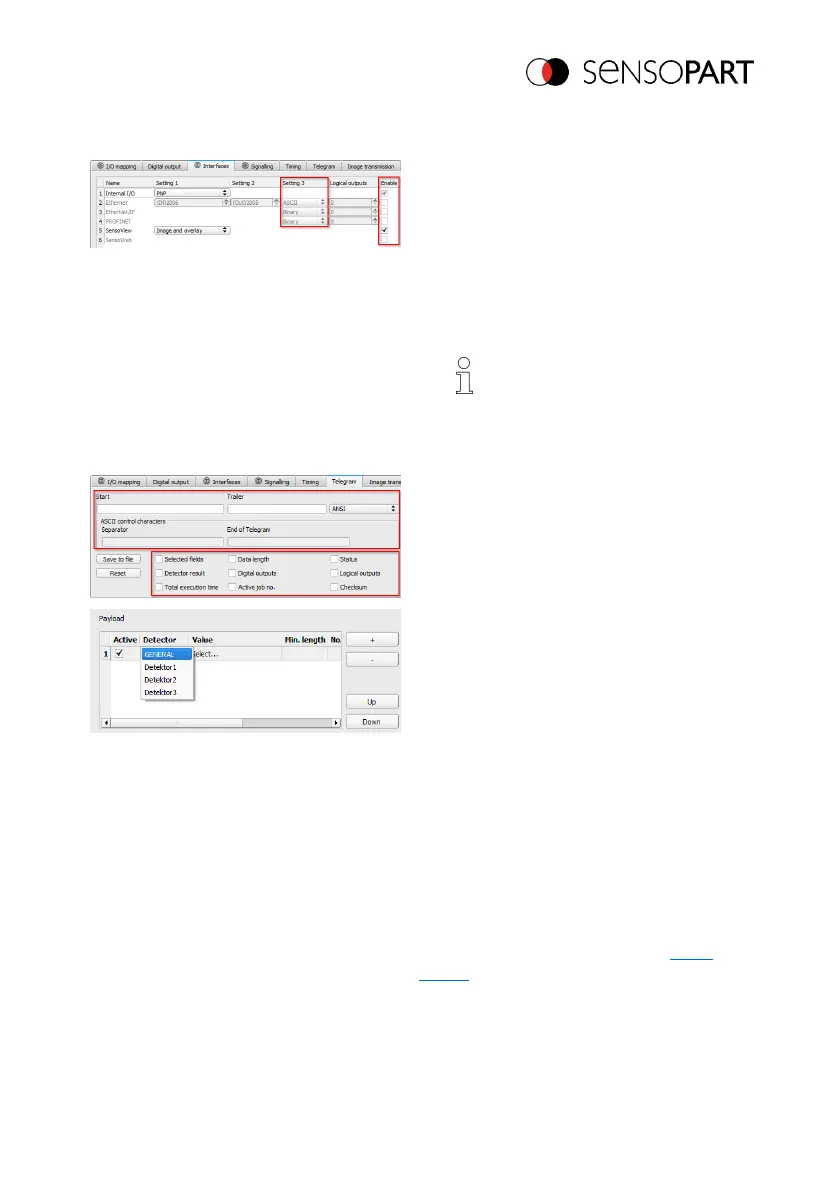
Select an interface in SensoConfig
1. Use the "Output" setup step to open the
"Interfaces" tab.
2. Enable the interface by enabling the
corresponding checkbox in the
"Enabled" column.
3. In the "Setting 3" column, select the
format for the data output.
NOTE:
For PROFINET, the binary
format must be selected for the
data output.
Defining telegrams / data output in SensoConfig
1. Use the "Output" setup step to open the
"Data output" tab.
2. Set the control characters you want for
the data output.
3. Select the drop-down menus you want.
4. Configure the data you want to be
output.
Use the "+" button to generate new
entry.
What the buttons do:
l "+": Insert new entry
l "-": Delete marked entry
l "Up", "Down": Displace marked
entry
5. Select the detector you want in the
"Detector" column.
6. Select the detector value you want in the
"Value" column so that this value will be
output through the enabled interface.
Additional information: Data output (ASCII /
binary)
Start sensor
06814859 - 1/24/2019-00 Page 17 EN



 To Next Page