VISOR
®
Communications manual
port 2006 with an acknowledge to the "TRG" command and, in this case, "P" for a positive
detector 1 result (black letters in right pane).
In the left pane, the VISOR
®
uses output port 2005 to send the "010Pxxx" value defined in Data
output the same way as in the Ethernet 1 example.
4.3 Example: Job change from PC / PLC to VISOR
®
With acknowledge / data output from VISOR
®
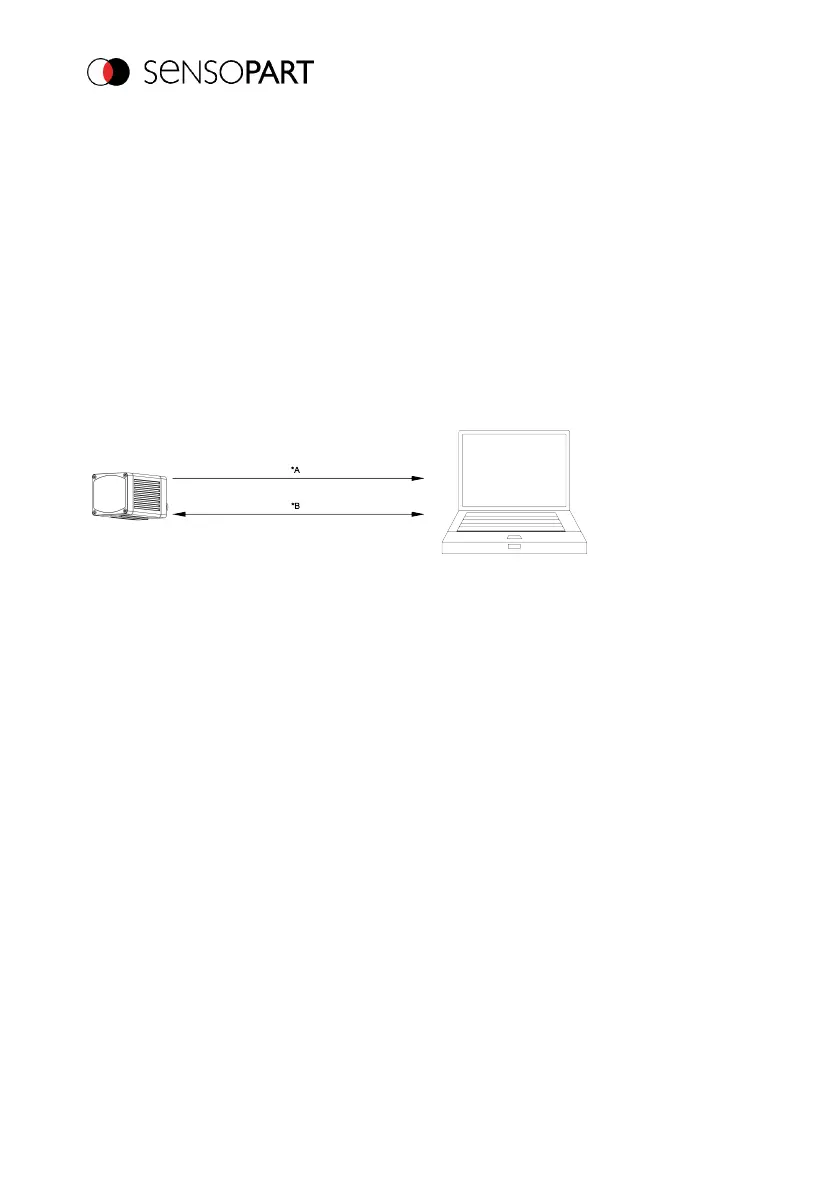
Function of both Ethernet ports for in- and output:
*A: Port 2005, only one direction: Sensor >> PC, all user data, defined under "Data output"
*B: Port 2006, both direction: Sensor <> PC, commands to VISOR
®
with acknowledge, + all
response data to commands (no payloads)
Fig. 15: Ethernet ports
Step 1
For better clarity, it is switched here to the triggered mode. This can be done as follows: Under
Job/Image acquisition/Trigger mode = Set Trigger. Otherwise, the settings from Ethernet
example 1 will remain the same in the VISOR
®
. All data output definitions are made here in
"ASCII" for better traceability of the examples.
In this example, at least two jobs must be saved on the VISOR®. Use the function “Duplicate” to
create a job on the basis of an existing job. For easy testing of the job change, adapt the following
parameter. Later, you can define the output as required.
For this example, Job 1 was defined with the data output:
l Start: "010" and
l Trailer: "xxx"
Page 26 EN 06814859 - 1/24/2019-00



 To Next Page