VISOR
®
Communications manual
4 Ethernet TCP/IP, port 2005 / 2006
Numerical data, which has been configured under Output/Telegram, can be output in a separate
ASCII/BINARY format.
The sensor here is the (socket) "server", and provides the data via a "server socket" interface.
This is mainly a "programming interface".
To read / process the data, a "socket client" (PC, PLC, etc.) must establish a (socket) connection
(active) to the sensor, and then receives the data.
Handling, settings
4.1 Example: Data output from VISOR
®
to PC / PLC
Step 1:
After the job with all necessary detectors, if alignment, etc. is set, the Ethernet interface for data
output is activated here and, if necessary, parameterized.
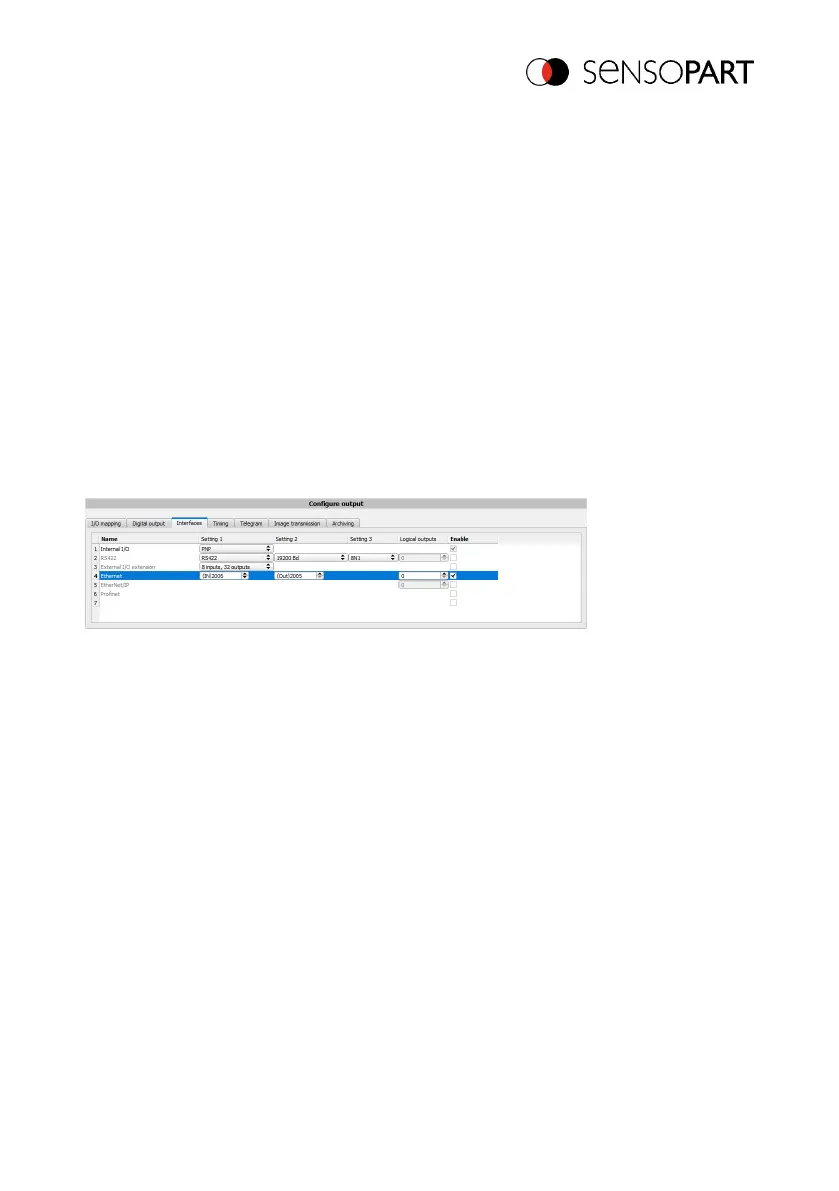
Fig. 6: Data output, Ethernet
In the example, the Ethernet interface is activated in the parameter field in the tab "Interfaces" by
marking the checkbox "Active". The default settings for input port (IN) = 2006 and output port
(OUT) = 2005 are adopted in this way. Any other settings can be made here to adapt the data
output to your network environment. If necessary, contact your network administrator.
Step 2:
The "Data output" tab configures the user data to be output via Ethernet Port 2005.
In this example, it is the:
l Trailer "010"
l Overall result of Detector 1
l Trailer "xxx"
"ASCII" is defined as a data format, which facilitates the traceability of this example. The function
with other data or in binary is analogous to settings made here by way of example.
06814859 - 1/24/2019-00 Page 19 EN



 To Next Page