VISOR
®
Communications manual
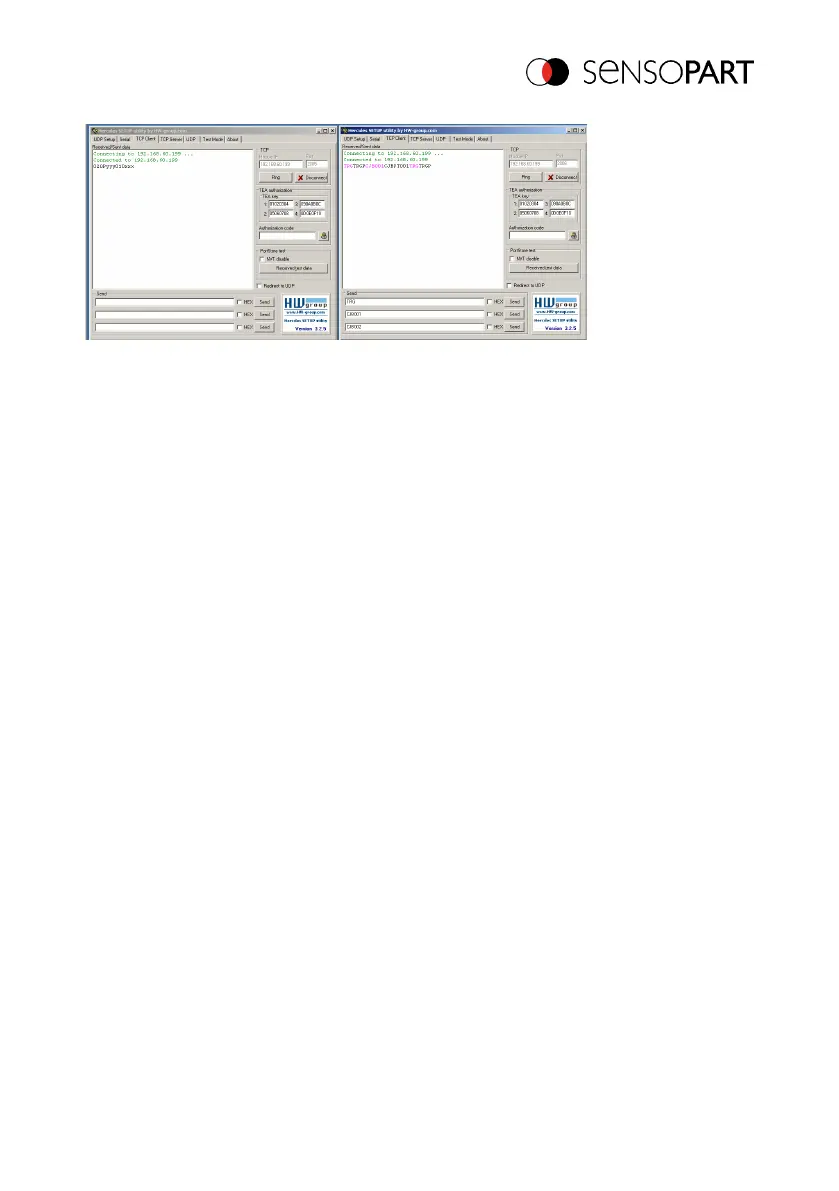
Fig. 20: Data output, Ethernet, Job switch, Tool / 3
After the next Trigger command TRG (see "Send" below, third line) is displayed again in the main
window in red letters. The VISOR
®
immediately responds again with the "TRGP" acknowledge
(repetition of "TRG" command and "P" for positive)
In the left pane (Port2005), after the job has changed to Job 1, the VISOR
®
sends the
corresponding result string, which is defined in Data output in Job 1 with "010xxx"!
4.4 Example Beckhoff CX 1020
The connection to a Beckhoff CX 1020 and the corresponding configuration is described in the
following document:
Startmenü/SensoPart/VISOR Vision-Sensor/Tools/SPS PLC/...
4.5 Example Siemens S7
The connection to a Siemens S7 PLC and the corresponding configuration is described in the
following document: "Siemens S7 Operating Instructions" in:
Startmenü/SensoPart/VISOR Vision-Sensor/Tools/SPS PLC/...
06814859 - 1/24/2019-00 Page 29 EN



 To Next Page