VISOR
®
Communications manual
Configuring the VISOR
®
IP address
Option 1: In the project
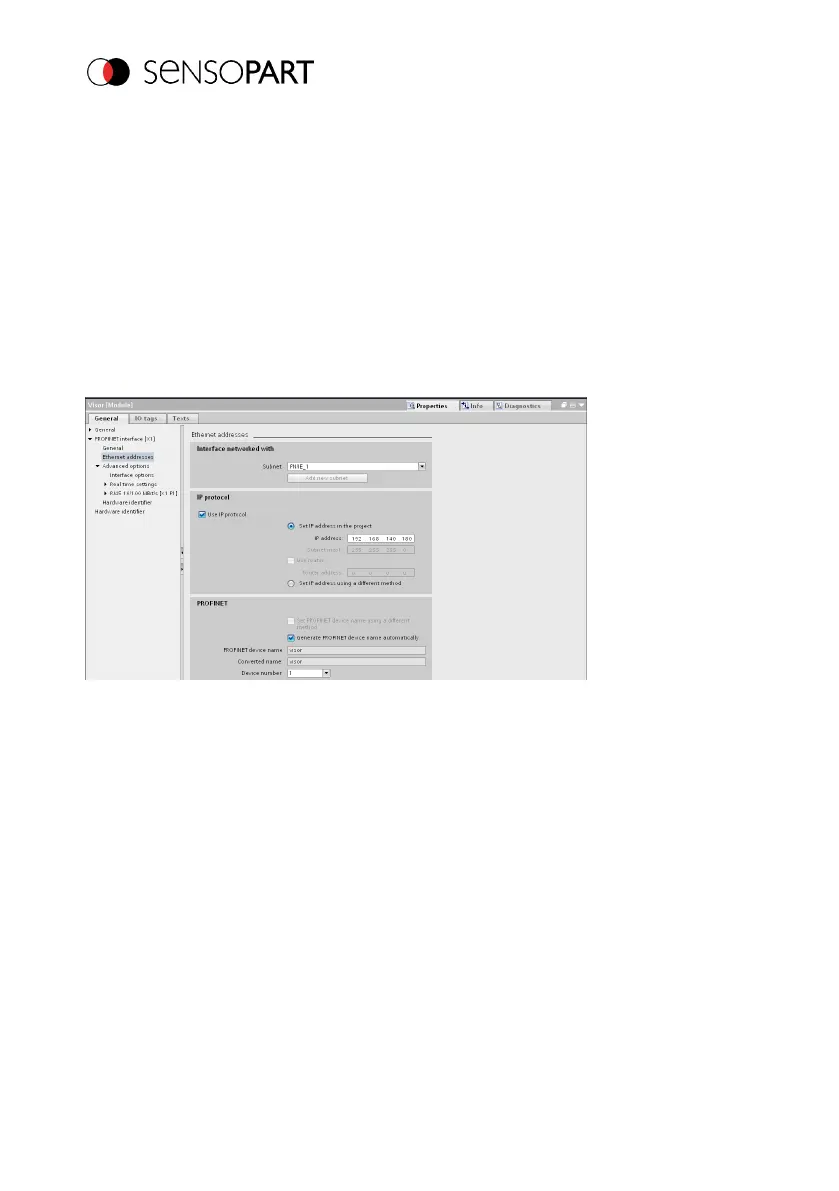
The IP address for the VISOR
®
can be assigned through the project in the PLC. Select option
"Set IP address in the project" and enter IP address. The address from the "IP address" field will
be written to the VISOR
®
. The IP addresses of the PLC and the VISOR
®
must be different from
each other but correspond to each other, i.e., fall within the same address space.
Fig. 33: Configuring the VISOR
®
IP address in the project
The VISOR
®
can also be used without a running PROFINET, and accordingly can be configured
via SensoFind. If the IP address of the VISOR
®
does not match the one in the TIA project, the
PLC will configure the IP address instead. In this case, the original configuration in the VISOR
®
will be overwritten with 0.0.0.0. This means that the IP address is set correctly but the IP
configuration is deleted (this is important for a restart, possibly without a connected PLC).
Option 2: In SensoFind
Page 54 EN 06814859 - 1/24/2019-00



 To Next Page