VISOR
®
Communications manual
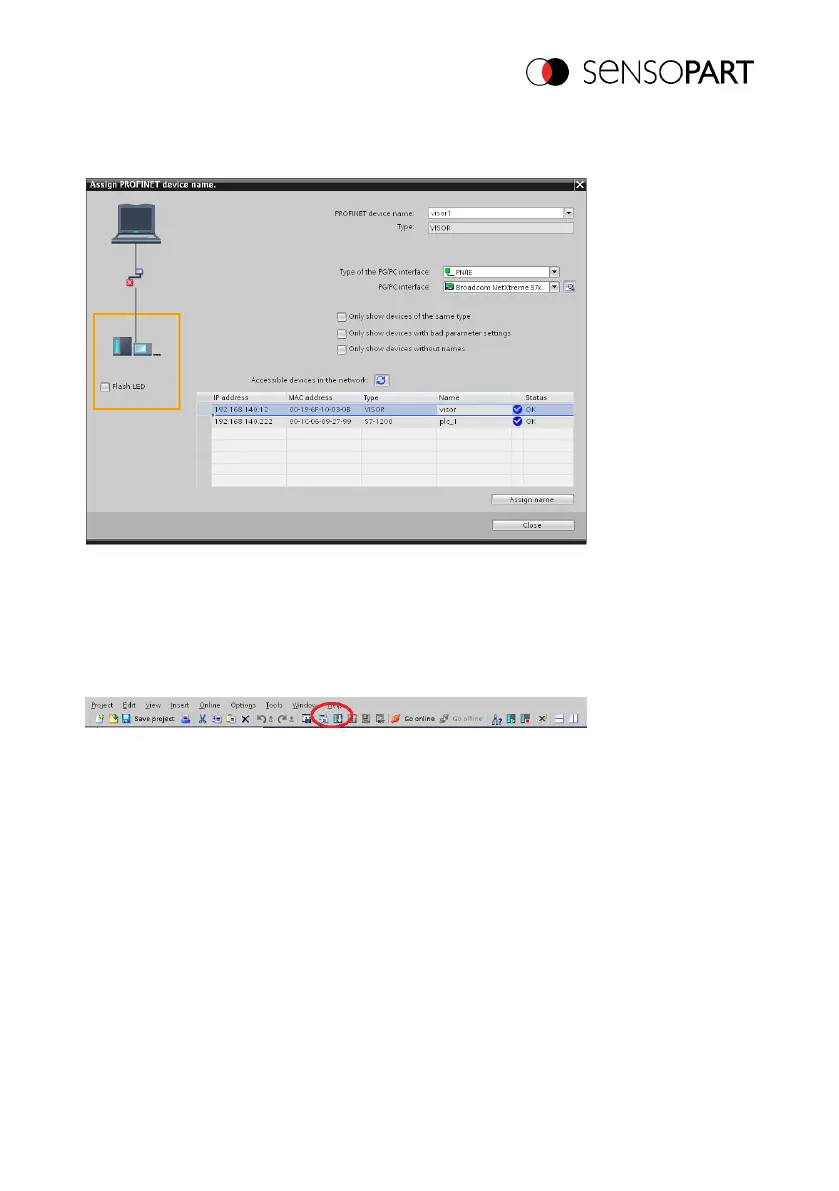
This is done with the tool: Online/Assign PROFINET device name. Select the corresponding
device (VISOR
®
) and apply the name with "Assign name."
Fig. 36: Writing a name to VISOR
®
9.1.5 Load the project onto the PLC
To finish the configuration and save changes of the project: 1. translate and 2. transfer / write to
the PLC
Fig. 37: Translate project and write to PLC
9.1.6 Mapping of output data
The VISOR
®
vision sensor’s output data can be mapped to the data in the PROFINET log as
follows:
Step 1) The start address for an input variable can be taken from "Device Overview".
06814859 - 1/24/2019-00 Page 57 EN



 To Next Page