VISOR
®
Communications manual
3 VISOR
®
configuration
In order to configure the vision sensor, follow the steps below.
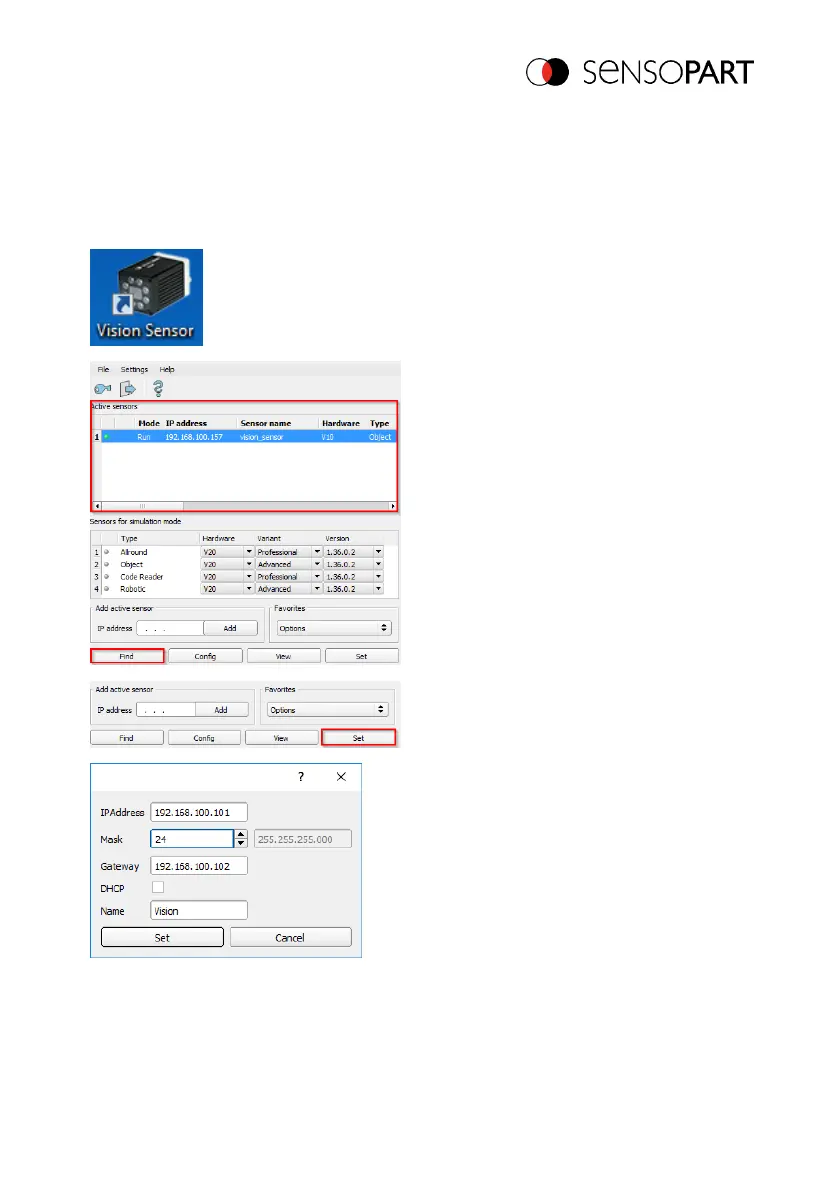
Settings in SensoFind
1. Start the VISOR
®
software . SensoFind
are opened.
2. Click on the "Find" button. The vision
sensor will be listed in the "Active
sensors" window.
3. Click on the "Settings" button. The
dialog box for configuring the IP address
and the sensor name will appear.
4. Assign an IP address and a name to the
sensor.
5. Click on the "Set" button. The IP
address and the name have now been
updated.
06814859 - 1/24/2019-00 Page 15 EN



 To Next Page