VISOR
®
Communications manual
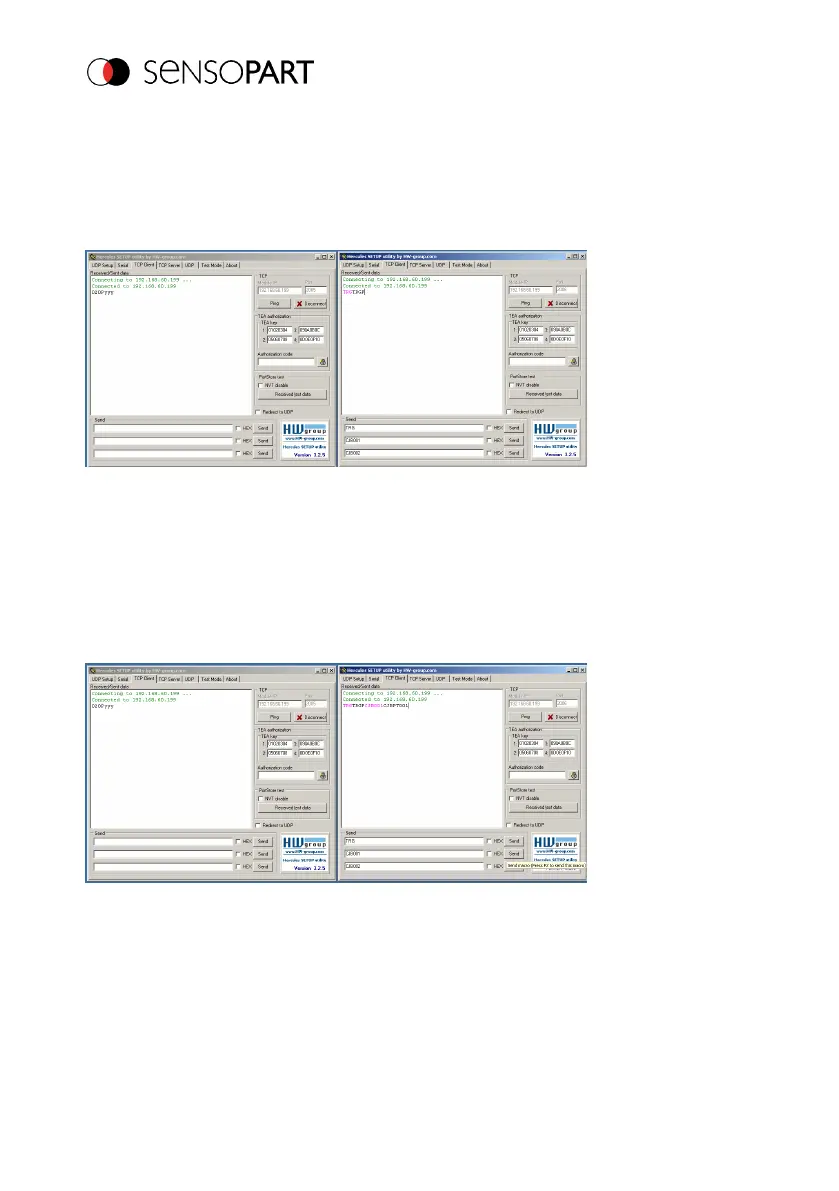
Here, the application Hercules was opened twice. Once with port 2005 (receiving of results as
defined in "Data output") and port 2006 (commands + acknowledge) as VISOR
®
input port
through which it can receive commands.
All telegrams (commands and response strings) to and from the VISOR
®
are described in section
Overview telegrams.
Fig. 18: Data output, Ethernet, Job switch, Tool / 1
In the right window (Port 2006), the command TRG (Trigger, see "Send" below, first line) was
issued. This is displayed in the main window in red letters with "TRG". The VISOR
®
responds
immediately with the "TRGP" acknowledge (repetition of "TRG" command and "P" for positive, in
black letters in the right pane)
In the left pane (Port2005), the VISOR
®
on which Job 2 is currently active sends the
corresponding result string, which is defined in Data output in Job 2 with "020Pyyy".
Fig. 19: Data output, Ethernet, Job switch, Tool / 2
Now in the right window (Port2006), the command CJB001 (Change Job 001, 001 = Job no. 1,
see "Send" below, second line) was issued. This is displayed in the main window in red letters with
"CJB001". The VISOR
®
responds immediately with the "CJBPT001" acknowledge (repetition of
"CJB" command, "P" for positive, "T" = Triggered, 001 job number to which the change was
made)
Page 28 EN 06814859 - 1/24/2019-00



 To Next Page