Chapter 15 — Maintaining the Drives Updating Drive Firmware
December 2019 User Guide—Spectra T200, T380, and T680 Libraries
483
5. If the License Agreement screen displays, read the license agreement,
then click Accept.
Note: If you decline the agreement, you are not able to update the
drive firmware using this method.
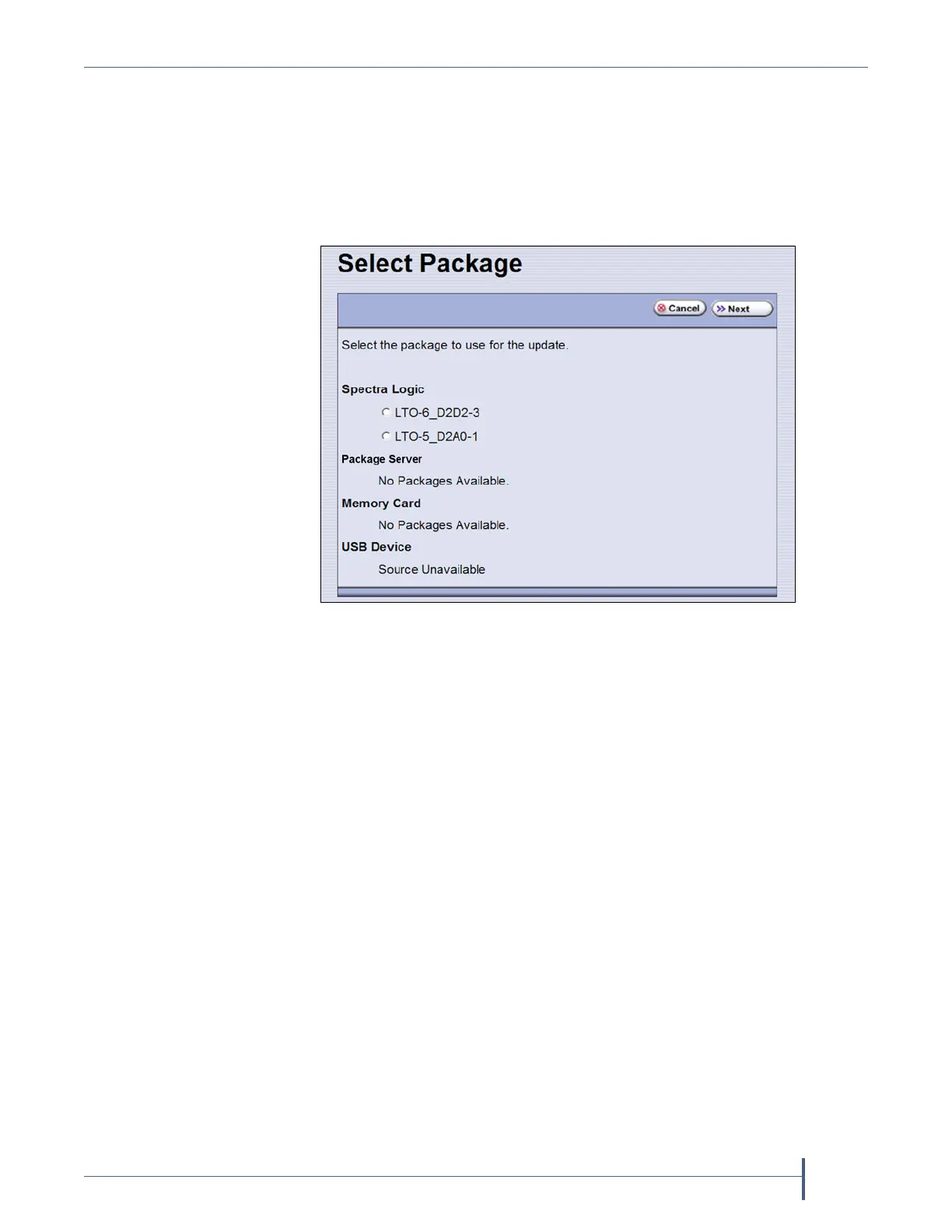
6. The Select Package screen lists the filenames for the firmware update
packages.
7. Select the correct drive firmware package from the list.
Note: If the package does NOT display in the USB or Package server
section, you may have downloaded the wrong signed/unsigned
package type.
Figure 298 Select the package for the drive firmware update.



 To Next Page