Chapter 15 — Maintaining the Drives Updating Drive Firmware
December 2019 User Guide—Spectra T200, T380, and T680 Libraries
491
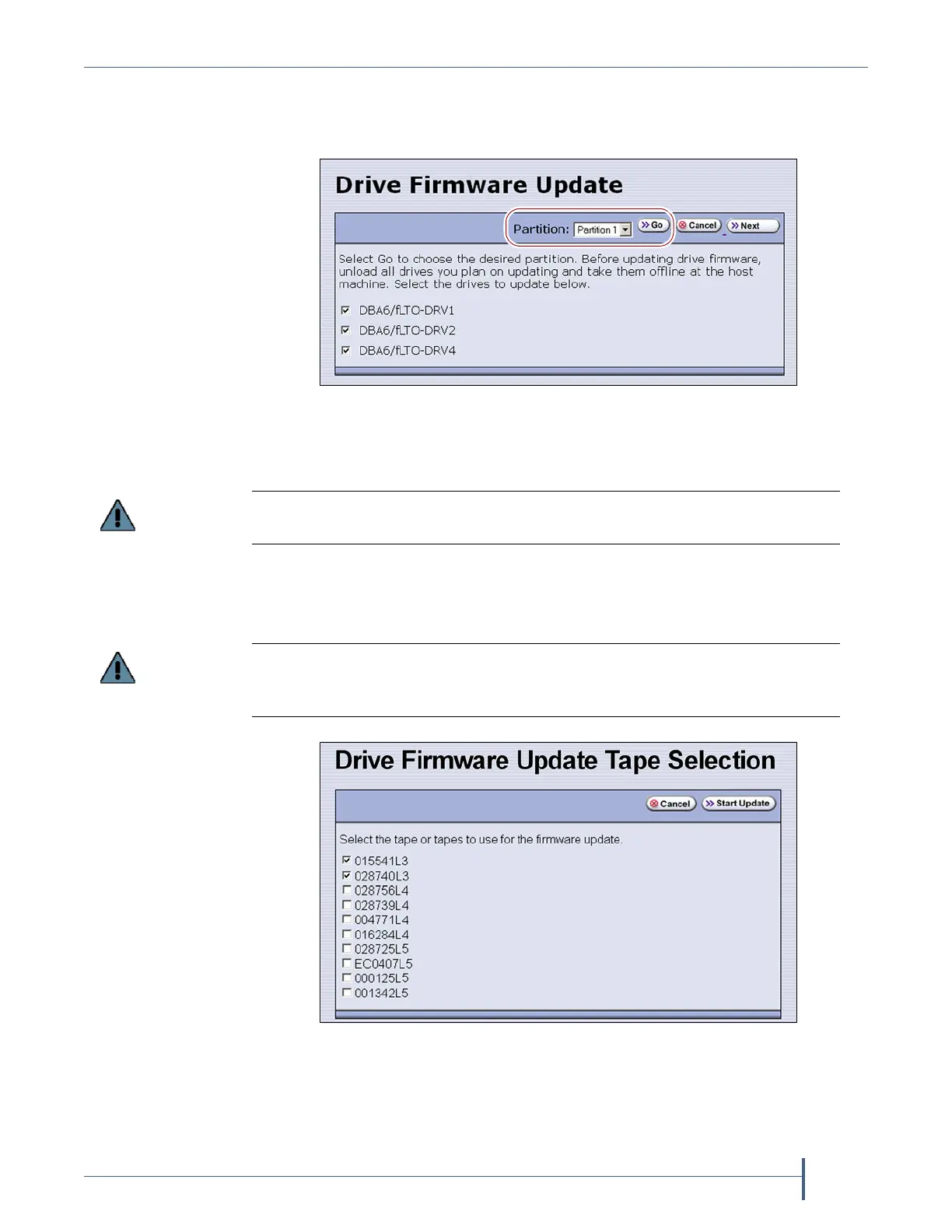
3. Select the partition containing the drives you want to update from the
drop-down list, then click Go. The Drive Firmware Update screen
refreshes to show the drives assigned to the selected partition.
4. Select the drives that you want to update.
5. Click Next. The Drive Firmware Update Tape Selection screen displays
with a list of the cartridges currently in the entry/exit pool. Select the
firmware tapes you want to use for the update.
Figure 306 Select the partition for the drives you want to
update.
If you have multiple drive generations in the same partition, make sure that you
only select one generation at a time. Each drive generation uses different firmware.
If you have firmware update tapes for multiple drive generations in the same
magazine, make sure that you select the firmware update tapes that correspond to
the generation of the drives you selected in Step 4 on page 491.
Figure 307 Select the firmware tapes you want to use for the
update.



 To Next Page