Defining an RUVPN Security Policy and an IPSec Action
Firebox Vclass User Guide 347
7 From the Service drop-down list select New to create a
new service. For information on creating a service, see
“Defining a service” on page 182.
The Services will be limited to those that remote users will use,
whether a few or a wide range of services.
8 From the Incoming Interface drop-down list, select 1
(Public).
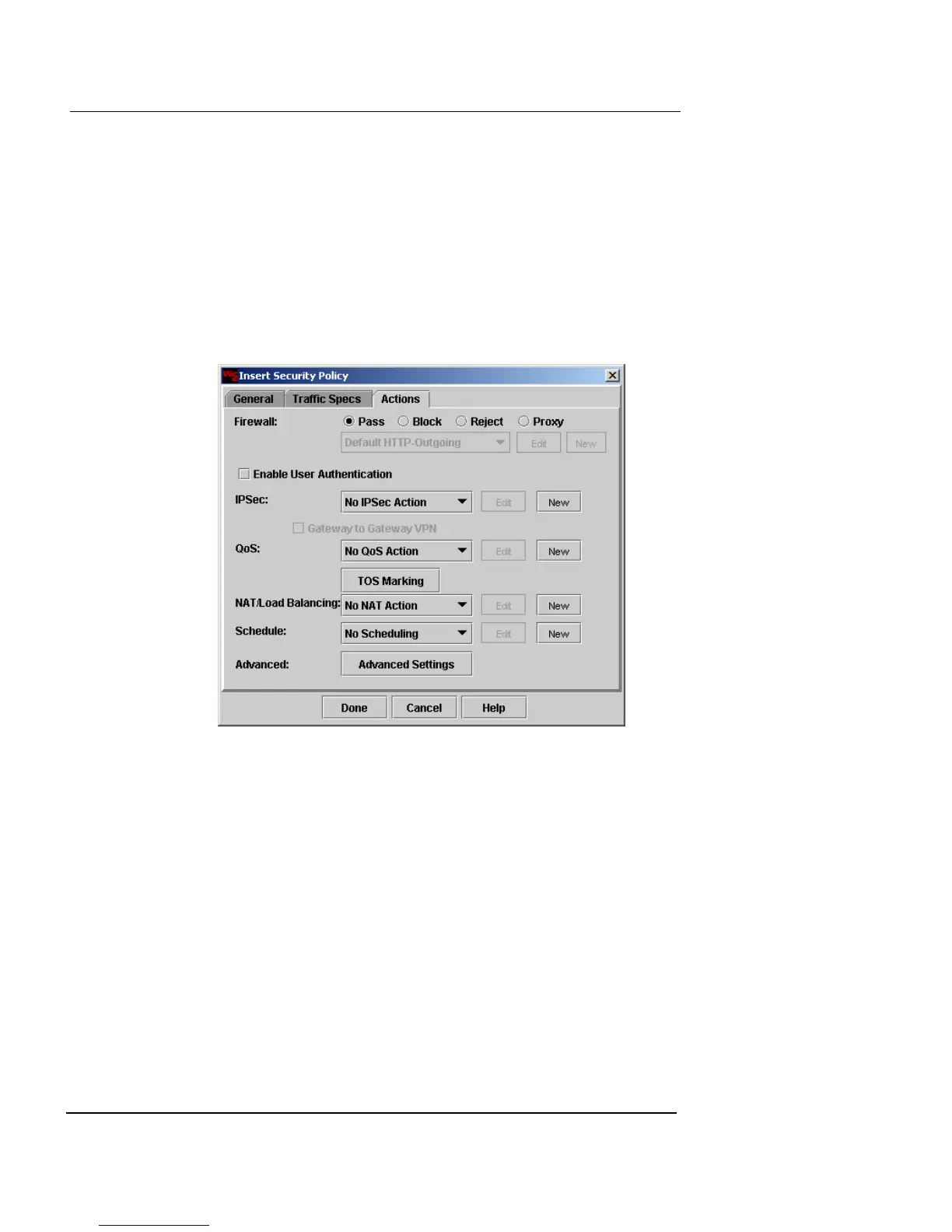
9 Click the Actions tab.
The Actions page appears.
10 Click Pass.
11 from the IPSec drop-down list, select a previously
created IPSec action.
12 Click Done.
13 When you have finished configuring RUVPN policies,
click
Apply to save the settings to the Firebox Vclass
appliance.
Form more information on configuring security policies,
see “Defining a Security Policy” on page 178.













 To Next Page