5.4 Confidential Print
186
3.
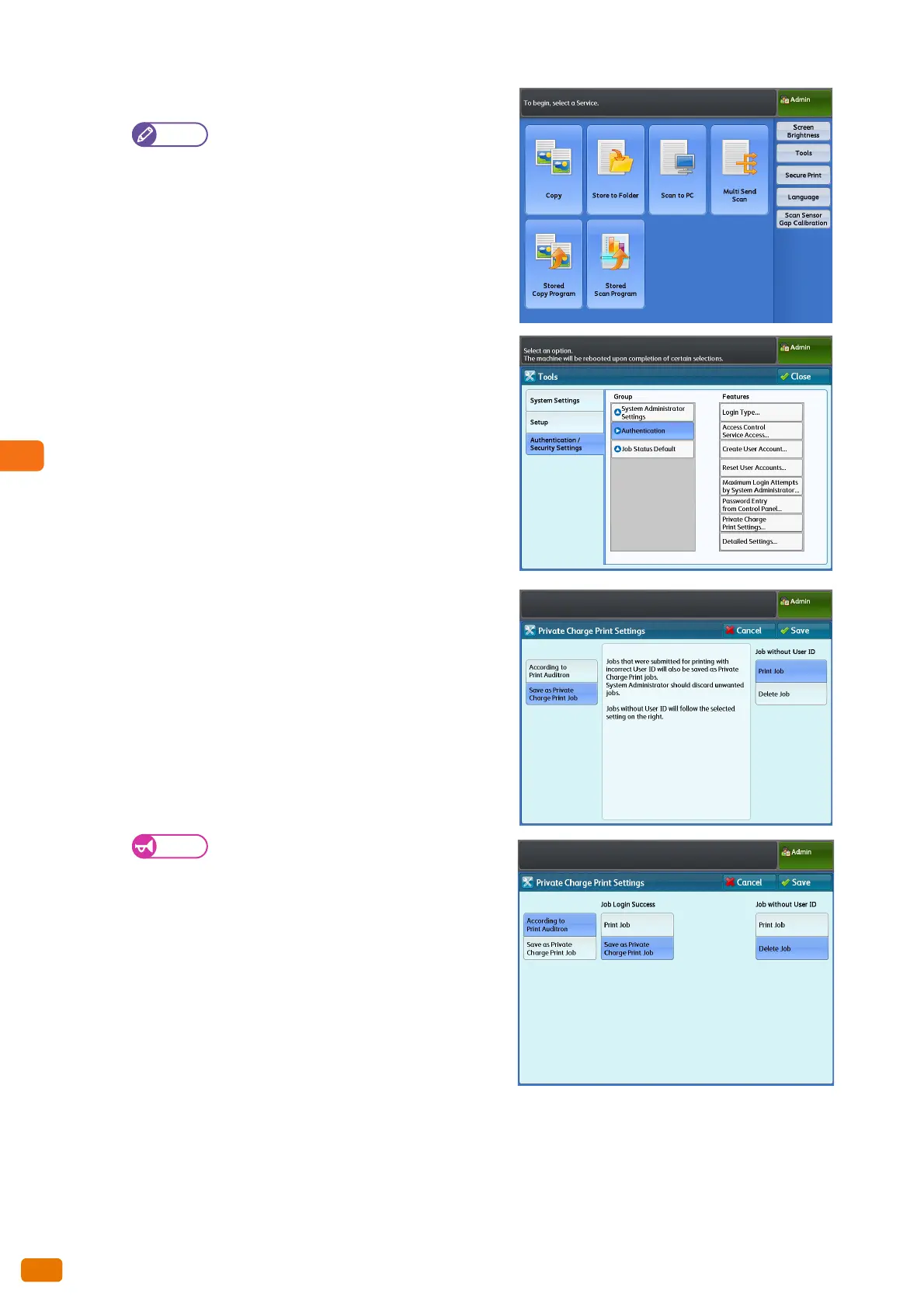
On the menu screen, press [Tools].
Press the <Services Home> button on the
control panel to display the menu screen, if not
yet displayed.
4.
Press [Authentication / Security Settings] >
[Authentication] > [Private Charge Print Settings].
5.
Press [Save as Private Charge Print Job].
When Remote Authentication is enabled, if you
select [According to Print Auditron], the settings
for [Job Login Success] and [Job without User
ID] are ignored and therefore all print jobs will
be printed.
6.
Select [Print Job] or [Delete Job] under [Job without User
ID].
7.
Press [Save].


 To Next Page
 Loading...