July, 2007
4-33
WorkCentre 5020
REP 5.1.3
Repairs and Adjustments
Initial Issue
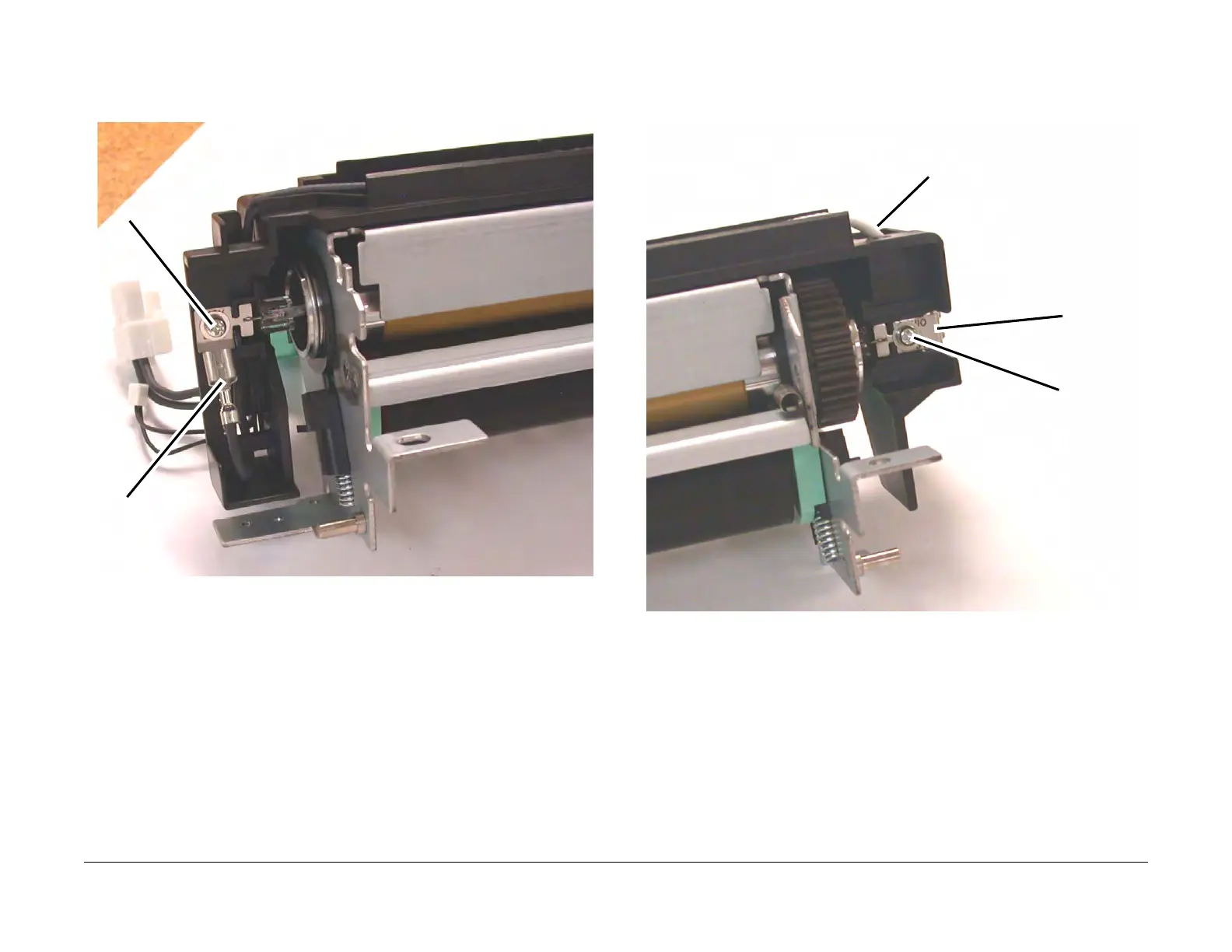
3. Disconnect the hot side of the Fuser Lamp (Figure 2).
1 Disconnect the Terminal.
2 Remove the Screw.
Figure 2 Disconnecting the hot side of the Fuser Lamp
4. Disconnect the neutral side of the Fuser Lamp (Figure 3).
1 Disconnect the white wire from theTerminal.
2 Remove the Screw.
Figure 3 Disconnecting the neutral side of the Fuser Lamp
Terminal
Screw
White Wire
Terminal
Screw



 To Next Page
 Loading...







