July, 2007
4-41
WorkCentre 5020
REP 6.1.1
Repairs and Adjustments
Initial Issue
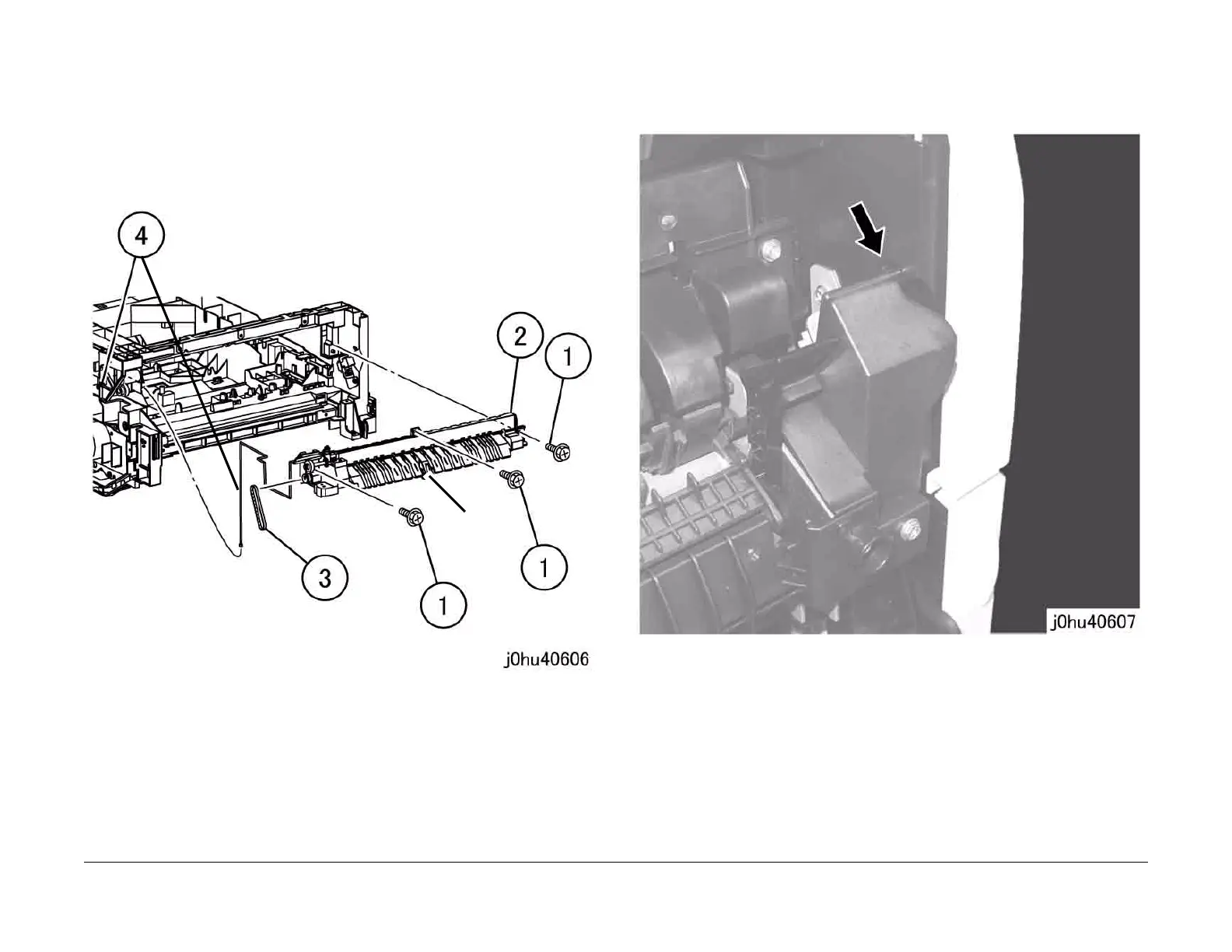
6. Remove the Exit Transport (Figure 4).
1 Remove the Tapping Screws (3).
2 Remove the Exit Transport.
3 Remove the Belt from the Exit Transport Drive Gear, and disconnect J153 from the
Fuser Exit Sensor.
4 Remove the J153 wire harness from the Exit Transport.
Figure 4
Replacement
1. To install, do the removal steps in reverse order.
2. When installing the Connector Cover, insert the stud of the Connector Cover into the hole
in the frame (Figure 5).
Figure 5
J153



 To Next Page
 Loading...







