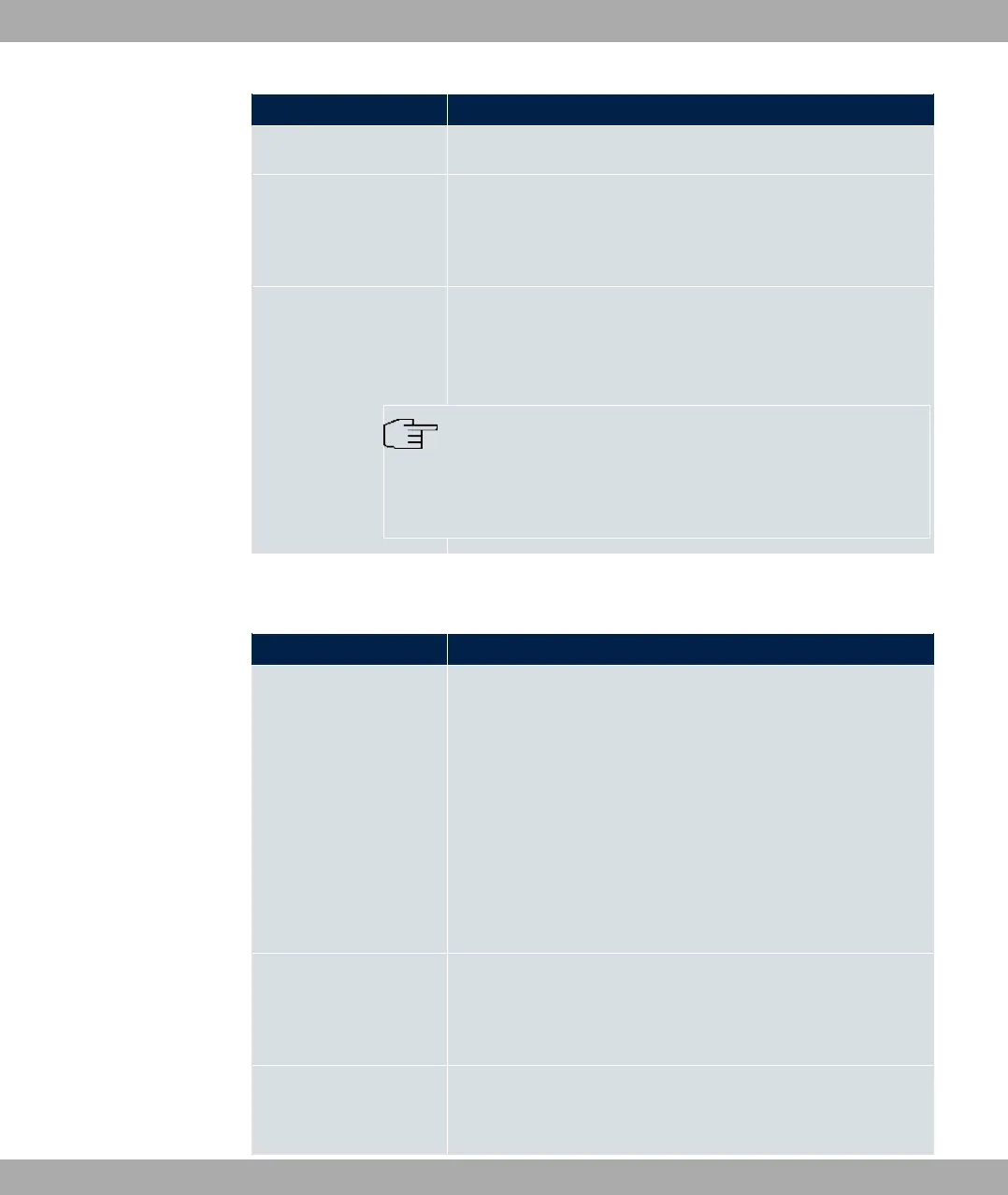
Field Description
The function is enabled by default.
Preferred Lifetime
Enter a time period in seconds. During this time, addresses de-
rived from the prefix through SLAAC are preferred.
The default value is seconds.
Valid Lifetime
Enter a time period in seconds, for which the prefix is valid.
The default value is seconds.
Note
The value for the valid lifetime should be lower than the one
configured for the option Router Lifetime under Advanced
IPv6 Settings.
The menu Advanced Settings consists of the following fields:
Fields in the Advanced IPv4 Settings menu.
Field Description
DHCP MAC Address Only for Address Mode = 5@6
If Use built-in is activated (default setting), the hardware MAC
address of the Ethernet interface is used. In the case of physical
interfaces, the current MAC address is entered by default.
If you disable Use built-in, you enter an MAC address for the
virtual interface, e.g. 88$88"$8&.
Some providers use hardware-independent MAC addresses to
allocate their clients IP addresses dynamically. If your provider
has assigned you a MAC address, enter this here.
DHCP Hostname Only for Address Mode = 5@6
Enter the host name requested by the provider. The maximum
length of the entry is 45 characters.
DHCP Broadcast Flag
Only for Address Mode = 5@6
Choose whether or not the BROADCAST bit is set in the DHCP
7 LAN bintec elmeg GmbH
144 bintec RS Series



 To Next Page