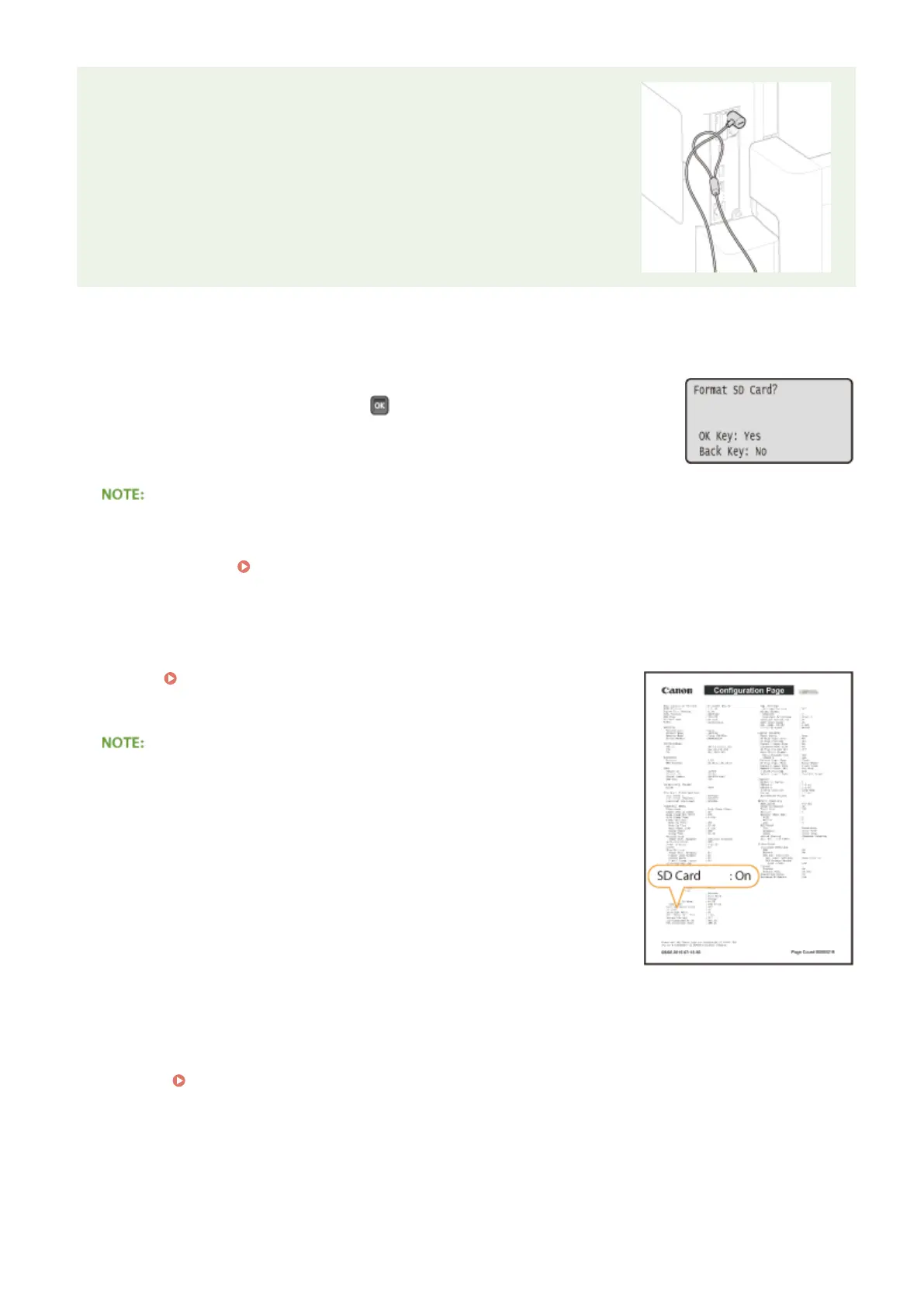
SD Card Anti-theft Security Slot
● The SD card slot cover is provided with a security slot, to which you can
attach security wire or equivalent.
● The hole of the security slot is 3.4 mm wide and 7.4 mm high.
● For inquires about the security slot, contact your local authorized Canon
dealer.
◼
Initializing the SD Card
When you turn ON the power for the rst time after installing the SD card, <Format
SD Card?> appears on the display. Press
to start initializing the SD card. When the
initialization is completed, the SD card is ready to use.
If <Format SD Card?> is not displayed
● Initialize the SD card by selecting <Format> under <SD Card Maintenance> in the setting menu of the
operation panel. SD Card Maintenance(P. 410)
◼
Checking that the SD Card Is Properly Installed on the Machine
Print the Conguration Page(P. 536) , and the SD card is installed properly if
"SD Card" in "Control Menu" is "On."
If no SD card status information is indicated
● The SD card is not installed properly. Remove the SD card from the
machine, and remount it.
◼ Conguring the Information of the SD Card
If an SD card was added after the printer driver was installed, you need to congure the SD card information in the
printer driver.
Optional Items(P. 575)
◼ Deleting All Data in an SD Card
Before disposing of an SD card, you can use the procedure below to delete all data in the card. The procedure deletes
even those fragments of data that cannot be deleted normally. This eliminates the risk of your data being red by third
parties, thus you can dispose of the SD card safely.
Appendix
585



 To Next Page