0ALJ-022
Registering Multiple Destinations for Group Dial
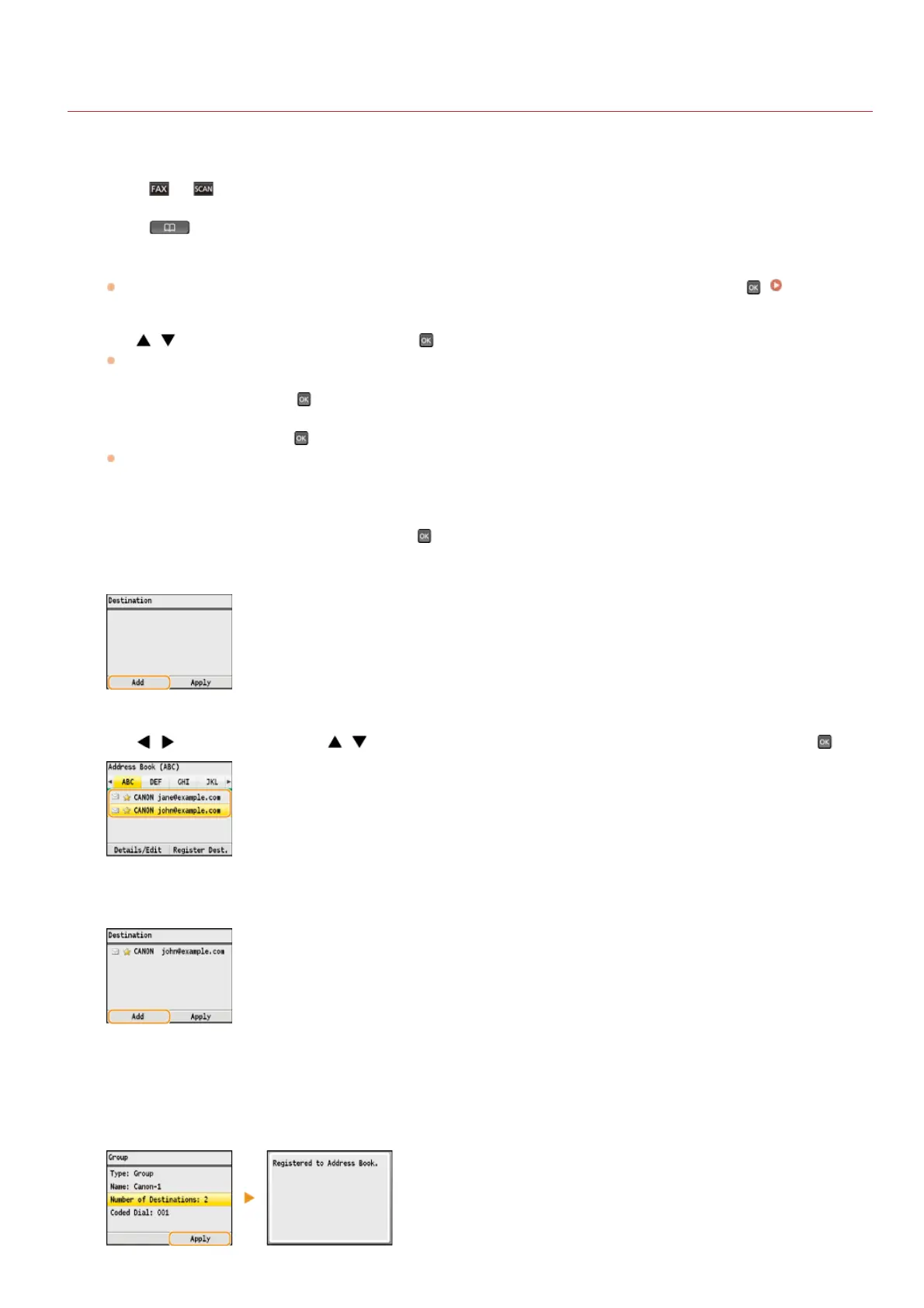
Multiple destinations can be combined into groups. After a group is registered, you can add or delete destinations.
Press or .
Press .
Press <Register Dest.>.
If a screen appears prompting you to enter a PIN, enter the correct PIN using the numeric keys, and press . Setting a PIN
for Address Book
Use / to select <Coded Dial>, and press .
Groups can also be registered in Favorites. Select <Favorites> to register the group as Favorites.
Select <Group>, and press .
Select <Name>, and press .
Registering <Name> is optional. If you register <Name>, the destination can be searched alphabetically.
Enter the name using the numeric keys, and press <Apply>.
Select <Number of Destinations>, and press .
Press <Add>.
Use / to select the tab and / to select the number or address you want to register, and press .
Press <Add>.
Repeat steps 10 and 11 until you have registered all of the destinations that you want to register, and then
press <Apply>.
Press <Apply>.
1
2
3
4
5
6
7
8
9
10
11
12
13
㻝㻜㻞㻌㻛㻌㻢㻣㻢











 To Next Page