0ALJ-0E7
How to Replace Toner Cartridges
Read the precautions in Maintenance and Inspections and Consumables before replacing the toner cartridges.
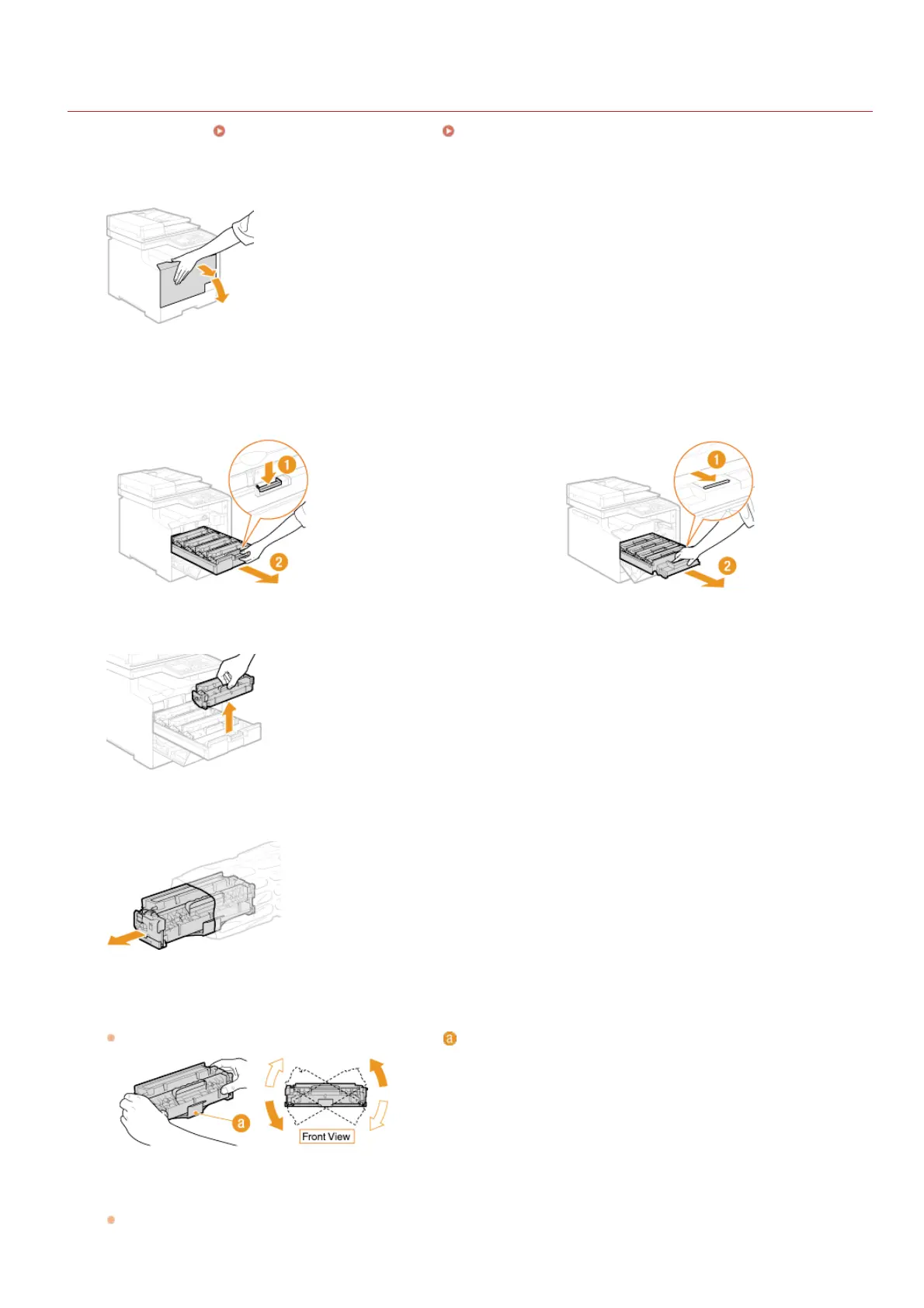
Open the front cover.
Pull out the cartridge tray.
MF8580Cdw / MF8550Cdn / MF8540Cdn MF8280Cw / MF8230Cn
Pull the toner cartridge straight up and out of the machine.
Remove the replacement toner cartridge from the protective bag.
Shake the toner cartridge 5 or 6 times as shown below to evenly distribute the toner inside the cartridge,
and then place it on a flat surface.
In this step, do not remove the drum protective cover ( ).
Pull the sealing tape straight out.
The full length of the sealing tape is approximately 50 cm.
1
2
3
4
5
6
㻡㻥㻠㻌㻛㻌㻢㻣㻢











 To Next Page