0ALJ-05Y
Scanning from the Machine
The sequence of "scanning a document and saving it to a computer" can only be done when scanning from
the machine. Scan while specifying what computer documents will be saved to; whether to scan documents in
color or black and white; whether to save documents as PDFs or JPEGs; and other settings.
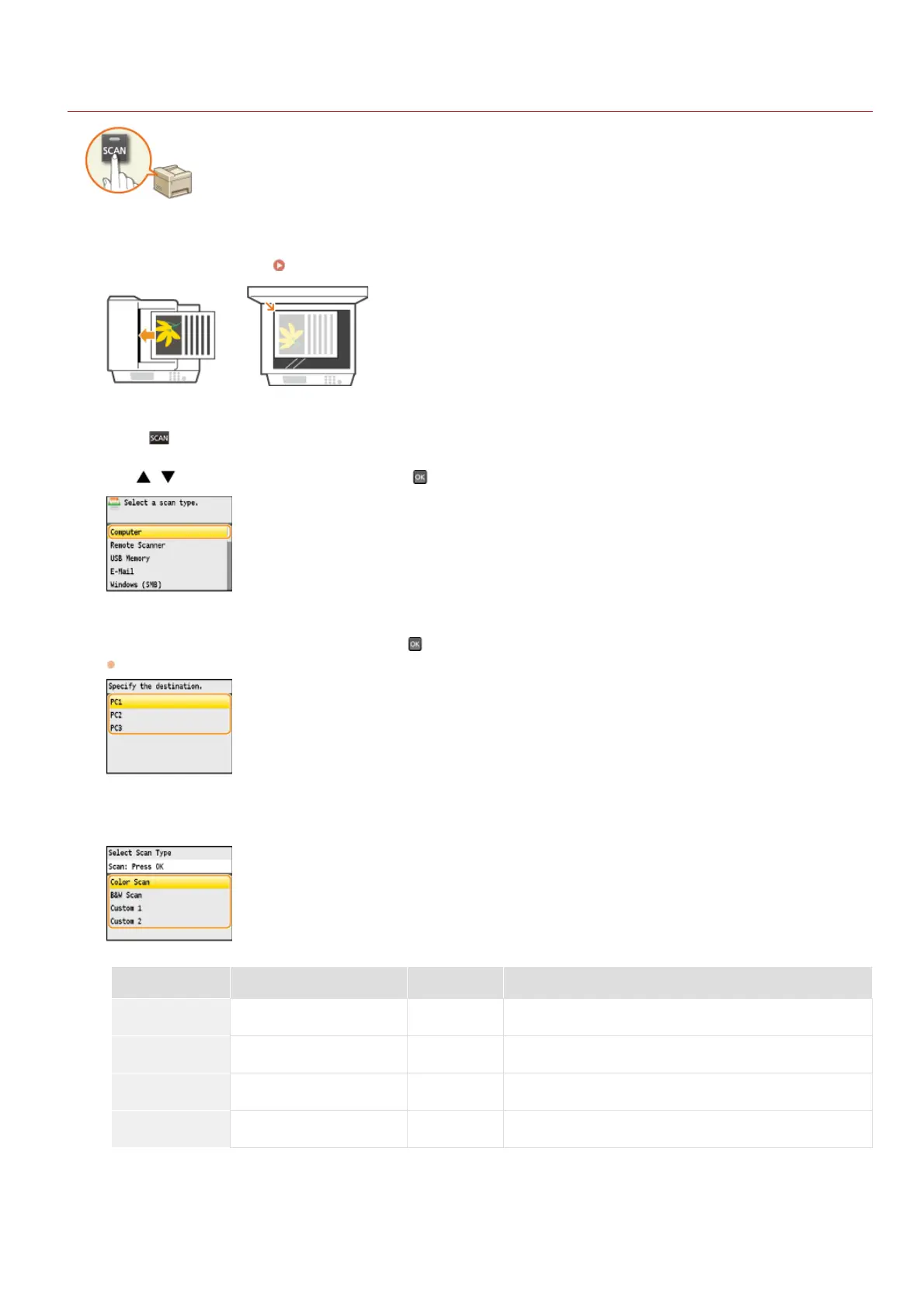
Place the document(s). Placing Documents
Press .
Use / to select <Computer>, and press .
Select the destination computer, and press .
This screen is not displayed if only a computer is connected to the machine via USB.
Select the scan type.
Scan type Color Resolution File format
<Color Scan> Color 300 dpi PDF (searchable) / High compression
<B&W Scan> Black and white 300 dpi TIFF
<Custom 1> Color 300 dpi JPEG/Exif
<Custom 2> Color 300 dpi PDF (searchable) / Standard compression
A PDF format where characters on the document are scanned as text data and the text can be searched using a computer.
Documents are scanned in black and white only, with no intermediate shades of gray.
NOTE:
To change settings
*1
*2
*1
*1
*2
1
2
3
4
5
㻞㻡㻝㻌㻛㻌㻢㻣㻢











 To Next Page